Opting for a refurbished laptop is one of the smartest ways for businesses to stretch their IT budget, often slashing hardware costs by a hefty 30-50% compared to buying new. For any business owner, IT manager, or sustainability leader, this is more than just a purchase—it's a strategic move. You get high-quality, business-grade technology without paying the premium, making it a fiscally sound decision that also delivers significant environmental and social benefits.
The Strategic Value of Refurbished Laptops for Your Business
Thinking of refurbished hardware as just a cost-cutting tactic is selling it short. It’s a powerful business decision that pays dividends well beyond the initial invoice. For IT managers and sustainability leaders, this approach unlocks a fantastic ROI while hitting key organizational goals. The financial win is obvious, but the real value is deeper, touching everything from operational efficiency to corporate responsibility and community impact.
When your organization makes this shift, it plugs directly into the circular economy. You’re ditching the old "take-make-dispose" model and instead extending the life of valuable assets. This simple choice strengthens your company's Environmental, Social, and Governance (ESG) profile in a tangible way, a key consideration for today's conscious stakeholders.

Beyond the Bottom Line
The benefits of rolling out a fleet of refurbished laptops create a positive ripple effect across your entire business. It’s not just about what you save; it’s about what you contribute to a more sustainable future.
Here’s what this means for your business:
- Reduced E-Waste: By choosing refurbished technology, your company keeps perfectly good electronics out of landfills, significantly shrinking its environmental footprint. This is a critical action in the fight against the growing global e-waste problem.
- Enhanced ESG Reporting: Today, investors, customers, and employees prioritize sustainability. Integrating refurbished tech is a concrete action you can proudly feature in your ESG reports, demonstrating a commitment to responsible operations.
- Resource Conservation: Manufacturing a new laptop consumes a shocking amount of energy, water, and raw materials. Refurbishing conserves these precious resources, aligning your procurement strategy with planetary health.
A successful hardware refresh always starts with responsibly managing what you already have. Before you bring in new equipment, you need a secure, compliant plan for your old IT assets. This is where a trusted IT Asset Disposition (ITAD) partner is non-negotiable.
Setting the Stage for a Seamless Transition
To properly embrace a refurbished-first mindset, you need to start with a clean slate. Retiring your current devices isn’t as simple as boxing them up; it requires a meticulous process that protects your data and meets environmental regulations. Partnering with a certified social enterprise like Reworx Recycling for your IT equipment disposal is crucial—it builds a secure foundation for the entire transition.
As a donation-based social enterprise, Reworx Recycling ensures your old equipment is handled with the highest level of security, including certified data destruction that guarantees your sensitive information is permanently erased. Our approach doesn't just eliminate risk; it transforms your surplus electronics into opportunities that support digital inclusion and workforce development in local communities. You can see how this works by learning about the circular economy principles Reworx Recycling follows.
By managing the end-of-life stage responsibly through a corporate donation program, you set your business up for a hardware refresh that is both fiscally smart and socially impactful from start to finish.
How to Find the Right Refurbished Laptop Vendor
Picking where to buy your refurbished laptops is just as critical as choosing the models themselves. This isn't a simple transaction. Your vendor is a partner whose standards and processes have a direct ripple effect on your fleet's reliability and your company's security. You have many options, from manufacturer outlets to specialized B2B refurbishers, and each path has its own pros and cons.
The market for refurbished laptops is booming. It hit an estimated USD 8.9 billion in 2024, and it's not slowing down. This growth is largely fueled by small and medium-sized businesses looking for smarter, more sustainable ways to manage their IT needs. More options are great, but it also means IT managers must be extra careful in their evaluation.
Comparing Your Vendor Options
Not all suppliers are created equal. The right choice depends on your business's specific requirements for IT procurement. Your primary options fall into a few key categories, and knowing the difference is the first step toward a smart purchase.
- Original Equipment Manufacturers (OEMs): These are major brands like Dell Outlet or HP Business Outlet. They sell their own equipment that's been returned, serviced, and certified. The huge plus here is the direct-from-manufacturer quality guarantee and warranty. The downside? Inventory can be limited, and the prices are often a bit steeper.
- Certified Third-Party Refurbishers: These are specialists who source used laptops, often from large enterprise lease returns, and put them through an exhaustive refurbishment process. Look for Microsoft Authorized Refurbishers (MAR), which guarantees legitimate Windows licenses. They usually offer a wider selection and better prices than OEMs.
- B2B Marketplaces: Think of these as large digital platforms connecting numerous sellers with business buyers. You can find incredible deals and a nearly endless selection. However, quality can be inconsistent. If you go this route, you must vet each individual seller, as warranties and support vary wildly.
To make the decision easier, here’s a quick breakdown to help you match a vendor type to your specific business needs.
Comparing Your Refurbished Laptop Vendor Options
A side-by-side analysis to help IT managers determine the best source for refurbished laptops based on their specific business needs and procurement criteria.
| Vendor Type | Pros | Cons | Best For |
|---|---|---|---|
| OEMs | Manufacturer-backed warranty and quality control; high reliability. | Limited model selection; higher price point; less flexibility on bulk orders. | Businesses needing top-tier assurance and warranty, where budget is less of a concern. |
| Certified Third-Party Refurbishers | Wide variety of brands and models; competitive pricing; often offer robust warranties. | Quality can vary between vendors; requires thorough vetting of their process. | Companies needing a balance of cost, variety, and reliability, especially for standardized fleet deployment. |
| B2B Marketplaces | Massive selection from multiple sellers; potential for very low prices. | Inconsistent quality; warranties and return policies vary by seller; risk of unreliable suppliers. | Tech-savvy buyers comfortable with vetting individual sellers and managing potential inconsistencies. |
Ultimately, your choice depends on your risk tolerance, budget, and the level of consistency you need for your IT fleet.
Vetting Your Potential Partner
Once you've shortlisted a few potential vendors, it's time to roll up your sleeves and do some digging. A trustworthy partner will be transparent about their processes and certifications. Don't just take their word for it—ask for documentation.
Start with certifications. In the world of electronics recycling and refurbishment, R2 (Responsible Recycling) and e-Stewards are the gold standards. These aren't just fancy badges; they prove a vendor has passed rigorous third-party audits for environmental safety, data security, and worker protection. Knowing what to look for is crucial, and understanding the key factors in choosing an e-waste partner will give you a solid framework for your evaluation.
A vendor’s willingness to provide sample units for testing is a major green flag. It shows they are confident in their product quality and transparent in their business practices. Don't skip this step, especially for bulk purchases.
It’s also smart to look into their supply chain cybersecurity practices. This might sound like overkill, but a secure supply chain protects the integrity of the device you receive, minimizing risks all the way from component sourcing to final delivery.
Key Questions to Ask a Potential Vendor
Before you sign any purchase orders, get on the phone with your potential supplier. Their answers will tell you everything you need to know about their standards.
- What is your refurbishment process? A good refurbisher will gladly walk you through their testing, repair, and cleaning checklist. Ask if they use original manufacturer parts, especially for critical components like batteries and chargers.
- Can you provide documentation for data sanitization? This is non-negotiable. Ask for proof that they follow standards like NIST 800-88 for data wiping to ensure devices are completely clean of any prior data.
- What does your warranty cover? Get into the details here. Does it cover the battery? Who pays for shipping on a defective unit? For business-grade equipment, a one-year warranty should be the absolute minimum.
- How do you handle bulk orders and consistent supply? If you need 100 identical laptops, can they deliver? And more importantly, can they get you that same model six months from now? This is essential for maintaining a standardized and easily manageable IT environment.
Finding the right vendor isn't just about buying laptops; it's about building a foundation of trust and quality for your entire hardware strategy. This due diligence protects your investment, guarantees reliable devices for your team, and reinforces your company's security and sustainability goals.
An IT Manager's Hands-On Inspection Checklist
Once you've picked a vendor, the real work begins. The quality of a refurbished laptop comes down to the hands-on inspection, whether you're looking at a single sample unit or a whole pallet.
Treating this step systematically is your best defense against future IT headaches. You need to be sure every machine meets the standards your business demands. Don't just trust the label on the box; a thorough physical and software check is non-negotiable.
This structured process ensures that you catch potential issues before they become problems for your team. Before we get into the nitty-gritty, it's helpful to remember the bigger picture of finding a reliable partner. It boils down to a simple three-step process: Research, Evaluate, and Partner. This is the foundation of any successful procurement strategy.
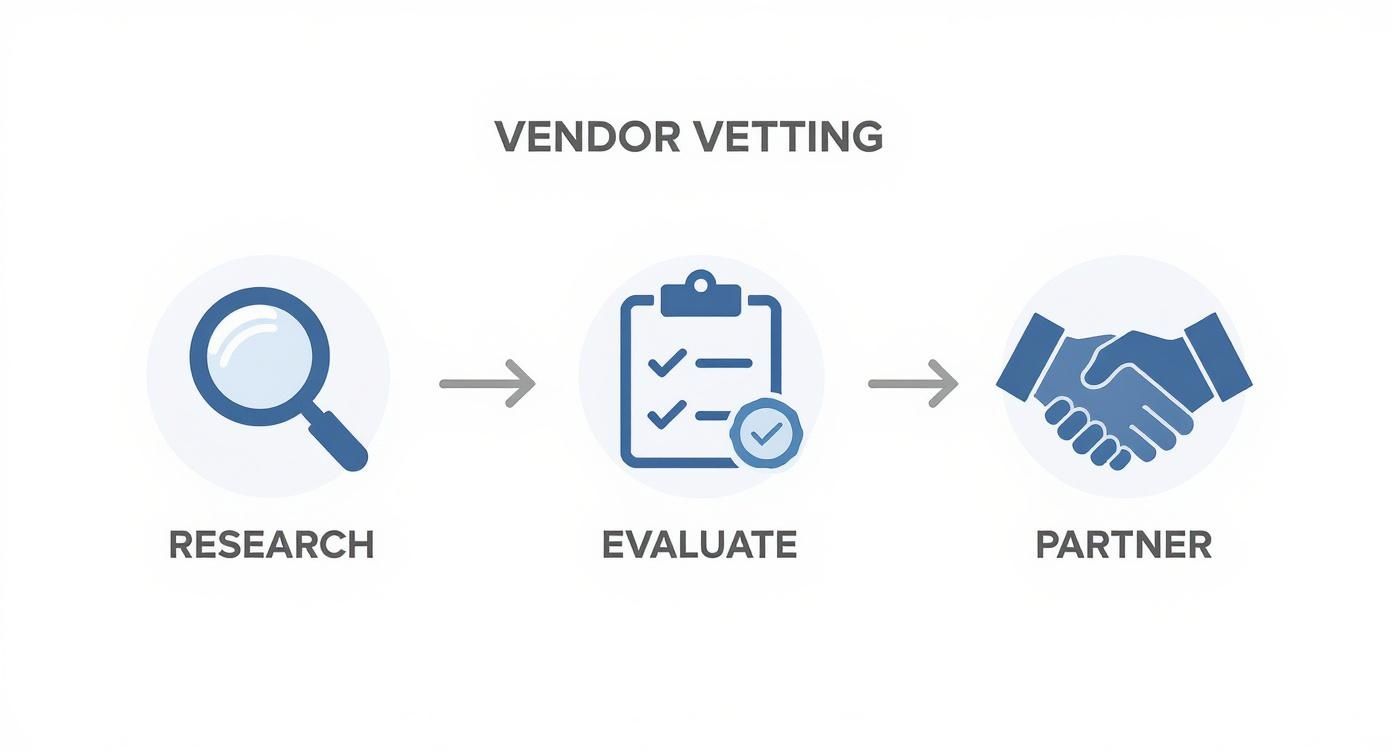
As the diagram shows, a solid partnership is built on diligent research and careful evaluation. This hands-on inspection is a critical part of that evaluation phase. Think of the following checklist as your playbook for getting it right.
Physical Hardware Inspection
Start with the exterior and work your way in. The physical condition of a device tells you a lot about its previous life and, more importantly, the quality of the refurbishment itself. This is where you translate a vendor’s cosmetic grading into a real-world assessment.
- Chassis and Casing: Look for major cracks, deep scratches, or missing rubber feet. Minor scuffs on a Grade B unit are one thing, but structural damage is a definite red flag. Make sure all the seams are flush and the laptop sits evenly on a flat surface without wobbling.
- Screen and Display: Power it on. Hunt for dead pixels, any discoloration, or pressure marks that look like faint bruises on the screen. Test the hinges by opening and closing the lid—they should feel firm, not loose.
- Keyboard and Trackpad: Test every single key. Spongy or sticky keys can be a sign of a past liquid spill. Don't forget to check the keyboard's backlight if it has one. The trackpad should be responsive, and its physical click mechanism needs to feel solid.
- Ports and Connections: This one's crucial and often overlooked. Bring a USB drive, an external monitor (HDMI/DisplayPort), and an Ethernet cable. Test every single port. A non-working USB port can make a device nearly useless for many employees.
Internal and Software Verification
What’s under the hood is just as important as how it looks on the outside. These checks confirm the device's health and security, ensuring it’s truly ready for a corporate environment.
A common oversight is failing to check the BIOS/UEFI. Some enterprise devices may arrive with supervisor passwords or Computrace/Absolute persistence modules still active from the previous owner. An unlocked and clean BIOS is essential for proper management.
The first thing you should do is boot into the BIOS/UEFI to confirm it isn't password-protected. This is also the best place to verify the machine’s serial number against the one printed on the chassis. If they don't match, it could mean the motherboard was replaced—something you'll want to ask the vendor about.
From there, focus on these critical software and component checks:
- Operating System Legitimacy: Make sure the laptop has a genuine, activated copy of its OS. This is especially important if you sourced it from a Microsoft Authorized Refurbisher (MAR). A non-genuine OS is a massive security risk.
- Battery Health Assessment: The battery is usually the first component to show its age. Don't just see if it holds a charge. Use the operating system’s built-in tools (like the
powercfg /batteryreportcommand in Windows) to check its design capacity versus its current full charge capacity. A battery with less than 80% of its original capacity will likely need replacing soon. - Component Verification: Use system information tools to confirm the internal specs—CPU, RAM, SSD/HDD size—match your purchase order exactly. An accidental downgrade can kill performance and create frustrating inconsistencies across your fleet.
Finally, remember that a secure IT lifecycle is a two-way street. Just as you scrutinize incoming assets, your outgoing devices require meticulous handling. For more on protecting your company during this phase, check out our guide on securing data during equipment buybacks. This disciplined inspection process ensures the laptops you buy are assets, not future liabilities.
Thinking Beyond the Purchase: Warranties and Support
For any business, the real value of an IT investment isn't just the price tag—it's the reliability and support you get down the road. When you're buying refurbished laptops, the warranty is more than a piece of paper. It's a direct signal of the vendor's confidence in their own work. A solid support plan is your best defense against unexpected downtime and costs.
The world of warranties can be a bit of a maze, with terms varying wildly from one supplier to the next. A simple "30-day guarantee" doesn't cut it for business-critical gear. You should be looking for a comprehensive one-year warranty as your absolute minimum. Anything less is a red flag that the vendor might not fully stand behind their refurbishment process.
Decoding the Fine Print
That great deal you found on a fleet of laptops can turn sour fast if you're stuck paying for common repairs. Before you even think about a bulk purchase, you need to get granular about what the warranty actually covers.
Here are the non-negotiable questions to ask any potential vendor:
- What's the exact duration? A year is the baseline. Top-tier refurbishers often offer extensions up to three years, which is a great sign.
- Is the battery covered? Batteries are consumable, so they’re often excluded from standard warranties. A vendor that guarantees battery health for at least a year really stands out.
- What's the Dead on Arrival (DOA) policy? If a machine is dead out of the box, the fix should be fast, easy, and completely on the vendor's dime. No exceptions.
- Who pays for return shipping? A "Return to Base" warranty might mean you're paying to ship a faulty unit back. Those costs add up. Look for vendors who cover shipping both ways for any warranty claims.
Getting clear answers here ensures you're buying more than just a device; you're buying a performance guarantee.
Understanding Different Support Models
The type of warranty you get determines how fast you can solve a problem and get an employee back online. The gold standard for any business is an "Advanced Replacement" warranty. This is where the vendor ships a replacement unit as soon as your claim is approved, minimizing downtime. It’s worlds better than a standard repair model that could leave you without a laptop for weeks.
Don't sleep on the return policy. Even with a stellar warranty, a particular model might just not be the right fit for your team. A clear, no-fuss return window—usually 14 to 30 days—gives you the wiggle room to test the hardware in your actual work environment.
This focus on post-purchase support is more critical than ever. The refurbished market is booming, growing from about USD 7.73 billion in 2024 to a projected USD 10.29 billion by 2029. As more vendors jump in, you have to be extra diligent about vetting their support structures. You can read more about these market expansion forecasts to see where the industry is headed.
Ultimately, a strong warranty isn't just an add-on; it's a core part of the value. It protects your investment and gives you peace of mind. On the flip side, when it's time to retire your current assets, you need a partner that offers similar value and security. Exploring an equipment buyback program can help you reclaim residual value from your outgoing IT fleet, turning old hardware into a budget booster for your next refresh and closing the loop responsibly.
Securing Your Data and Ensuring Compliance
When you’re buying a refurbished laptop, the physical hardware is only half the story. The invisible data left behind by the previous owner is a massive liability. For any business, data security is non-negotiable, and failing to address it during procurement can expose your organization to significant risk.
You have to be absolutely certain every device is a completely blank slate before it ever touches your network.
This means you need more than just a verbal promise that the drives have been wiped. Your vendor must be able to provide a guarantee—ideally with documentation—that they use professional data sanitization methods. The gold standard is the NIST 800-88 guideline, a set of protocols for media sanitization that ensures data is forensically unrecoverable.

Verifying Data Sanitization
A reputable refurbisher will be transparent about their data destruction process. When vetting a potential partner, don't hesitate to ask for specifics. A vague answer is a major red flag.
Here's what to demand:
- Proof of Process: Ask for documentation detailing their sanitization methods. Do they use certified software? Do they provide certificates of data destruction for the devices they process?
- Adherence to Standards: Specifically ask if they follow NIST 800-88 standards. This demonstrates a professional commitment to data security that goes beyond a simple disk format.
- A Clear Guarantee: Get it in writing that all devices sold to you are free of any residual data from previous owners. This clause in your purchasing agreement is a critical piece of protection.
Once a device is on your network, the security work isn't done. It's smart to train your team to prevent Man-in-the-Middle (MITM) attacks and other common threats that can compromise company information.
Completing the IT Lifecycle Securely
This security-first mindset must apply to your outgoing assets, too. As you bring in new refurbished devices, you need a rock-solid plan for the old ones. Simply storing them in a closet or sending them to a standard recycler is a data breach waiting to happen.
Every retired hard drive contains a history of your company's operations, customer data, and intellectual property.
A single data breach can cost a company millions in fines, legal fees, and reputational damage. Secure IT Asset Disposition (ITAD) isn't an expense; it's an essential insurance policy against catastrophic risk.
This is where a certified ITAD partner like Reworx Recycling becomes indispensable. As a social enterprise specializing in electronics recycling and IT equipment disposal, we ensure the secure and compliant disposition of your old equipment, completing the IT lifecycle responsibly. Our process guarantees that your company's data is irretrievably destroyed using methods compliant with global standards, protecting you from the legal and financial fallout of a data breach. You can get a deeper understanding of these crucial processes in our guide to secure data destruction.
The emphasis on secure and sustainable IT practices is fueling the growth of the secondary market. Projections show the refurbished computers and laptops market is expected to grow from USD 5.85 billion in 2024 to over USD 10.43 billion by 2034. Refurbished laptops are a dominant part of this trend, making up around 74.2% of the market's revenue share, driven by high corporate refresh rates and a growing focus on reducing e-waste.
By integrating both secure procurement and certified, donation-based recycling into your strategy, you build a resilient, compliant, and sustainable IT ecosystem from end to end.
Frequently Asked Questions from Business Buyers
Even after doing all the homework, it’s normal to have a few lingering questions. Making a major IT procurement decision is a big responsibility, and it's smart to tackle any final hesitations before you pull the trigger.
Here are some of the most common questions we hear from IT managers and business owners considering refurbished equipment.
Will Performance Keep Up with New Models?
This is probably the number one concern, and it’s a fair one. The short answer? Yes, absolutely. A business-grade refurbished laptop that’s only a generation or two old will have more than enough power for the vast majority of your team’s daily tasks.
Think about it: for roles centered around email, web browsing, Microsoft Office, and other standard business software, your staff simply won't notice a difference between a new mid-range machine and a high-end refurbished one. A refurbished Dell Latitude or Lenovo ThinkPad with an Intel Core i5 from a couple of years back will perform just as well as a brand-new equivalent for that kind of work, but it’ll cost you a fraction of the price. The goal is always to match the specs to the job, not just chase the latest model number.
How Reliable Are Refurbished Laptops, Really?
This is where the difference between a random online seller and a professional refurbisher becomes crystal clear. Laptops from a reputable vendor are incredibly reliable. These devices, often coming off corporate leases, were built for the long haul in the first place.
The refurbishment process itself is a gauntlet of diagnostics, component replacements, and stress tests. This rigorous process often catches potential issues that might have slipped through the cracks on a consumer production line.
The warranty tells you everything you need to know. A vendor offering a solid one-year or even a three-year warranty is putting their money where their mouth is. They wouldn’t make that promise if they expected a high failure rate.
What Do the Cosmetic Grades Actually Mean?
Cosmetic grading can feel a bit like the Wild West since there’s no universal standard. That said, most professional vendors operate on a similar framework. Getting familiar with it helps you know exactly what to expect when your order arrives.
- Grade A: This is as close to new as it gets. You might find a tiny sign of use if you look really, really hard, but for all intents and purposes, it's in mint condition. The screen will be perfect.
- Grade B: You'll see some minor, visible signs of previous life. This could mean light scuffs on the lid or corners, or a little wear on the keyboard. The screen itself should still be clean and free of major flaws.
- Grade C: These devices have clearly been used and will have noticeable cosmetic dings like scratches, small dents, or significant wear. But here’s the key: functionally, they are still 100% operational. They just don’t look pretty.
For most office settings, Grade B is the sweet spot. You get a great discount without deploying equipment that looks beat up. Always ask a vendor for their specific grading sheet and, if you can, photos of a typical unit from the grade you're considering.
Can We Get a Consistent Supply for Our Fleet?
Managing a corporate IT environment is all about standardization. A top-tier refurbisher gets this. They have the supply chain and expertise to source large quantities of the exact same model, which makes your life infinitely easier when it comes to imaging, deployment, and maintenance.
This is a critical question to ask when you’re vetting suppliers. Can they handle bulk orders? Can they source the same model for you again in six months? This capability is what separates a professional B2B partner from a small marketplace seller. Find a vendor you can build a relationship with, and you'll be able to scale your hardware needs predictably and affordably.
Ready to refresh your company's technology in a way that’s both budget-friendly and environmentally responsible? Partner with Reworx Recycling for your IT equipment disposal needs. When you donate your old devices through our corporate donation programs, you ensure secure data destruction and sustainable recycling while supporting community development. This responsible first step paves the way for a smart, cost-effective upgrade.
Contact Reworx Recycling today to schedule a pickup or discuss how our social enterprise can help your business meet its sustainability and IT goals. For more insights into responsible IT management, Explore Our Recycling Blog.