A technology refresh can leave a business with a storage room full of retired laptops, desktops, monitors, and servers before anyone has decided what should happen next. Those devices still occupy space, may contain sensitive information, and could hold resale or donation value. Treating them as ordinary rubbish turns a manageable IT asset disposition task into a security, compliance, and sustainability problem.
Computer recycling works better as a controlled value-recovery workflow. Each device should be inventoried, secured, assessed for reuse, and routed to refurbishment, resale, parts recovery, or destruction according to its condition and data risk. This guide explains how businesses, schools, and public agencies can create that process with less uncertainty.
Why Old Computers Pile Up and Why Recycling Matters Now
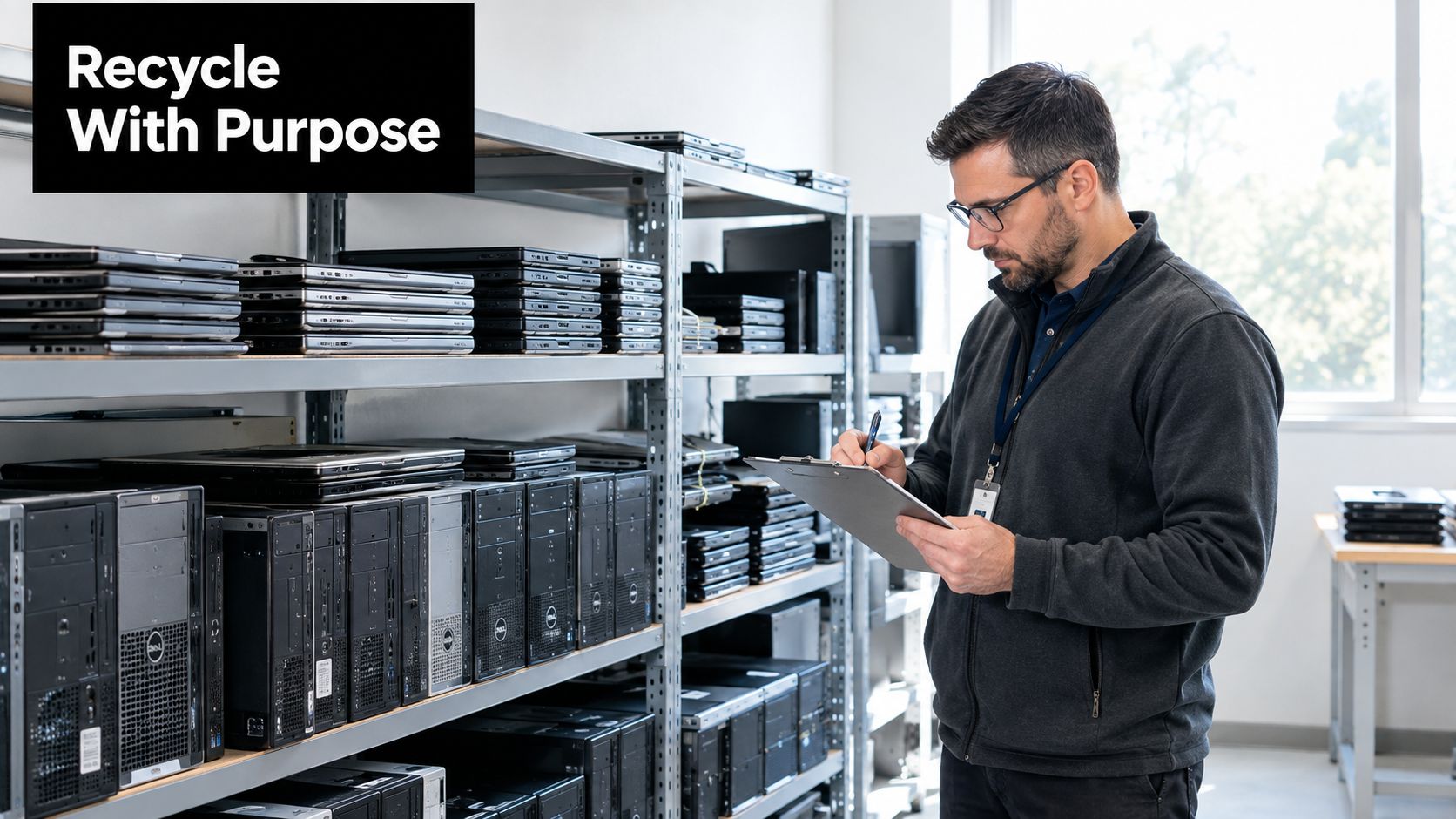
A refresh rarely ends when new computers arrive. The old machines get moved to a storage room, a spare office, or a corner of the warehouse, then wait there while teams focus on deployment. After that, another department adds its retired laptops, and the pile starts to feel permanent. Without an owner, a deadline, and a documented path, the equipment stops being a project and starts becoming part of the building.
The bigger issue is what stays on those devices. A retired computer may still hold customer records, employee data, credentials, research files, or cached access tokens. Removing it from the network does not remove the risk if the device leaves the organization without verified sanitization or physical destruction. It can also hold resale value, which is lost when everything goes straight into the waste stream.
The cost of waiting
Global electronic waste reached a record 62 billion kilograms in 2022, or 7.8 kilograms per person worldwide, and only 22.3% was formally collected and recycled in an environmentally sound manner, according to the World Health Organization's e-waste fact sheet). That leaves a large share outside controlled systems, where businesses have less confidence about data protection, hazardous-material handling, and final recovery.
The growth has been steady for years. As the World Health Organization notes, e-waste increased from 34 billion kilograms in 2010 to the 2022 record, with annual generation rising by an average of 2.3 billion kilograms per year over that period. For operations managers, the message is simple. A refresh program needs a disposition plan before equipment starts accumulating.
A structured response
Businesses can stop the pileup by assigning responsibility at the start of each refresh. Like sorting parts on a workbench before reassembly, the process is easier when each device has a clear next step. The plan should identify:
- The asset owner: Decide whether IT, facilities, procurement, or sustainability will coordinate the project.
- The data decision: Separate devices for reuse from media requiring purge or destruction.
- The logistics route: Choose drop-off, scheduled pickup, office cleanout, or on-site decommissioning.
- The evidence file: Require inventory records, custody documentation, destruction verification, and recycling reports.
Reworx Recycling's benefits of recycling computers approach reflects this broader view. Computer recycling can protect information, recover materials, support corporate donation programs, and contribute to community access to technology. That makes it relevant for corporate IT teams, schools, government offices, and organizations planning an office cleanout.
What Computer Recycling Really Means
Computer recycling isn't putting an old desktop in a collection bin. It means evaluating a device, protecting its data, separating its materials, and directing each part toward the most responsible next use. A useful analogy is building deconstruction. A contractor doesn't demolish every building into an indistinguishable heap. They remove valuable fixtures, preserve reusable materials, and handle dangerous substances carefully.
A professional program follows the same logic. A working laptop may be refurbished and donated or resold. A damaged computer may be dismantled for its metals, cables, plastics, and printed circuit boards. A failed hard drive containing sensitive information may require physical destruction instead of reuse.
Four decisions inside the process
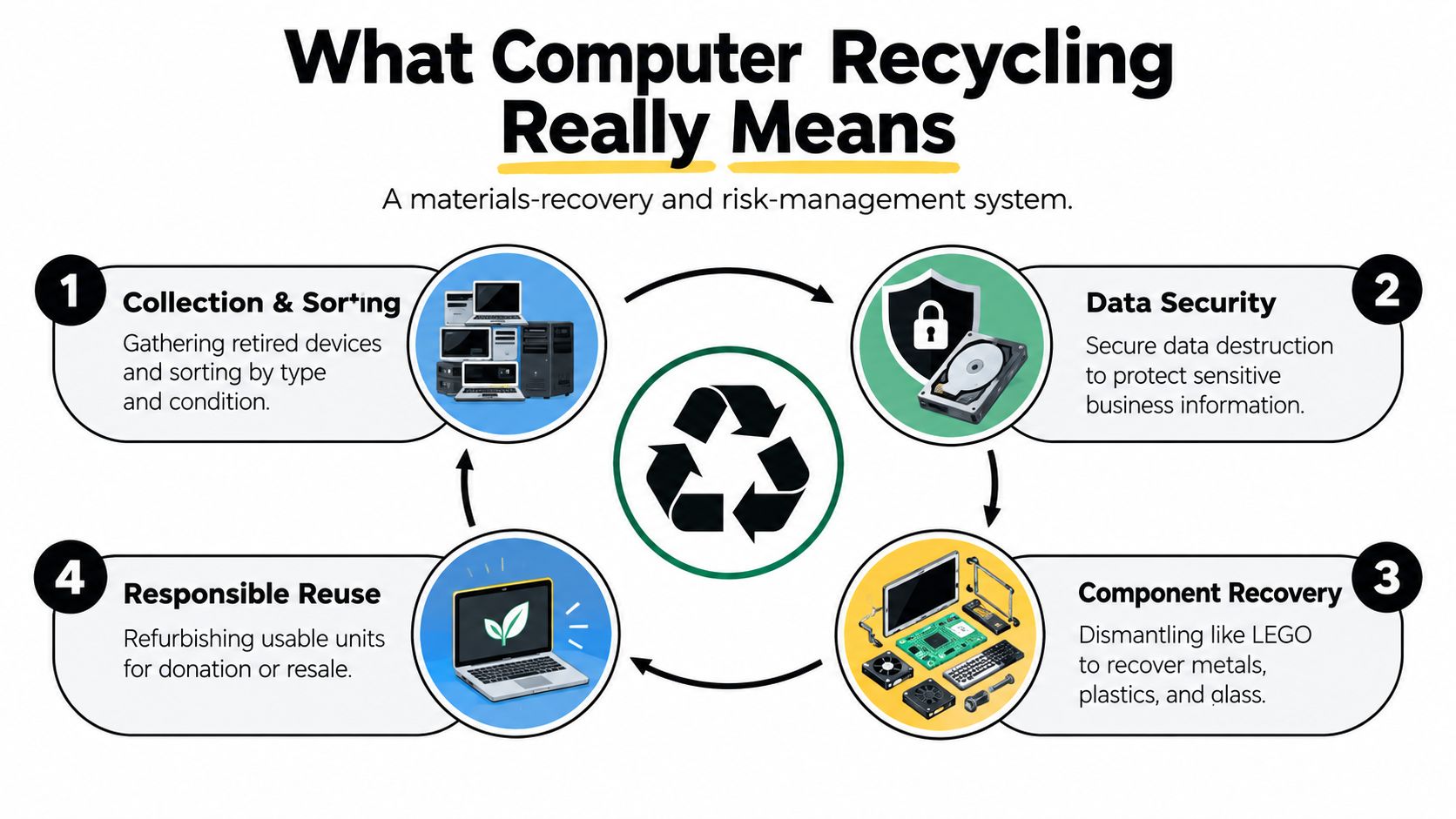
Collection and sorting establish control. The recycler receives the equipment, records identifying information, and separates laptops, desktops, servers, monitors, storage media, cables, and other electronics by type and condition.
Data security comes before value recovery. A device shouldn't be resold, donated, or dismantled until the organization knows how its data-bearing components will be sanitized. NIST SP 800-88 uses three categories, Clear, Purge, and Destroy, selected according to the media and the sensitivity of the information, as summarized in this NIST SP 800-88 media sanitization overview.
Component recovery resembles taking apart a complex kit. Processors, memory, power supplies, cables, steel, aluminum, copper, plastics, and printed circuit boards can follow different recovery routes. One review reported that one metric ton of computers could yield approximately 20 kilograms of ferrous metal, 29 kilograms of non-ferrous metal, 50 kilograms of cable, and 40 kilograms of printed circuit boards, while pilot-scale precious-metal recovery reached about 95%, according to industrial e-waste recovery research.
Responsible reuse comes before material destruction when the equipment is functional and data can be securely removed. Refurbishment extends the useful life of a computer, while donation-based recycling can move equipment into schools, nonprofits, workforce programs, or households that need access to technology.
Recycling isn't the same as disposal
Disposal ends the organization's relationship with the asset. Recycling continues the asset's lifecycle through reuse or material recovery. Refurbishment focuses on restoring a usable device, while product destruction is appropriate when a device, component, or product must be rendered unusable for security, contractual, or business reasons.
This distinction matters for ESG reporting. A business can document not only that equipment left its site, but also whether it was reused, harvested for parts, recycled into materials, or destroyed. That level of detail supports better decisions and prevents every device from being treated as identical.
Environmental and Regulatory Context Behind Responsible Recycling
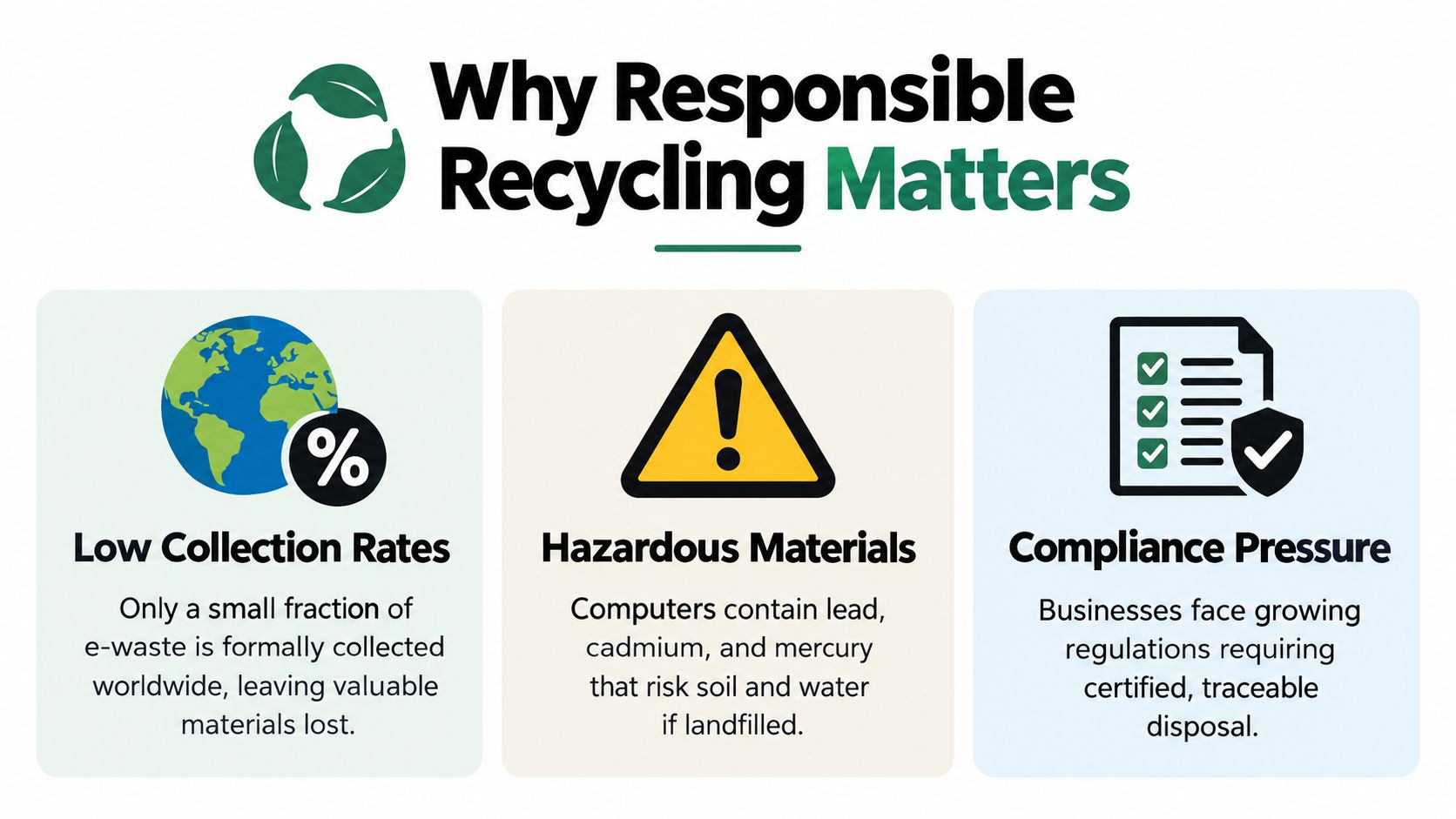
Old computers combine recoverable resources with materials that require controlled handling. E-waste streams can contain lead, cadmium, and mercury, and the European Commission's e-waste materials guidance explains that the low formal recovery rate increases both environmental-release risks and missed opportunities to recover valuable materials. A landfill or uncontrolled export route doesn't provide the same assurance as a documented recycling chain.
The scale is visible in historical and U.S. data. In 2019, the world generated 53.6 million metric tonnes of e-waste, but only 17.4% was formally collected and recycled, according to the 2024 Global E-waste Monitor publication. In the United States, selected consumer electronics had a 38.5% recovery rate in 2018, according to U.S. EPA data.
Why the numbers matter to businesses
A low formal collection rate creates two connected problems. First, hazardous components may bypass controlled treatment. Second, metals and other recoverable materials remain outside circular recovery systems. Responsible computer recycling addresses both by routing equipment through documented intake, data security, dismantling, and downstream processing.
A newer U.S. government report states that less than 20% of e-waste is formally collected and recycled in the United States, leaving more than 6 million tons landfilled or otherwise unrecovered, as reported in this U.S. e-waste assessment. These figures don't determine the correct route for every individual asset, but they show why vendor selection and documentation matter.
The U.S. compliance landscape
The Resource Conservation and Recovery Act, or RCRA, provides the federal framework for hazardous waste management. State rules add another layer. An EPA overview noted that 25 U.S. states had e-waste recycling laws in 2014, and 15 of those states included landfill disposal bans, according to the EPA e-waste policy overview.
The exact obligation depends on the equipment, jurisdiction, organization, and downstream route. IT managers shouldn't assume that a vendor's acceptance of a device proves compliant handling. Ask how hazardous materials are managed, where equipment is processed, and what records the provider supplies.
Practical rule: Treat environmental documentation as part of the same control system as data destruction records. Both show what happened after equipment left your facility.
Reworx Recycling's environmental impact of electronic waste resources help teams connect responsible recycling with environmental stewardship. For sustainability leaders, the result is a more defensible record of reuse, recovery, and diversion activity.
How the Computer Recycling Process Works End to End
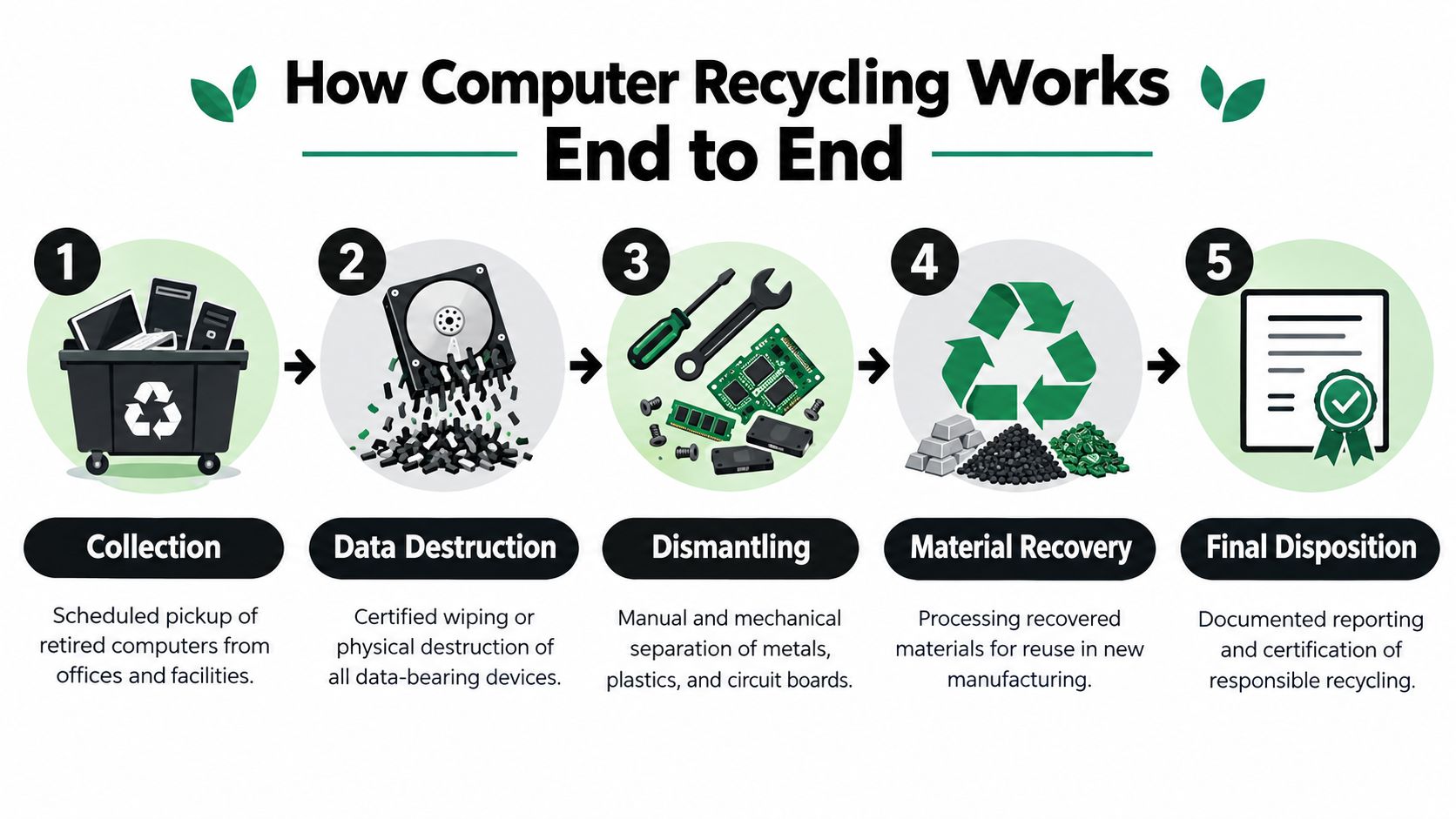
A reliable computer recycling program gives every asset a route before the equipment leaves the building. The route may change after inspection, but the controls should remain visible from collection through final disposition.
1. Collect and inventory
Start with a list of assets, not a pile. Record the make, model, serial number, asset tag, location, condition, and whether the device contains storage media. Include laptops, desktops, servers, networking hardware, monitors, tablets, and loose drives when they travel together.
The pickup or drop-off should create a custody record. That record establishes what the recycler received and gives finance, IT, and compliance teams a shared reference point.
2. Choose the data method
The device type and information classification determine whether the recycler should use Clear, Purge, or Destroy. A laptop intended for refurbishment may be eligible for verified sanitization. A failed drive, a drive with highly sensitive data, or media that can't be reliably sanitized may require shredding or another physical destruction method.
The organization should define this policy before the project starts. A technician shouldn't have to make an improvised decision at the loading dock.
3. Triage for reuse, parts, or destruction
A recycler then assesses function, condition, demand, and security status. Working equipment may enter refurbishment, buyback, resale, or donation. Non-working units may provide useful parts, while equipment with no recovery route proceeds to material processing or product destruction.
For readers comparing practical routes, this guide to where to recycle old electronics offers useful background on responsible routing and preparation.
4. Recover materials and manage residuals
Technicians dismantle equipment manually or mechanically. Ferrous and non-ferrous metals, cables, plastics, glass, and circuit boards move into appropriate recovery streams. Components that can't be recovered must still be handled through the recycler's documented downstream process, not placed in general waste by default.
5. Close the file
The final package should reconcile the original inventory with the disposition result. Depending on the service, it may include a certificate of data destruction, sanitized asset list, recycling report, material weights, reuse records, and custody documentation.
Reworx Recycling describes how e-waste recycling works in practical terms for organizations planning a collection or refresh. The key outcome is traceability. You should be able to answer what was collected, how data was secured, where each asset went, and what evidence supports that result.
Service Options for Businesses Schools and Government Agencies
The right service model depends on volume, location, timing, security requirements, and the condition of the equipment. A household with one laptop has a different need from a school replacing classroom computers or a government agency conducting data center decommissioning.
Choosing the Right Computer Recycling Service Model
| Service Option | Best For | Security and Value Notes |
|---|---|---|
| Customer drop-off | Individuals, small teams, and small batches | Convenient for manageable volumes. Confirm how data-bearing devices are received and documented. |
| Scheduled business pickup | Offices, schools, and recurring refreshes | Reduces internal handling and creates a planned custody event. |
| On-site decommissioning | Data centers, laboratories, and complex facilities | Useful when equipment must be disconnected, inventoried, packed, or processed in controlled areas. |
| IT asset disposition | Multi-site organizations and regulated businesses | Combines inventory, data security, reuse, value recovery, recycling, and reporting. |
| Hard-drive shredding | Failed media or high-sensitivity data | Physical destruction removes the drive from reuse and supports a clear destruction record. |
| Buyback and value recovery | Working laptops, desktops, servers, and components | Resale can recover value, while secure sanitization remains a prerequisite. |
| Office or facility cleanout | Closures, relocations, mergers, and surplus storage | Coordinates electronics with broader cleanout logistics and reduces stockpiling. |
Many organizations begin with a basic discovery problem. They know the equipment must leave, but they don't know where to take it, whether a provider serves their location, or how to distinguish a community drop-off from a business-grade ITAD program. A NIST workshop report says consumers are unsure how or where to recycle electronic products responsibly, while an older awareness survey found 29.2% did not recycle because they didn't know where to take electronics.
Match the route to the situation
Schools may prioritize donation-based recycling and student access to refurbished technology. Government agencies may need serialized records, controlled custody, and procurement-ready reporting. Healthcare organizations may combine medical equipment disposal with secure laptop disposal, while laboratories may require laboratory equipment disposal and specialized coordination.
A business with a small batch can use drop-off if transport and custody are straightforward. A company managing multiple offices should consider scheduled pickups under one consistent process. A data center decommissioning project usually needs a scope document, equipment inventory, removal plan, media policy, and final reconciliation.
Reworx Recycling, based in Smyrna, Georgia, offers customer drop-off, business pickups, equipment decommissioning, secure hard-drive shredding, buyback options, and ITAD support. Its donation-based recycling model also connects usable equipment with community impact, including technology donations and workforce development.
Best Practices and Checklist for Secure Compliant Programs
A secure recycling program is easier to audit when the team treats it like any other operational process. Write the policy, assign the owner, define the evidence, and use the same controls for every refresh.
Before equipment leaves
- Create an asset inventory: Record serial numbers, asset tags, device type, location, condition, and storage media.
- Classify the data: Identify devices holding customer, employee, financial, health, research, or government information.
- Separate exceptions: Isolate failed drives, encrypted media, removable storage, and equipment requiring product destruction.
- Remove the devices from active systems: Confirm that IT has completed account closure, endpoint management removal, and access revocation.
- Plan the logistics: Decide whether the project needs bins, pallets, locked containers, loading support, or an on-site crew.
During collection and processing
The provider should document the transfer from your site and maintain an auditable chain of custody. Ask how the team records each asset, secures storage, handles subcontractors, and separates reusable equipment from destruction-bound media.
For data sanitization, compare the provider's process with NIST SP 800-88. The guideline's Clear, Purge, and Destroy categories help match the method to the storage technology and data sensitivity. A general statement that equipment was “wiped” isn't enough if your audit requires the method, date, asset identifier, and verification result.
Certification can also help with vendor evaluation. R2 and e-Stewards are recognizable environmental and electronics-recycling standards, but your team should still review the provider's actual scope, downstream controls, insurance, reporting, and handling procedures.
After processing
- Reconcile the inventory: Every collected asset should have a final status such as reused, donated, resold, harvested, recycled, or destroyed.
- Collect destruction evidence: Obtain certificates tied to specific drives or devices where applicable.
- Save environmental records: Retain recycling weights, recovery details, and reuse information for sustainability reporting.
- Review exceptions: Investigate missing serials, damaged labels, failed sanitization, or unexplained disposition outcomes.
- Communicate the result: Tell staff what happened to the equipment and how future donations or pickups should be routed.
Teams that are strengthening their broader security controls may also find My Cyber Guard's checklist guide useful as a companion resource. For a reusable internal workflow, keep the Reworx Recycling compliance checklist template with your refresh and cleanout documentation.
How to Choose a Vendor and Launch Your Recycling Program
Vendor selection should begin with the outcome you need, not the lowest apparent disposal price. A recycler that only accepts equipment may not provide the inventory, data destruction, custody, resale, donation, or environmental reporting your organization requires.
Use the vendor selection criteria to compare providers across several practical dimensions:
- Data security: Can the vendor provide Clear, Purge, or Destroy options and asset-level evidence?
- Chain of custody: Does documentation follow equipment from pickup through final disposition?
- Reuse and recovery: Does the provider test working devices before sending everything to material recycling?
- Logistics: Can it handle office cleanout, facility cleanout, data center decommissioning, or recurring pickups?
- Special handling: Can it support laptop disposal, medical equipment disposal, laboratory equipment disposal, and product destruction where appropriate?
- Reporting: Will IT, finance, compliance, and sustainability teams receive records they can use?
- Community impact: Does donation-based recycling support digital inclusion, workforce development, or corporate donation programs?
A practical launch sequence
First, select a pilot location or upcoming refresh. Inventory the equipment and identify the data policy before scheduling collection. Next, agree on the pickup window, packaging requirements, chain-of-custody documents, and final reporting package.
After the first project, review the exceptions. Did the team find unidentified drives? Did facilities need more loading support? Did sustainability receive enough information for its report? Use those answers to create a repeatable cadence for future computer recycling, office cleanouts, and IT asset disposition.
Reworx Recycling supports organizations from its Smyrna, Georgia base with electronics recycling, business pickups, secure hard-drive shredding, equipment decommissioning, buyback options, and donation-focused reuse. A well-designed program lets one retired computer follow the right route, instead of forcing every device into the same disposal category.
Reworx Recycling helps businesses, schools, and public agencies manage computer recycling through secure data destruction, pickups, drop-off options, equipment decommissioning, value recovery, and donation-based reuse. Visit Reworx Recycling to plan your next equipment donation, schedule a pickup, or discuss an ongoing ITAD partnership.