A help desk rarely runs at random. Across Atlanta organizations, ticket demand tends to cluster around predictable workday patterns, which means support design, staffing, and escalation paths should be planned, not improvised.
That planning has to cover more than response times. Atlanta companies often support a mix of headquarters staff, satellite offices, warehouse or field users, clinical or regulated environments, and frequent device movement between locations. In that setting, the help desk sits close to every operational pressure point: user access, endpoint reliability, compliance evidence, replacement logistics, and the controlled retirement of aging hardware.
The practical shift is clear. Strong teams no longer treat support tickets and asset disposition as separate programs. A failed laptop ticket can trigger a replacement, shipping coordination, asset record updates, secure data destruction, and a documented e-waste or remarketing decision. If those steps live in different systems or different vendors, delays and custody gaps show up fast.
I see the best Atlanta IT leaders tying service desk modernization to asset lifecycle discipline. That includes reverse logistics, approved recycling channels, audit-ready decommissioning, and reporting that security, finance, and sustainability teams can all use. The upside is operational, not theoretical: fewer lost devices, cleaner records, faster swaps for users, and less risk at end of life. For teams evaluating workflow design, this broader connection between service operations and retired hardware is also central to workflow automation and AI benefits.
That connection is significant for Atlanta organizations because the region's business mix creates constant hardware churn. Offices expand, departments relocate, devices age out, leases end, and project teams spin up and down. Help desk trends only make sense in that real-world context. The organizations getting ahead are building support models that account for both the first mile of user service and the last mile of secure IT asset disposition.
These are the IT help desk trends in Atlanta organizations shaping support operations in 2026, and why a partner such as Reworx Recycling belongs in the conversation when tickets involve retired hardware, office cleanouts, secure data destruction, and donation-based recycling.
1. AI-Powered Ticket Triage and Automated Helpdesk Routing
AI-assisted triage is no longer an experiment in Atlanta help desks. It is becoming standard operating practice for teams that need to sort higher ticket volume without adding the same amount of labor. The practical win is faster classification, cleaner routing, and fewer delays caused by tickets landing with the wrong resolver group.
In Atlanta, that matters because support requests rarely stop at software and access issues. A ticket may start as a broken laptop incident and end with a replacement, a pickup, data destruction, and a disposition record. If AI sends that request into a generic hardware queue, the organization loses time and risks weak custody controls. If it routes the request into a retirement or swap workflow with the right required fields, the help desk becomes the first control point in ITAD, not just the first inbox.
I advise teams to use AI where the pattern is repeatable and the risk is understood. Password resets, software access, printer incidents, onboarding tasks, and standard refresh requests are good candidates. Device retirement can be automated at the intake stage too, but only when the form captures asset tag, user, location, device type, and data status before the ticket moves.
A hospital-adjacent organization might route endpoint failures one way, identity issues another, and data-bearing device pickups to a queue that includes security review. A regional office with frequent relocations might classify tickets by both issue type and logistics requirement, separating “replace dock” from “collect laptop for wipe and disposition.” That distinction looks small on paper. Operationally, it determines whether a technician closes a ticket or starts a documented asset chain.
Where AI triage adds value, and where it needs guardrails
The best results usually come from narrow deployment first. Train the model on a limited set of high-volume requests, check misroutes every week, and expand only after categories stay stable. Teams that automate everything at once often create more rework than they remove.
Three controls matter in practice:
- Keep a separate routing path for retirement and pickup requests: End-of-life devices need different approvals, handling steps, and audit records than standard break-fix tickets.
- Require human review for exceptions: Regulated assets, storage media, and incomplete submissions should trigger review instead of auto-close or auto-route.
- Tie routing logic to asset workflows: If the system classifies a ticket as replacement or retirement, it should also prompt the next operational step, including secure collection and downstream disposition.
That is where service automation and asset discipline need to meet. A well-built queue structure should feed directly into IT asset disposition services for Atlanta corporate IT teams when hardware is leaving service, especially for devices that require secure handling, documented recycling, or remarketing review.
Teams exploring workflow automation and AI benefits usually see the strongest return when they pair AI routing with clean intake forms, service catalog discipline, and asset records that technicians trust. AI speeds up triage. It does not repair a weak process.
2. Unified IT Service Management and Asset Lifecycle Tracking
A disconnected help desk creates blind spots. Support knows a device failed. Procurement knows a replacement was ordered. Security knows the old unit held sensitive data. Facilities knows it's still sitting in a closet. No one has the full chain unless the service platform and the asset system talk to each other.
That's why more Atlanta organizations are consolidating ticketing, asset records, configuration data, and retirement workflows in one operating model. In schools, healthcare networks, city-adjacent agencies, and regional corporate offices, that unified view is what turns a support request into a documented lifecycle event instead of a scavenger hunt.
One record from deployment to disposition
A mature setup usually ties together the ticket, the assigned user, the serial or asset tag, the device state, and the final disposition record. If a user reports repeated endpoint failures, the technician shouldn't have to guess whether the laptop is under refresh review, whether it was reassigned before, or whether a disposal request is already pending.
A documented ITAD process belongs inside the same operating discipline. Reworx outlines that connection in its guide to IT asset disposition services in Atlanta for corporate IT teams. The operational takeaway is simple. Once a device is marked for retirement, the system should trigger the next actions automatically, including approval, pickup planning, data destruction requirements, and audit documentation.
A good CMDB entry is useful. A good CMDB entry tied to a retirement workflow is operational control.
Teams usually get more out of unified service management when they tighten a few habits first:
- Clean the asset data early: Old owner fields and duplicate records break automation fast.
- Assign process ownership: Someone must own lifecycle states, not just the tool.
- Trigger end-of-life alerts: Devices nearing retirement shouldn't wait for failure.
- Reconcile monthly: Ticket data and inventory data drift unless someone checks them.
This is one of the most practical IT help desk trends in Atlanta organizations because the city's multi-site business footprint makes loose asset tracking expensive and risky.
3. Remote and Hybrid Help Desk Support with Hardware Logistics Integration
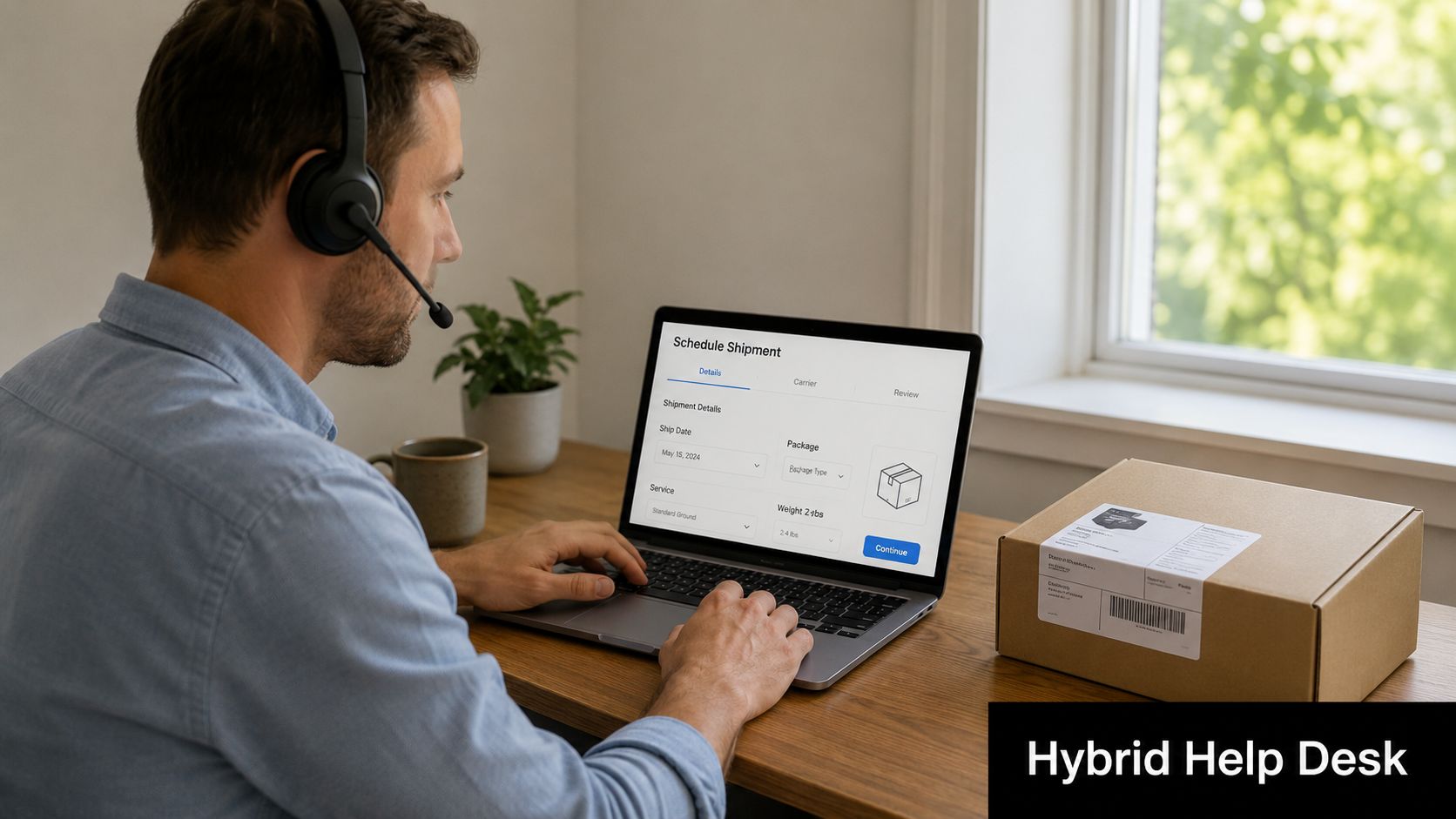
Hybrid support is standard now. The challenge isn't whether a technician can solve software issues from home. The challenge is what happens when the ticket ends with a physical asset that must be collected, wiped, replaced, shipped, or recycled.
That's where many help desks still underbuild the process. A remote analyst can close a VPN issue in minutes. The same team can lose days if no one owns the laptop pickup, labels the return, documents the condition, or schedules retirement with the recycling partner.

Atlanta organizations with branch offices, remote executives, distributed clinical staff, and hybrid back-office teams need a support model that joins remote diagnostics with physical logistics. The best teams build clear lanes. Level 1 handles intake and remote triage. Endpoint or field support decides whether the issue is repair, replacement, or retirement. Then logistics or ITAD coordination takes over for packaging, pickup, chain-of-custody confirmation, and final disposition.
Support doesn't end when the screen goes dark
For retired equipment, reverse logistics becomes part of help desk performance. If the user can't return a device cleanly, the incident remains operationally open even if the ticket says “resolved.” Reworx's overview of reverse logistics in supply chain operations is a good reference point because it reflects what IT teams deal with every week: assets moving backward through the organization for reuse, destruction, donation, or recycling.
A workable hybrid model usually includes:
- A dedicated hardware logistics owner: Don't bury shipment coordination inside general queue work.
- Standard return kits and labels: Reduce improvisation for remote users.
- Documented thresholds for in-person support: Some incidents still need hands-on response.
- Condition verification at handoff: A quick photo trail prevents disputes later.
If your hybrid help desk can diagnose a failed laptop but can't retrieve it securely, the process isn't mature yet.
For Atlanta employers managing office moves, branch refreshes, or facility cleanouts, this integration between support and movement of hardware is no longer optional.
4. Proactive Sustainability Reporting and E-Waste Compliance Automation
The help desk now feeds sustainability reporting whether the team realizes it or not. Every retired laptop, decommissioned workstation, or bulk refresh event creates an environmental record. If that record is incomplete, ESG reporting gets weaker and compliance questions take longer to answer.
This trend is especially relevant for Atlanta organizations with public commitments around environmental responsibility, community benefit, or audited governance processes. Device retirement data can't stay trapped in spreadsheets owned by one technician or one office manager. It needs to move into a repeatable reporting process.
Turn disposal records into management data
What works is automation at the handoff points. When a help desk closes a retirement request, the process should store the disposition type, confirm whether the asset was reused, recycled, or destroyed, and attach supporting documents in the same record set. That's what makes quarterly reporting credible.
Reworx explains the business value behind this in its article on sustainability reporting. For IT leaders, the practical takeaway is that electronics recycling and secure IT equipment disposal shouldn't be treated as an afterthought to infrastructure work. They're reportable operating activities.
A few habits improve the signal quickly:
- Standardize disposition categories: Reuse, donation, destruction, and recycling should mean the same thing everywhere.
- Store certificates centrally: Don't leave proof in inboxes.
- Connect IT and sustainability teams: They often need the same records for different reasons.
- Review cleanout events carefully: Office cleanouts and facility cleanouts create large disposal spikes that should be documented clearly.
Atlanta companies that already measure fleet changes, asset refreshes, and decommissioning events are in a stronger position to support internal ESG conversations. Those that don't often discover the gap only when finance, legal, or sustainability asks for proof.
5. Self-Service Portals and Knowledge Management for Hardware End-of-Life
Self-service usage is now common enough that Atlanta IT teams should stop treating it as a convenience feature and start treating it as intake control. For hardware end-of-life, a good portal reduces the volume of vague emails, catches missing details before a ticket reaches the queue, and gives employees a clear path for routine retirement requests.
That matters more than it sounds.
In multi-site offices, shared workspaces, and hybrid environments, old equipment surfaces in inconsistent ways. Finance clears out docking stations after a seating change. HR finds unused laptops after role transitions. Department coordinators uncover a closet full of monitors during a move. If those requests enter the help desk through free-form messages, the team spends time sorting, clarifying, and chasing approvals instead of moving assets through a controlled process.
The better approach is to build the portal around user intent, not ITAD terminology. Employees should see options such as “retire unused desktop,” “replace broken laptop,” “request office equipment pickup,” or “submit storage device for secure destruction.” Each choice should trigger the next practical questions, including location, asset type, data-bearing status, accessories, and whether the device is still assigned to an employee.
This is where knowledge management earns its keep. A portal article or embedded form guidance can tell users how to back up needed files, sign out of business applications, remove labels, collect chargers, and prepare equipment for pickup. That cuts repeat tickets and improves first-pass accuracy. It also reduces the risk of a laptop arriving for disposition with active accounts, unclear ownership, or sensitive data still on the device. Teams handling Atlanta retirements should also point users to guidance on secure disposal of IT equipment in Atlanta when a request involves data-bearing hardware.
A portal works best when it includes a few specific elements:
- Task-based request options: Label forms by user goal, not internal asset jargon.
- Role-sensitive prompts: Facilities, department admins, and individual employees need different questions.
- Clear status tracking: Show whether the asset is awaiting approval, scheduled for pickup, collected, or closed.
- Inline policy guidance: Explain what requires secure destruction, what can be recycled, and what documentation will follow.
There is a trade-off. Self-service improves speed for standard requests, but only if the forms are tightly designed. If every hardware retirement path looks the same, users will select the closest option and the help desk will still need to rework the ticket. The goal is not maximum automation. The goal is cleaner intake, fewer avoidable touches, and better downstream handling for recycling, donation, destruction, and audit records.
6. Cybersecurity Integration in Hardware Decommissioning Workflows
Automation hype often meets reality. Some tickets should stay human-led because the consequence of a mistake is too high. Recent industry commentary on 2026 help desk trends points to the unresolved tradeoff between AI-led support and local, human-centered handling for compliance-heavy environments, especially where secure pickup, physical verification, and chain-of-custody discipline still matter (Mojo Helpdesk's 2026 trends discussion).
That tension is highly relevant in Atlanta. Healthcare-adjacent organizations, schools, public agencies, legal offices, and government contractors often can't treat decommissioning as just another automated queue step. They need a documented security event.
Which tickets should stay human-led
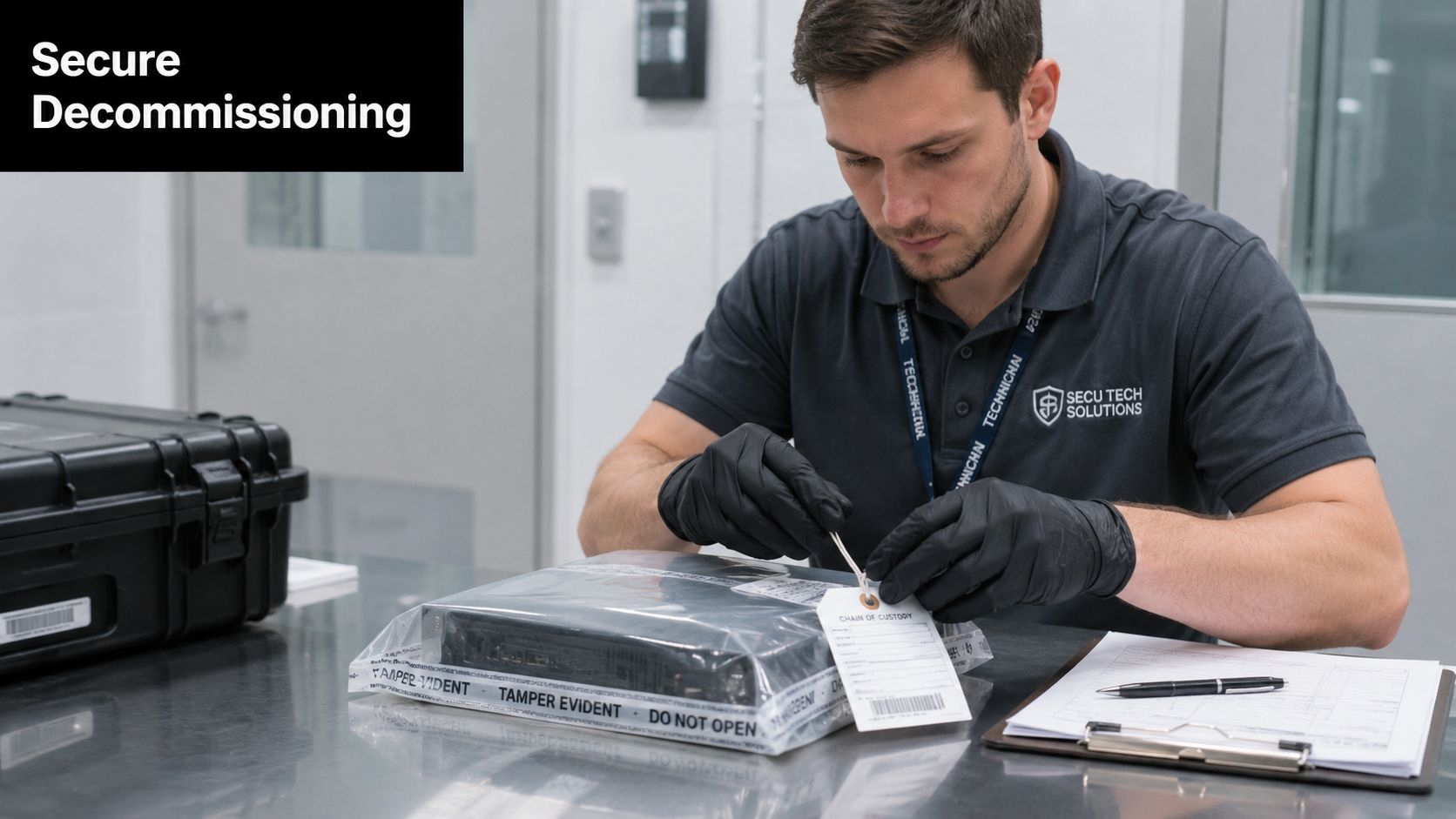
Data-bearing assets are the obvious boundary. Laptops, desktops, servers, removable media, and storage devices should move through a security-approved workflow that includes authorization, sanitization rules, handoff records, and final proof of destruction or controlled disposition. If a help desk platform makes those decisions invisible in the name of speed, the team is optimizing the wrong metric.
Reworx addresses the disposal side of that risk in its piece on why data security matters when disposing of IT equipment in Atlanta. The key operational point is that secure data destruction must be built into the workflow, not bolted on after the device leaves the building.
Security teams don't need more tickets. They need the right control points inside the retirement process.
A stronger model usually includes:
- Security approval gates: Sensitive assets shouldn't leave on a simple service desk closure.
- Chain-of-custody templates: Every handoff should be documented.
- Stored destruction records: Keep them with the asset history.
- Quarterly record review: Spot missing approvals, missing serials, or incomplete evidence.
This is one of the most important IT help desk trends in Atlanta organizations because local support quality now depends on both digital speed and physical control.
7. Predictive Analytics for Hardware Lifecycle Planning and Refresh Cycles
Ticket volume does not stay flat across the year. Atlanta IT teams that plan refreshes as if demand were evenly spread usually create their own support spikes, especially when hardware swaps, office moves, and retirements collide in the same quarter.
Predictive analytics helps the help desk get ahead of that problem. The useful inputs are straightforward: asset age, repeat incident types, repair frequency, warranty status, user location, and known business events such as expansions or relocations. Put together, those signals show which devices are nearing the point where another repair costs more than a controlled replacement.
Use incident patterns to drive refresh timing
Support teams often spot hardware decline before finance or procurement sees it. A laptop model with recurring battery tickets, thermal complaints, or docking failures is no longer just a support nuisance. It is a planning signal. The same goes for branch locations that suddenly generate more performance complaints after a software rollout or staffing increase.
Good forecasting also improves the disposal side of the cycle. If IT knows 200 laptops are likely to retire over the next two quarters, the team can schedule imaging, replacement deployment, pickup windows, and downstream disposition in a controlled sequence instead of rushing assets out the door. Reworx outlines that full chain in its guide to the lifecycle of IT equipment from acquisition to recycling in Atlanta.
That operational link matters. A refresh plan that ignores ITAD creates avoidable risk. Storage closets fill up, chain-of-custody records get patched together later, and recycling pickups happen on vendor availability rather than business need. In a market like Atlanta, where many organizations manage multi-site offices, field teams, and steady device turnover, predictive planning has to cover both user uptime and responsible asset exit.
A workable model usually includes:
- Device-specific thresholds: Laptops, desktops, printers, and specialized equipment age differently and need different replacement triggers.
- Failure trend reviews: Look for repeat incidents by model, department, and site, not just total ticket counts.
- Quarterly forecast checks: Compare predicted retirements with actual repair volume, replacement demand, and surplus inventory.
- ITAD capacity planning: Line up sanitization, pickup schedules, and recycling volume before large refresh events hit.
- Cross-functional input: Facilities, procurement, security, and the service desk should all influence the calendar.
Perfect forecasts are rare. Better timing is realistic, and that is what matters. The payoff is lower interruption rates, fewer rushed purchases, and a refresh cycle that ends with documented disposition instead of a pile of aging hardware waiting for someone to deal with it.
Atlanta IT Help Desk: 7-Trend Comparison
| Solution | Implementation Complexity 🔄 | Resource Requirements ⚡ | Expected Outcomes ⭐📊 | Ideal Use Cases | Key Advantages 💡 |
|---|---|---|---|---|---|
| AI-Powered Ticket Triage and Automated Helpdesk Routing | Medium–High, ML model training, integration with ticketing | Moderate, historical ticket data, ML expertise, integration effort | ⭐ Faster routing and 20–40% lower resolution times; 📊 improved first‑contact rates and capacity planning | High ticket volumes, repetitive requests, ITAD routing needs | Automates prioritization and routing; predictive ETA; reduces manual reassignment |
| Unified IT Service Management and Asset Lifecycle Tracking | High, large integrations, CMDB consolidation, data migration | High, cross‑department effort, implementation costs, training | ⭐ End‑to‑end visibility; 📊 audit trails, compliance and accurate inventory reports | Large/multi‑site orgs, regulated industries, centralized ITAD coordination | Eliminates silos; streamlines compliance reporting; improves ROI tracking |
| Remote and Hybrid Help Desk Support with Hardware Logistics Integration | Medium, deploy remote tools and logistics workflows | Moderate, remote access tools, VPN, logistics coordination, mobile apps | ⭐ Expanded coverage and faster logistics coordination; 📊 better chain‑of‑custody tracking | Distributed teams, 24/7 support needs, multi‑site pickup coordination | Increases hiring flexibility; lowers facility/travel costs; improves tracking |
| Proactive Sustainability Reporting and E‑Waste Compliance Automation | Medium, integrates recycler reporting and ESG tools | Moderate, certified partners, reporting tools, data standardization | ⭐ Credible ESG metrics and compliance evidence; 📊 automated sustainability reports | Companies with ESG goals, public reporting requirements, large disposal volumes | Automated compliance docs and carbon metrics; reduces non‑compliance risk |
| Self‑Service Portals and Knowledge Management for Hardware End‑of‑Life | Low–Medium, portal setup and KB curation | Low–Moderate, portal platform, content maintenance, ticket integration | ⭐ Reduced ticket volume and faster disposals; 📊 improved user transparency | High‑volume routine disposals, universities, decentralized departments | Empowers users 24/7; standardizes prep; decreases help desk load |
| Cybersecurity Integration in Hardware Decommissioning Workflows | High, security controls, verification, audit integration | High, security team involvement, DLP/SIEM, certified destruction partners | ⭐ Strong reduction in data‑breach risk; 📊 verifiable certificates and audit logs | Regulated sectors (healthcare, finance, government), high‑sensitivity data | Enforces verified destruction and chain‑of‑custody; reduces legal exposure |
| Predictive Analytics for Hardware Lifecycle Planning and Refresh Cycles | Medium–High, model development and validation | Moderate–High, historical data, analytics skills, BI tooling | ⭐ Fewer unexpected failures; 📊 optimized refresh timing and cost forecasting | Large inventories, procurement planning, scheduled bulk disposals | Forecasts replacements, maximizes value recovery, enables planned recycling events |
Future-Proof Your Atlanta Help Desk and Sustainability Goals
The help desk in Atlanta has become a control point for far more than incident response. It now shapes user experience, device security, asset visibility, refresh timing, and environmental accountability. Teams that still treat support, asset management, and disposal as separate functions usually create unnecessary delays and risk. Teams that connect them build cleaner operations.
The common thread across these trends is operational integration. AI can improve routing, but only if the categories are disciplined. Self-service can cut friction, but only if the forms map to real device workflows. Hybrid support can scale, but only if someone owns hardware movement. Predictive planning can reduce disruption, but only if help desk data feeds lifecycle decisions. Cybersecurity controls can hold, but only if data-bearing devices stay on a documented path from retirement to destruction or recycling.
For many Atlanta organizations, that also means broadening the definition of support. A help desk that closes a ticket while old laptops sit unsecured in a storage room hasn't really finished the job. The same goes for office cleanouts, facility cleanouts, laptop disposal, medical equipment disposal, laboratory equipment disposal, or data center decommissioning work that isn't tied back to approved IT asset disposition and secure data destruction processes.
Reworx Recycling fits naturally into that end-of-life layer because Atlanta businesses often need one partner that understands electronics recycling, donation-based recycling, ITAD, and pickup logistics in the same operating flow. That's especially useful when an organization wants to reduce landfill risk, support corporate donation programs where appropriate, and maintain better documentation for device retirement.
The best next step is practical. Review your ticket categories, asset states, retirement approvals, and pickup process. Check whether your service desk can show where a device is, who approved its release, how data was handled, and what final disposition occurred. If those answers live in different inboxes and spreadsheets, the help desk is overdue for redesign.
Atlanta organizations don't need a trendier help desk. They need one that's faster where it should be, more human where it must be, and more disciplined at the point where technology becomes retired equipment.
If your organization is updating its help desk workflows, planning an office cleanout, or tightening secure IT equipment disposal, explore how Reworx Recycling supports Atlanta businesses with electronics recycling, donation-based recycling, secure data destruction, and pickup coordination for retired devices.