
You’re probably dealing with two moves at once.
One is visible. Desks, chairs, signage, meeting rooms, cabling, access control, packing labels, elevator reservations, move-day sequencing.
The other is easier to miss until it creates trouble. Old laptops in drawers. Retired switches in a server closet. Copiers with stored data. Spare monitors, docking stations, phones, badge printers, external drives, lab gear, and devices no one wants to claim.
That second move is where office relocation projects often go off course. Teams plan the new space carefully, but they leave end-of-life technology decisions until the final days. By then, time is short, chain of custody gets loose, and people start making “temporary” decisions that turn into compliance problems.
The Modern Office Relocation Challenge
An office relocation used to be treated as a facilities exercise. Today it’s an operational reset that touches finance, IT, security, legal, sustainability, HR, and often executive leadership.
That pressure is showing up in the market. The gap in most relocation guides is the failure to address e-waste management and IT asset disposition, and that matters because relocations are rising. Corporate moves increased 29% year over year, while poor handling of retired electronics leaves organizations exposed to data breaches, with 82% of breaches involving human error or improper disposal, according to the cited relocation analysis at Crown Workspace: https://crownworkspace.com/knowledge-base/5-tips-for-a-successful-office-relocation-in-2025/

Why the old checklist no longer works
A traditional move checklist usually covers furniture, movers, internet cutover, and employee communication. That’s necessary, but it’s incomplete.
It rarely answers the hard questions:
- Which devices are moving: What stays in service, what gets staged, and what gets retired before move day?
- Who owns data-bearing assets: Who signs off on laptops, desktops, servers, printers, and removable media?
- How disposal is documented: Who collects destruction records and recycling documentation?
- What happens to usable equipment: Is there resale, redeployment, or donation-based recycling?
A rushed move creates exactly the conditions that produce asset loss. Equipment gets disconnected by one team, boxed by another, and received by a third. If nobody owns the asset register, nobody can prove what happened.
Practical rule: If a device contains storage, treat it like a legal record until you have documented destruction or confirmed redeployment.
The hidden cost of “deal with it later”
The common failure pattern isn’t dramatic. It’s ordinary.
A company moves in phases. Legacy hardware gets piled into a spare room. Facilities wants the room cleared. IT is busy standing up the new office. Someone schedules a junk hauler because the lease-end date is approaching.
That’s how serialized assets disappear from the record.
A disciplined office relocation plan treats IT asset disposition (ITAD) as part of the move itself, not as a cleanup task afterward. That means inventorying hardware before the move, separating move-ready assets from retirement candidates, assigning chain-of-custody steps, and selecting a partner that can support secure data destruction, electronics recycling, and value recovery without breaking the project timeline.
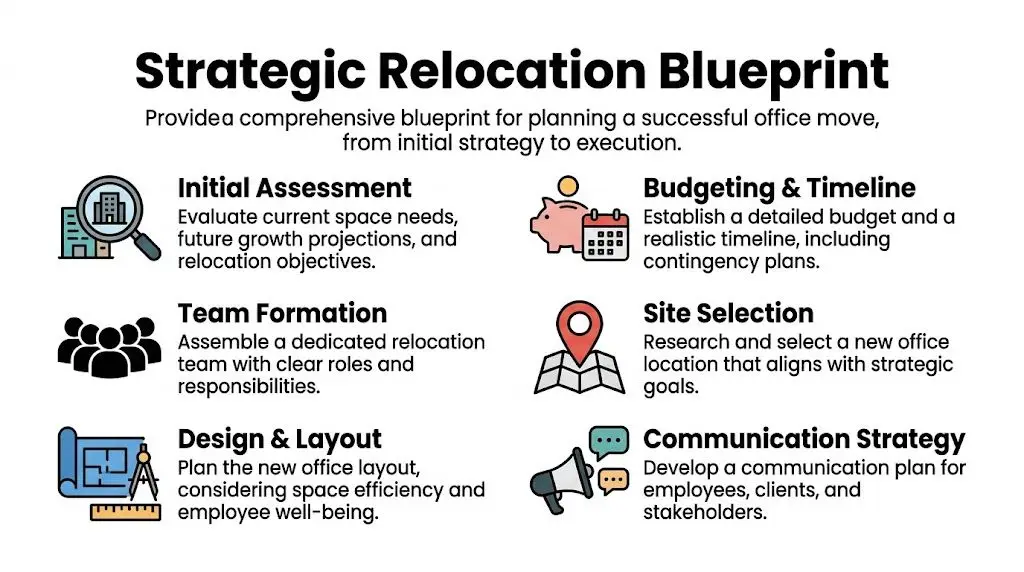
Your Strategic Relocation Blueprint
Good moves start early. Not because teams enjoy long planning cycles, but because every late decision becomes an expensive decision.
Technology is where many budgets drift. IT infrastructure and technology costs typically represent 20-25% of a mid-size office relocation budget, and tenant technology costs rose 8.3% year over year. Conducting an IT audit 4-6 months before the move is critical for planning, according to Bailey’s Allied: https://www.baileysallied.com/workplace/office-relocation-planning-mistakes
Build one relocation team, not five separate projects
The cleanest office relocation projects have one cross-functional group with named decision-makers. Without that, facilities signs one contract, IT signs another, and finance doesn’t see the full cost picture until invoices arrive.
At minimum, assign owners for these lanes:
- Facilities lead: Controls floor plans, landlord coordination, access, loading dock schedules, furniture scope, and site readiness.
- IT lead: Owns network cutover, endpoint inventory, server room planning, telecom migration, and retirement decisions.
- Security or compliance lead: Reviews chain of custody, access control changes, records retention, and destruction standards.
- Finance lead: Tracks budget categories, approvals, and value recovery from surplus equipment.
- Department coordinators: Confirm headcount, special equipment needs, and local packing readiness.
If you have multiple offices, add a single project manager who controls the calendar. Otherwise every team creates its own version of “urgent.”
Budget for removal, not just replacement
Teams budget for what they can see in the new office. Fewer budget properly for what has to leave the old one.
That gap shows up in several places:
| Cost area | What gets missed |
|---|---|
| Network and AV | Disconnect labor, reinstallation sequencing, testing windows |
| End-user devices | Staging, tagging, temporary loaners, peripheral mismatches |
| Legacy hardware | Decommissioning, pickup coordination, storage media handling |
| Lease closeout | Required removal of abandoned electronics and cabling |
| Surplus assets | Sorting for resale, recycling, donation, or destruction |
A useful budgeting habit is to split technology into two separate lines: new environment costs and legacy environment exit costs. They are not the same thing, and combining them usually hides risk.
Put milestones on the calendar early
A relocation timeline should be specific enough that a vendor can work from it. “Move in Q3” is not a timeline.
Use milestone dates for:
- Asset inventory freeze
- Move versus retire decisions
- Carrier and ISP cutover approvals
- Data destruction schedule
- Packing and label standards
- Department move waves
- Lease surrender inspection
- Final documentation review
The planning window matters most when nobody feels urgency yet. Once urgency shows up, options shrink.
Audit the old environment before you design the new one
Teams often design a clean future-state office without understanding what they already own. That creates duplicate purchases and avoidable disposal costs.
A proper audit answers practical questions. Which conference room systems can be reused? Which printers are leased? Which racks are still active? Which laptops should be refreshed instead of moved? Which devices have no clear owner?
That same audit should also map your reverse logistics path. If you need a working model for how equipment gets collected, staged, and routed during a move, this guide to reverse logistics planning is useful: https://www.reworxrecycling.org/empowering-your-business-a-comprehensive-guide-to-reverse-logistics-services/
Communication has to be operational, not motivational
Employees don’t need vague encouragement. They need instructions.
Send role-specific guidance. A general employee memo should cover packing limits, deadlines, personal item rules, and what not to move. Department admins need label standards and seating assignments. IT support staff need escalation paths and cutover windows.
When communication is vague, people improvise. Improvisation is fine for desk plants. It’s not fine for encrypted laptops, executive devices, or network hardware.
Decommissioning Your IT Infrastructure Securely
The most fragile part of an office relocation happens after the decision to retire equipment and before documented disposition. This is the window where assets are most likely to go missing, get mishandled, or leave the building without proof.
Treat decommissioning as a controlled workflow, not a cleanup exercise.

Start with a wall-to-wall asset inventory
Don’t rely on your CMDB alone. It rarely captures the forgotten edge devices that create headaches during a move.
Walk the site physically. Check workstations, storage rooms, IDF closets, reception desks, conference rooms, print rooms, training rooms, labs, and executive offices. Include remote storage, offsite suites, and any warehouse space tied to the office.
Your inventory should identify:
- Serialized assets: Laptops, desktops, servers, network gear, tablets, and storage appliances
- Data-bearing devices: Hard drives, SSDs, copiers, printers, multifunction devices, phones, POS systems, and removable media
- Shared peripherals: Monitors, docks, webcams, headsets, conference bars, room schedulers
- Specialized equipment: Medical, lab, industrial, or testing devices tied to business operations
- Leased items: Copiers, postage systems, telecom hardware, and managed print devices
Create three disposition categories as you inventory: move, retire, and hold for decision. That last category matters. It keeps uncertainty from contaminating the rest of the list.
Separate data security from equipment handling
A common mistake is assuming that if a device is going to recycling, data security is automatically handled. It isn’t.
The security decision comes first. The recycling decision comes second.
For each data-bearing asset, document:
- whether the storage media will be wiped or physically destroyed
- who approved that method
- where the device is held before pickup
- who released it
- who received it
- how the final destruction or processing record is tied back to the asset ID
Physical shredding is often the simplest route when devices are obsolete, failed, or leaving your control permanently. It removes ambiguity. Logical wiping can fit assets intended for reuse, but only when the process is verified and documented.
If your move includes storage media destruction, use a provider that issues auditable records and keeps chain of custody tight. This overview of secure hard drive handling and documentation is a practical reference: https://www.reworxrecycling.org/secure-data-destruction-services/
“If you can’t match the certificate to the asset list, you don’t have a closed process. You have a hope-based process.”
Stage retired equipment before move week
Don’t leave retirement sorting for the final week. The move team will be focused on uptime, and retired hardware will get pushed aside.
Set up a secured staging area with controlled access. Label cages, pallets, or carts by asset class and disposition route. Keep move-bound equipment physically separate from retirement-bound equipment. Mixed staging is one of the easiest ways to send the wrong hardware to the wrong destination.
A simple staging model works well:
| Zone | Purpose |
|---|---|
| Green | Approved to move to new office |
| Yellow | Hold for ownership or approval questions |
| Red | Approved for destruction, recycling, or pickup |
That visual control reduces mistakes when multiple vendors are onsite.
Protect cutover-dependent systems
Not everything should be disconnected early. Core infrastructure, identity systems, internet edge equipment, and line-of-business devices often have to stay in service until the final transition window.
List those dependencies clearly. If a switch supports badge readers, security cameras, and phones, everyone needs to know it’s a late-stage disconnect item.
Telephony deserves special attention. Office moves often trigger a broader voice platform change, and that can affect numbers, call routing, reception workflows, and failover planning. If your team is replacing legacy lines as part of the move, this guide on a Landline to VoIP business switch is worth reviewing before your cutover plan is finalized.
Don’t let movers decide what’s scrap
Commercial movers are experts in transport. They are not the right people to decide whether a server, copier drive, firewall, or workstation should be recycled, redeployed, or destroyed.
That decision belongs to your internal asset owner with compliance input.
Use movers for what they do well: packing standards, handling, routes, floor protection, timing, and physical movement. Use IT and ITAD processes for anything with storage, licensing implications, residual value, or regulatory sensitivity.
One practical option during office cleanouts is to use a partner that can coordinate pickups, secure data destruction, and electronics recycling within the same workflow. Reworx Recycling provides those services for organizations managing surplus business equipment during relocations.
Navigating Logistics and Vendor Selection
Cheap bids create expensive moves.
That’s especially true when one vendor underprices transportation, another assumes someone else handles disconnects, and nobody owns the legacy hardware sitting in the old office on lease-end weekend.
Buy accountability, not just trucks
A relocation vendor stack usually includes movers, cabling contractors, network installers, furniture installers, building engineers, telecom providers, and an ITAD partner. The wrong way to manage that stack is to compare line items in isolation.
The right question is simpler: which vendor can perform its part without creating risk for the next vendor?
Use value-based criteria when reviewing proposals:
- Scope clarity: Does the proposal state what is included, excluded, and dependent on another party?
- Chain of custody: Can the vendor document possession changes for sensitive equipment?
- Escalation paths: Do you know who solves problems during after-hours cutovers?
- Insurance and handling standards: Are there clear procedures for damaged or missing assets?
- Documentation quality: Will you receive records that support audit, finance, and compliance review?
The lowest number on a spreadsheet often hides the highest coordination burden.

For complex moves, phase the work deliberately
Large offices rarely move well in a single sweep. For complex relocations, leading coordinators use a phased rollout methodology, often with 3D digital twins to visualize layouts, coordinate vendor access, and track move readiness in real time. That approach reduces congestion and works best when the ITAD timeline is integrated into each phase, as noted by Matterport: https://matterport.com/blog/move-management
A phased move works because it forces decisions earlier. One floor can be validated while another is still active. One department can cut over while another remains untouched. Legacy equipment can be removed in sequence rather than piled into a single chaotic pickup window.
Field note: If a phase has no sign-off owner, it isn’t a phase. It’s a guess.
Ask better questions when vetting an ITAD partner
Price matters, but office relocation creates risks that pricing alone won’t show.
Ask direct questions such as:
- How is chain of custody documented from pickup through final processing?
- How are serialized assets reconciled against destruction and recycling records?
- What happens to devices that still hold market value?
- Can pickups be scheduled to match phased move waves?
- How are exceptions handled, such as unidentified devices or damaged media?
- Which certifications and downstream controls support responsible electronics recycling?
If your team is still defining what “responsible” should mean in vendor terms, this checklist for selecting an e-waste partner is a useful benchmark: https://www.reworxrecycling.org/selecting-a-reliable-e-waste-recycling-partner/
Temporary storage can help, but it can also hide problems
Short-term storage is sometimes necessary. Lease timing, furniture delays, and phased occupancy can make that unavoidable. For teams thinking through overflow planning, a resource on storage units for offices can help frame what belongs in temporary storage versus what should move directly.
The warning is simple. Storage should solve timing issues, not asset uncertainty.
If you place unidentified electronics into storage, you’ve delayed a problem and added cost. Before anything goes into storage, decide whether it’s active, surplus, leased, or ready for disposition. If nobody can answer that question, it shouldn’t be loaded.
Ensuring Sustainable Disposition and Compliance
Once retired equipment leaves the office, your risk doesn’t disappear. It changes form.
At that point, the important questions become legal defensibility, environmental handling, and proof that your process matches your policy.
Compliance is mostly a documentation problem
Many organizations think compliance starts with a recycler’s claim. It starts with your own internal controls.
You need a defensible record of what equipment was retired, how data-bearing devices were handled, where the material went, and what documentation closes the loop. Without that, even a responsible downstream process can’t protect you fully because your own records are incomplete.
A sustainable office relocation program should define:
- Asset ownership: Who approves disposition
- Data handling standards: Which assets require destruction versus wiping
- Vendor requirements: What documentation must be provided
- Environmental expectations: How electronics recycling is managed
- Exception handling: What happens when unidentified or damaged devices appear
That framework matters for businesses, schools, healthcare groups, and public agencies alike.
Donation-based recycling changes the outcome
A relocation doesn’t have to end with disposal alone. Some retired equipment still has useful life, and a social enterprise model can route appropriate devices toward community benefit instead of treating everything as scrap.
That matters for sustainability reporting and for internal credibility. If leadership says the move supports environmental responsibility, your disposition program should show that in practical terms. Reuse where appropriate. Destroy data securely. Recycle what can’t be redeployed. Keep landfill avoidance and material recovery visible in your records.
This is also where partner quality matters. A provider can claim “green” handling while offering little transparency about downstream processing. That’s why certification and process controls deserve scrutiny. Reworx explains the role of electronics recycling certifications and why they matter for auditability and downstream accountability here: https://www.reworxrecycling.org/electronic-recycling-certification/
Sustainable recycling isn’t a marketing layer added at the end. It’s a set of documented decisions made before pickup.
Brand risk follows the hardware
An office relocation is visible internally. Employees see what leadership prioritizes.
If old electronics end up stacked behind the building, mixed with trash, or shipped out through vague channels, staff notice. So do customers, auditors, and procurement teams when they ask about end-of-life practices later.
A formal disposition strategy does three jobs at once:
| Business concern | What a formal ITAD process supports |
|---|---|
| Data security | Controlled handling of data-bearing devices |
| Environmental responsibility | Documented electronics recycling and reuse pathways |
| Corporate reputation | Proof that policy and action matched during the move |
That’s why sustainable disposition shouldn’t sit under “miscellaneous” in a relocation plan. It’s part of governance. It reduces legal exposure, supports social responsibility goals, and gives procurement and compliance teams something they can defend.
Post-Move Verification and Closing the Loop
A move isn’t done when the team starts working in the new space. It’s done when every planned asset is accounted for and every retired asset has a matching record.
Reconcile what arrived
Run a post-move validation against your pre-move inventory.
Focus on three categories first:
- Mission-critical systems: Network gear, internet edge equipment, telecom, conference room systems
- Assigned devices: Laptops, desktops, executive endpoints, specialty workstations
- Shared equipment: Printers, badge systems, storage appliances, spares
Don’t settle for “everything seems here.” Reconcile by asset tag or serial where possible. That’s how you catch the workstation that landed on the wrong floor, the dock left in storage, or the printer that was retired informally without documentation.
Collect and match your disposition records
Your retirement-side paperwork matters as much as the arrival-side checklist.
Request final documentation that ties back to your asset list, including destruction records for applicable media and recycling records for retired electronics. Then match those records against the original inventory and your release logs.
If a provider gives you generic paperwork without serial-level traceability where expected, ask questions before closing the project.
For teams building an internal closeout file, this destruction certificate template is a practical reference for what complete documentation should support: https://www.reworxrecycling.org/destruction-certificate-template/
Closeout is where good intentions become evidence.
Finish the project with a lessons-learned review
Hold a short review while details are still fresh. Don’t make it a broad culture conversation. Keep it operational.
Record what caused delays, where ownership was unclear, which vendors coordinated well, which labels failed, and whether the ITAD workflow matched reality. That review will matter the next time your team handles an office cleanout, a facility consolidation, or a data center decommissioning project.
Frequently Asked Questions About Office Relocation
How early should we start planning an office relocation
Start as early as your lease and site decisions allow. Large organizations need more lead time because approvals, telecom changes, furniture procurement, and IT decommissioning all move at different speeds. Small businesses can move faster, but even then, asset inventory and disposition decisions shouldn’t wait until packing week.
What should we do with leased printers and copiers
Check the lease agreement before disconnecting anything. Many leased devices have return conditions, data-handling requirements, and vendor-specific pickup procedures. Also remember that multifunction printers and copiers can store data, so release procedures should involve IT or security, not just facilities.
How do we reduce employee downtime during the move
Move in waves when possible. Pre-stage equipment, label workstations clearly, and assign support staff to high-impact departments first. The biggest mistake is treating every team the same. Finance, customer support, executive operations, and production groups usually need tighter cutover planning than general office functions.
Should we move old equipment to the new office and sort it later
Usually not. If equipment is already a retirement candidate, moving it adds labor, confusion, and security exposure. Sort it before move day whenever possible. The new office should receive assets that have a defined purpose, owner, and support plan.
What’s the most overlooked part of office relocation
Documentation. Teams remember trucks, badges, and Wi-Fi. They forget serialized reconciliation, destruction records, lease-return proof, and final disposition files. Those records are what protect the organization after the move is over.
When should an ITAD partner be involved
Early enough to influence inventory, budget, and timing. If the partner only appears after the move, they can still process equipment, but they can’t help you prevent the staging, chain-of-custody, and scope problems that show up before and during the relocation.
If your business is planning an office relocation, office cleanout, electronics recycling project, or secure IT equipment disposal effort, explore Reworx Recycling for practical guidance on pickups, data destruction, donation-based recycling, and responsible IT asset disposition.


















