For electronics recycling in San Francisco, first decide whether your devices can be reused, then choose a local drop-off or pickup option that handles them properly. If a computer, phone, server, or other device holds personal or business data, make a secure wipe or physical destruction part of the plan before it leaves your hands.
San Francisco has residential e-waste options, but businesses retiring data-bearing IT equipment often need a more documented process. Here’s how to prepare, what to ask a recycler, and how to choose an approach that fits your household or organization.
What counts as e-waste?
E-waste includes many electronics that shouldn’t go in regular trash or curbside recycling. Common examples include:
- Laptops, desktop computers, monitors, and printers
- Phones, tablets, and other small devices
- Servers, network equipment, and storage devices
- Keyboards, mice, cables, and accessories
- TVs and other electronic equipment
Batteries need special care, too. Devices with built-in rechargeable batteries should be handled as e-waste. Don’t try to remove a battery that isn’t designed to come out, and keep damaged or swollen battery devices separate.
San Francisco Environment’s e-waste guidance explains local disposal options. Check the City’s current instructions before you go, since accepted items, hours, and program details can change. In general, don’t put electronics in a curbside trash, compost, or recycling bin.
Choose a recycling option that matches your needs
For a household with a few devices, a local drop-off or residential collection option may be convenient. If an item still works, consider whether it can be reused or donated, and remove your personal information first. For a business, especially one retiring computers, servers, or storage devices, ask how the recycler will protect data and document the equipment’s final disposition.
| Who’s recycling? | What to look for |
|---|---|
| Household | Clear drop-off or pickup instructions, accepted-item details, and safe handling of devices with batteries |
| Small business | Convenient collection, secure data wiping or shredding, and written confirmation of completed services |
| Enterprise | Asset inventory, documented chain of custody, data destruction records, responsible downstream processing, and a plan for equipment with resale value |
If you’re comparing options for electronics recycling, ask whether your equipment is accepted, how pickup or drop-off works, and what records you’ll receive. For larger business cleanouts, ask about asset tracking and whether usable equipment may qualify for buyback.
Why business e-waste needs extra attention
A recycling receipt may show that equipment was collected, but it may not answer what happened to each data-bearing device. For a business, it’s helpful to know which assets left the site, how their data was handled, and where they went next.
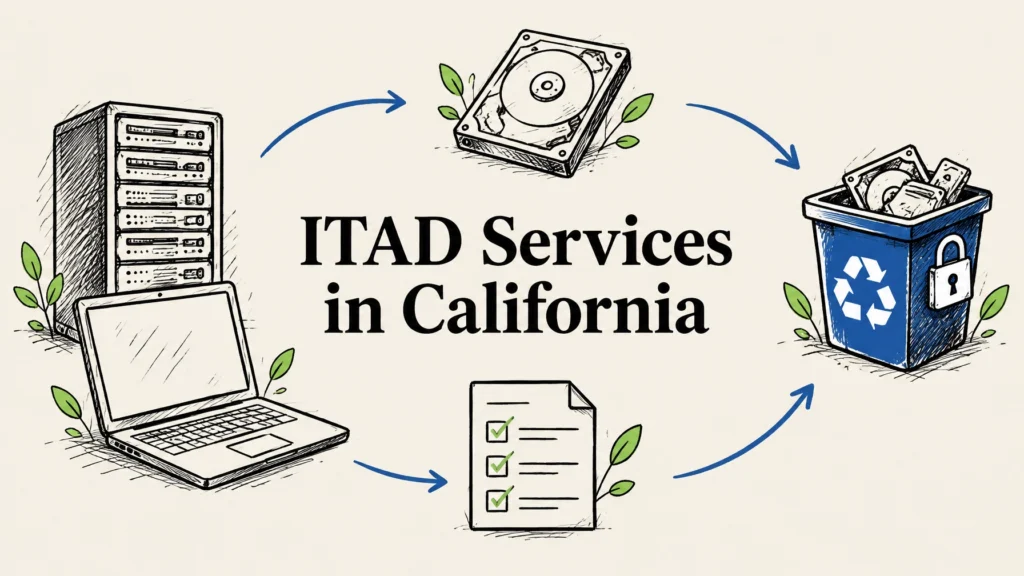
That’s where IT asset disposition, or ITAD, comes in. A documented ITAD process can bring secure handling, data destruction, and responsible recycling together. It can also help your team keep a useful record for internal reviews and compliance needs.
Ask your recycler how it protects equipment during pickup and transport, and whether you’ll receive asset-level records. If your organization works with sensitive customer, employee, payment, or health information, check the process against your own policies and legal obligations. Requirements can depend on the data and your business, so seek compliance advice when needed.

Wiping or shredding: which should you choose?
A secure wipe and physical hard drive shredding are different approaches. A wipe uses a process designed to make stored information inaccessible while leaving the drive intact. That may be appropriate when the device is working and may be reused. Physical shredding destroys the drive itself, making it a better fit when a drive has failed, can’t be wiped, or must not be reused.
Ask what method is recommended for each device and whether the recycler can document the result. Reworx provides free data destruction, using a NIST 800-88-style wipe where appropriate or hard drive shredding when physical destruction is the right choice. We provide a certificate of destruction for completed destruction services. Read more about hard drive shredding.
Deleting files, emptying the recycle bin, or performing a quick reset shouldn’t be treated as proof that data has been securely destroyed. Before recycling a personal device, back up what you need and sign out of accounts. For business equipment, coordinate with your IT team before resetting or removing anything.
Getting an SF office ready for a tech cleanout
A little preparation can make collection day smoother and help your team keep track of what’s leaving. Use this checklist for a small office refresh or a larger equipment retirement:
- Make an inventory. List the devices and quantities, and identify computers, servers, phones, and other items that may contain data.
- Separate equipment by next step. Group working devices for possible reuse or buyback, and set aside damaged or end-of-life electronics for recycling.
- Check accessories and batteries. Keep cables with the right equipment when useful. Flag devices with built-in batteries, and separate any damaged or swollen batteries for specific handling instructions.
- Back up and sign out. Save business files according to your organization’s process, remove accounts where appropriate, and don’t reset equipment until your IT lead approves.
- Agree on data destruction. Decide which devices need a wipe and which drives should be shredded. Confirm the records and certificates you’ll receive.
- Plan the handoff. Set a pickup window, confirm where equipment will be staged, and ask how custody is documented from collection onward.
- Keep the paperwork. Save the inventory, pickup record, destruction certificate, and any final disposition report with your IT asset records.

What to ask an electronics recycler
Before scheduling service, get clear answers to a few practical questions:
- Do you accept the types and quantities of electronics we have?
- Is pickup available at our San Francisco location, and what scheduling options are available?
- How do you protect devices during collection and transport?
- Can you wipe suitable drives and shred drives that shouldn’t be reused?
- Will we receive a certificate of destruction and an asset or disposition record?
- How do you handle equipment that can be reused, and is buyback available?
- What environmental standards or certifications apply to your recycling program, and can you explain downstream processing?
These questions help distinguish a simple collection from a service that also covers data protection and business documentation. A responsible recycler should be able to explain what happens to equipment after pickup in plain language.
Recycling with Reworx from San Francisco
Reworx Recycling serves businesses across all 50 states, including San Francisco, with free nationwide pickup and free data destruction. Our headquarters are in Smyrna, in metro Atlanta, but we coordinate recycling and ITAD services nationwide. For suitable projects, we can also discuss equipment buyback, tamper-proof drop-off boxes, and after-hours scheduling.
Our electronics are handled through certified eco-friendly recycling programs with responsible downstream processing. Reworx also works to bridge the digital divide by getting refurbished technology to marginalized and vulnerable communities for education and career readiness.
To get started, call 678-449-0003 or text us for fast service. Share what equipment you have, where it’s located, and whether any devices contain data. We can help you figure out the next step.

Frequently asked questions
Where can I recycle electronics in San Francisco?
San Francisco has local e-waste drop-off and collection options. Check the San Francisco Environment e-waste page for current guidance, accepted items, and program details. For a business cleanout or data-bearing IT, consider a recycler that can also document data destruction and equipment disposition.
Does San Francisco have an e-waste ordinance?
San Francisco and California have rules restricting how many electronics may be disposed of, and electronics generally shouldn’t go in household trash or curbside recycling. Rules and local services can vary by item and situation, so confirm current instructions with San Francisco Environment before disposal.
How do businesses recycle computers in SF?
Start with an inventory, identify devices that hold data, and choose how each drive will be wiped or destroyed. Then arrange a recycler that can document pickup, data destruction, and final disposition. For larger equipment lists, ask about ITAD and asset-level records.
Should I wipe a computer before recycling it?
Back up needed files and sign out of accounts before recycling a personal computer. A normal delete or quick reset isn’t the same as verified data destruction. If the device held sensitive information, ask the recycler about secure wiping or hard drive shredding and what documentation is provided.