The usual Auckland e-waste job starts the same way. An office move, a laptop refresh, a storeroom cleanout, or a server replacement uncovers years of retired gear that nobody wanted to deal with at the time. Old desktops sit under benches. Monitors are stacked in a meeting room. A drawer is full of phones, chargers, and hard drives from past staff exits.
For a business, that pile is never just rubbish. It's a mix of data security exposure, workplace clutter, disposal liability, and recoverable material. The right path depends on three things: how much equipment you have, how sensitive the data is, and whether your team can physically manage transport and sorting without disrupting operations.
That's why e waste collection Auckland decisions work better when you treat them like an operational project, not a last-minute clearout. Some loads suit a simple drop-off. Others need booked pickup, documented chain of custody, and secure destruction. If you choose the wrong route, you usually pay for it later in staff time, compliance risk, or a recycling partner who can't handle what you have.
The Growing Challenge of E-Waste in Auckland
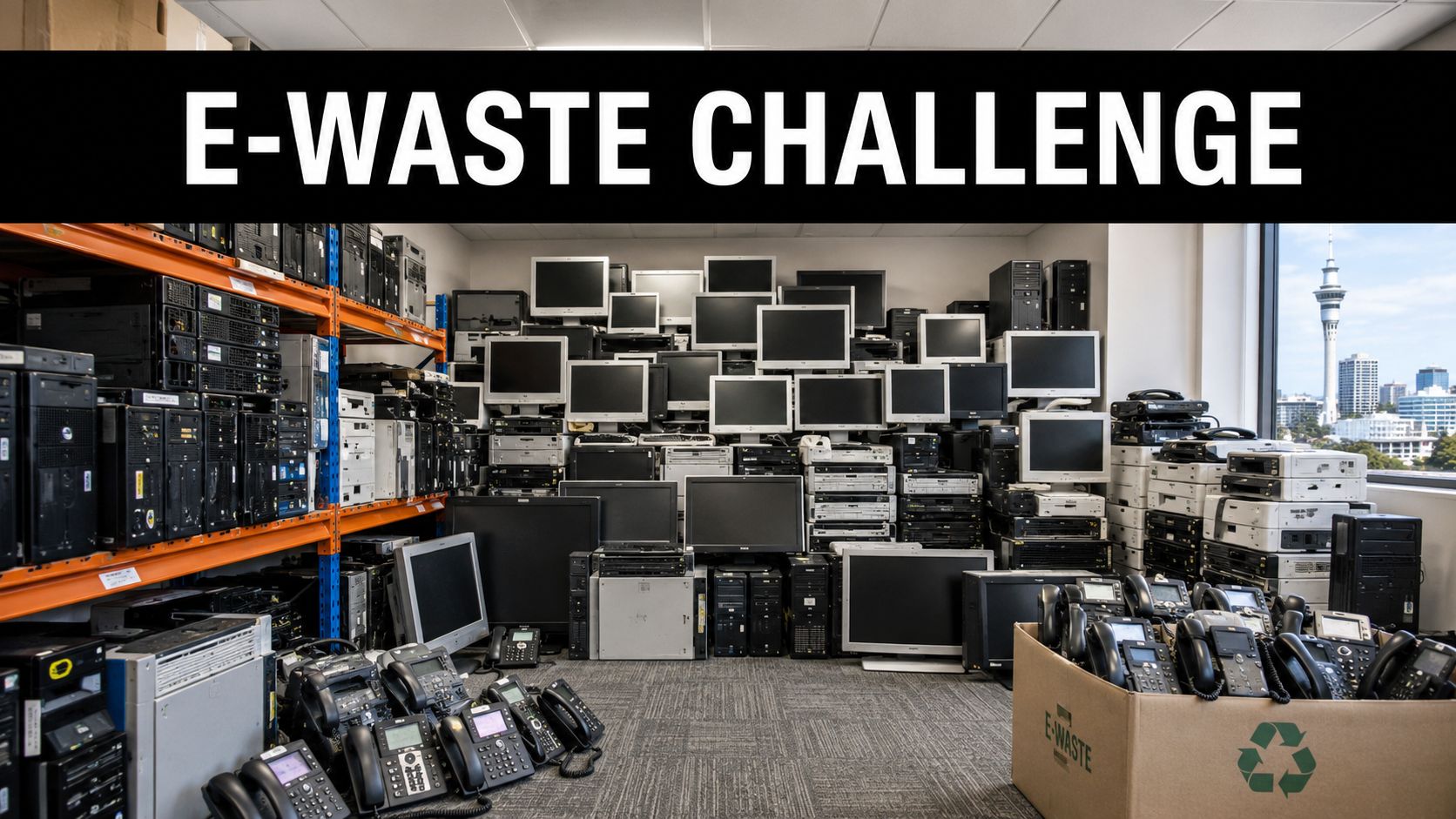
Auckland businesses usually feel the e-waste problem all at once. One IT refresh, office move, or storeroom audit turns up years of retired laptops, monitors, phones, docks, printers, cables, and loose hard drives that were easy to postpone and harder to classify. What looked like storage becomes an operational decision.
The challenge is bigger than finding a recycler. A mixed pile of old equipment forces three decisions early. How much material is there, how sensitive is the data, and is the load small enough for staff to manage safely without dragging down the workday? Those answers shape whether a simple drop-off is realistic or whether collection, documentation, and secure handling are the better route.
Why the Auckland backlog matters
For Auckland businesses, the risk starts on site. Devices kept in cupboards and comms rooms for months tend to lose their labels, ownership history, and disposal plan. At that point, even a modest cleanout gets harder. Teams spend time identifying assets, checking for storage media, separating reusable units from scrap, and working out who is authorised to sign them off.
The environmental side matters too. If gear drifts into general waste or informal disposal channels, recovery rates drop and the reporting trail disappears. Many firms now treat retired IT as part of broader sustainability planning because of the broader environmental impact of e-waste, not just as a facilities nuisance.
Practical rule: If equipment has been sitting in storage long enough that nobody is sure what data is on it or whether it still belongs on the asset register, treat it as an active business risk.
What businesses get wrong early
The first mistake is delaying the sort until there is external pressure. I see this during lease exits, refurbishments, and last-minute compliance reviews. The result is usually the same. Staff try to clear everything at once, mixed loads go unsorted, and the disposal option gets chosen on apparent price instead of fit.
The second mistake is treating all e-waste as one category. It is not. Ten wiped laptops with no sensitive data can be handled very differently from a room full of mixed equipment that includes servers, networking gear, damaged batteries, and untracked hard drives.
A better approach is to triage the load before choosing a provider or booking transport:
- High data sensitivity calls for controlled collection, clear chain of custody, and confirmed destruction where needed.
- Low volume, low sensitivity can suit a managed drop-off if staff time and transport are realistic.
- Bulky mixed loads usually need on-site assessment or at least careful pre-sorting before pickup is booked.
- Potentially reusable assets should be separated early so they are not damaged or written off as scrap.
That is Auckland's primary e-waste challenge. It is less about finding any outlet for old electronics and more about choosing the right path for the load in front of you. Businesses that make that decision early usually avoid the two costs that hurt most later. Staff disruption and preventable risk.
Navigating Auckland's E-Waste Regulations
Start with a common Auckland scenario. The office move is six weeks out, IT has stacked retired laptops in a meeting room, facilities has found old UPS units in the comms cupboard, and nobody is certain what can go in general waste, what needs data destruction, and what records should be kept. That is where regulation stops being a background issue and becomes a business decision.
New Zealand has already signalled that e-waste needs more formal stewardship, as noted earlier. For Auckland businesses, the practical takeaway is simple. Do not treat end-of-life electronics as a standard clear-out. The legal risk, data risk, and handling risk are different from ordinary office waste, and your disposal method should reflect that.
Legal baseline versus business-grade practice
At minimum, e-waste needs separate handling. Devices can contain hazardous components, embedded batteries, and materials that should not be crushed, dumped, or mixed through general rubbish streams.
For a business, minimum compliance is rarely enough.
A defensible process usually includes four things:
- Asset tracking so you know what left site and when
- Data controls such as wiping, drive removal, or physical destruction where needed
- Approved disposal channels rather than informal handoffs or mixed waste loads
- Internal approval from the people who own the risk, usually IT, facilities, finance, or compliance
That difference matters. A household disposing of one old printer faces inconvenience if something goes wrong. A company disposing of fifty devices can create a privacy issue, fail an internal policy check, or lose track of fixed assets that should have been recorded before disposal.
Where council options fit, and where they do not
Council-style or public drop-off options can work for some businesses, but only in a narrow set of circumstances. They are usually best for low-volume, low-sensitivity loads where staff can transport the items safely and the business does not need detailed destruction records or collection logistics.
That is not the same as saying they are the wrong choice. They can be cost-effective for a small batch of peripherals, old monitors, or low-risk equipment from a modest office tidy-up.
The fit changes fast once the load includes servers, phones, storage media, batteries, damaged devices, or gear spread across multiple teams. At that point, the main question is no longer whether the material can be recycled. The question is whether your business can show it handled those assets properly, from removal through to final processing.
If you would need to explain the disposal decision to an auditor, client, insurer, or privacy officer, choose the channel that gives you records and control.
For teams writing or tightening internal procedures, it helps to align e-waste with wider special-waste handling rules. Reworx Recycling's guidance on universal waste handling is a useful reference point because it reflects the broader operational standard. Once an item needs controlled end-of-life handling, casual disposal is no longer acceptable.
Questions to settle before booking a recycler
Use this decision screen before you choose council drop-off, a private recycler, or an onsite pickup service:
| Question | Why it matters |
|---|---|
| Does any of the equipment hold data? | Determines whether wiping, shredding, or chain-of-custody controls are needed |
| Is the load small and uniform, or mixed and bulky? | Affects labour, packaging, vehicle choice, and whether drop-off is realistic |
| Do you need disposal evidence for policy, audit, or client requirements? | Rules out options that cannot provide suitable records |
| Are there batteries, damaged items, or other hazardous components in the load? | Changes handling and transport requirements |
| Can staff move the equipment safely without disrupting operations? | If not, onsite collection is usually the safer and more economical choice |
This is the decision framework I use with Auckland clients. Match the disposal path to volume, data sensitivity, and proof requirements first. Price comes after that, not before.
Choosing Your Collection Method Drop-Off vs Pickup
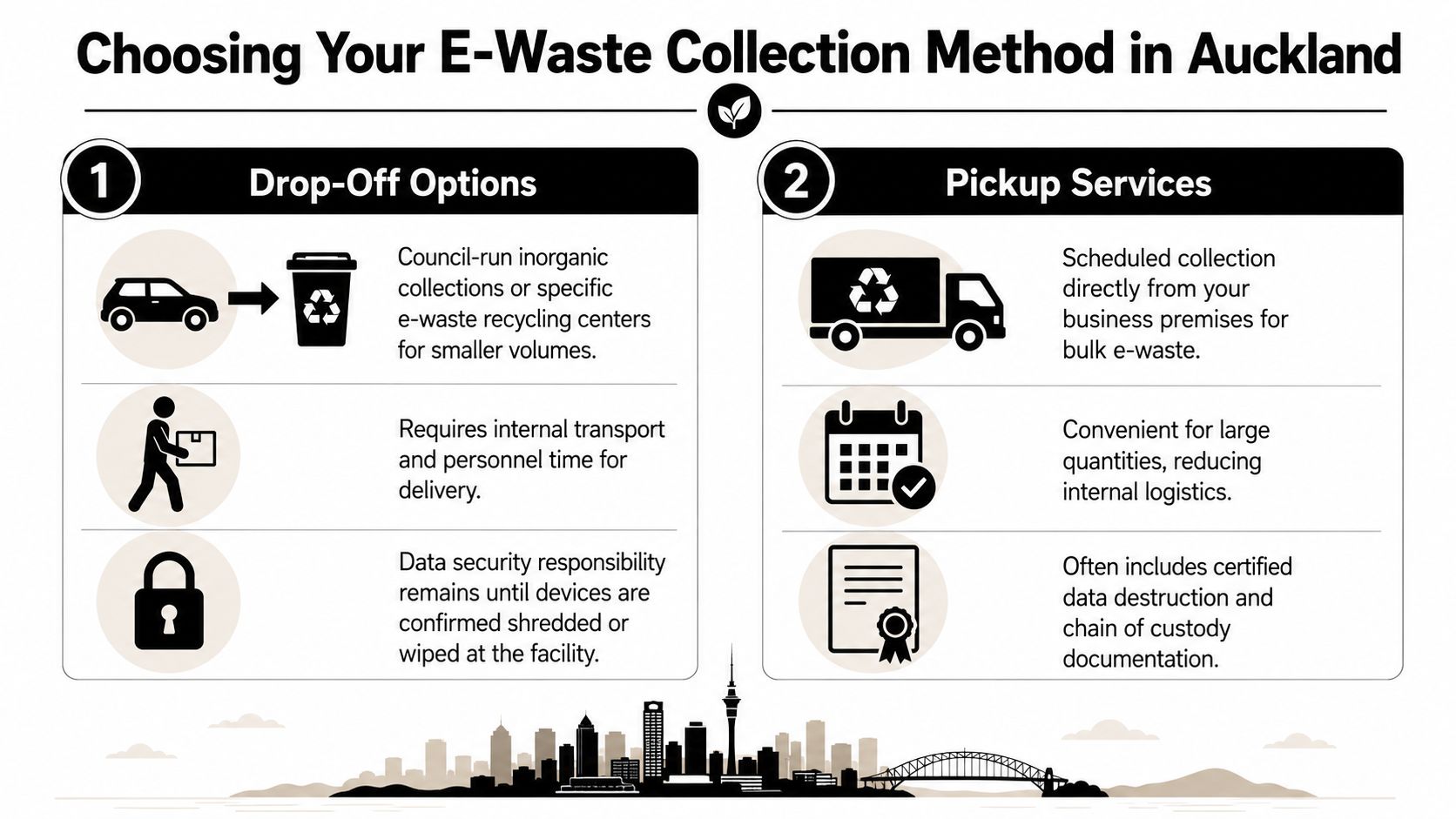
The right collection method depends less on the recycler's marketing and more on your internal constraints. For Auckland businesses, the comparison is usually between public drop-off pathways, event-based options, and scheduled commercial pickup.
Auckland has meaningful collection infrastructure. Echo Technology says it hosts more than 50 E-day collection events each year across Auckland and Wellington and operates a permanent Auckland site in Penrose, and the same page places that in global context by noting the World Health Organization's report that 62 million tonnes of e-waste were produced worldwide in 2022 and only 22.3% was formally collected and recycled, with documented collection and recycling expected to fall to 20% by 2030 if current trends continue, according to Echo Technology's E-day information.
When drop-off works
Drop-off is usually a good fit when the load is modest, the equipment is already boxed, and your team can transport it without much friction.
Good for
- Small office refreshes where the volume fits into a few vehicle loads
- Non-urgent cleanouts that can be handled during business hours
- Low-sensitivity assets that have already been sanitised internally
- Teams near a known drop-off point such as a permanent site
Bad for
- Multi-floor office clearouts where staff time becomes the hidden cost
- Bulky items like mixed monitors, printers, or whiteware
- Sensitive media if you need stronger custody controls
- Projects needing documented destruction or audit support
The hidden problem with drop-off isn't usually the recycling outlet. It's internal labour. Someone has to pack, lift, load, drive, unload, and verify the handover. In a small business that might be manageable. In a larger office, it often turns into a half-day facilities job that interrupts normal work.
When pickup is the smarter call
Pickup makes sense when convenience, control, or risk reduction matter more than chasing the cheapest visible option.
Decision shortcut: If the internal effort to prepare and move the equipment is greater than the external cost of collection, schedule pickup.
Pickup is generally better for:
- Large-volume office cleanouts
- IT asset disposition projects
- Data-bearing devices
- Sites with access limitations, loading dock rules, or health and safety concerns
You'll often get stronger documentation with commercial pickup as well. That can include item counts, chain-of-custody records, or destruction evidence, depending on the provider.
Council-style options versus private providers
Here's the practical distinction most businesses care about:
| Option | Best use case | Main trade-off |
|---|---|---|
| Event or public drop-off | Small, simple loads | Your staff handle logistics |
| Permanent drop-off site | Planned low-volume disposal | Limited suitability for sensitive projects |
| Private pickup | Bulk or controlled loads | Usually involves a service fee |
For companies comparing providers across regions, Reworx Recycling's after-hours electronics recycling drop-off box page is a useful example of how collection models vary by access and convenience. The underlying lesson applies in Auckland too. Match the service model to the project, not the other way around.
How to Prepare Your Devices for Disposal
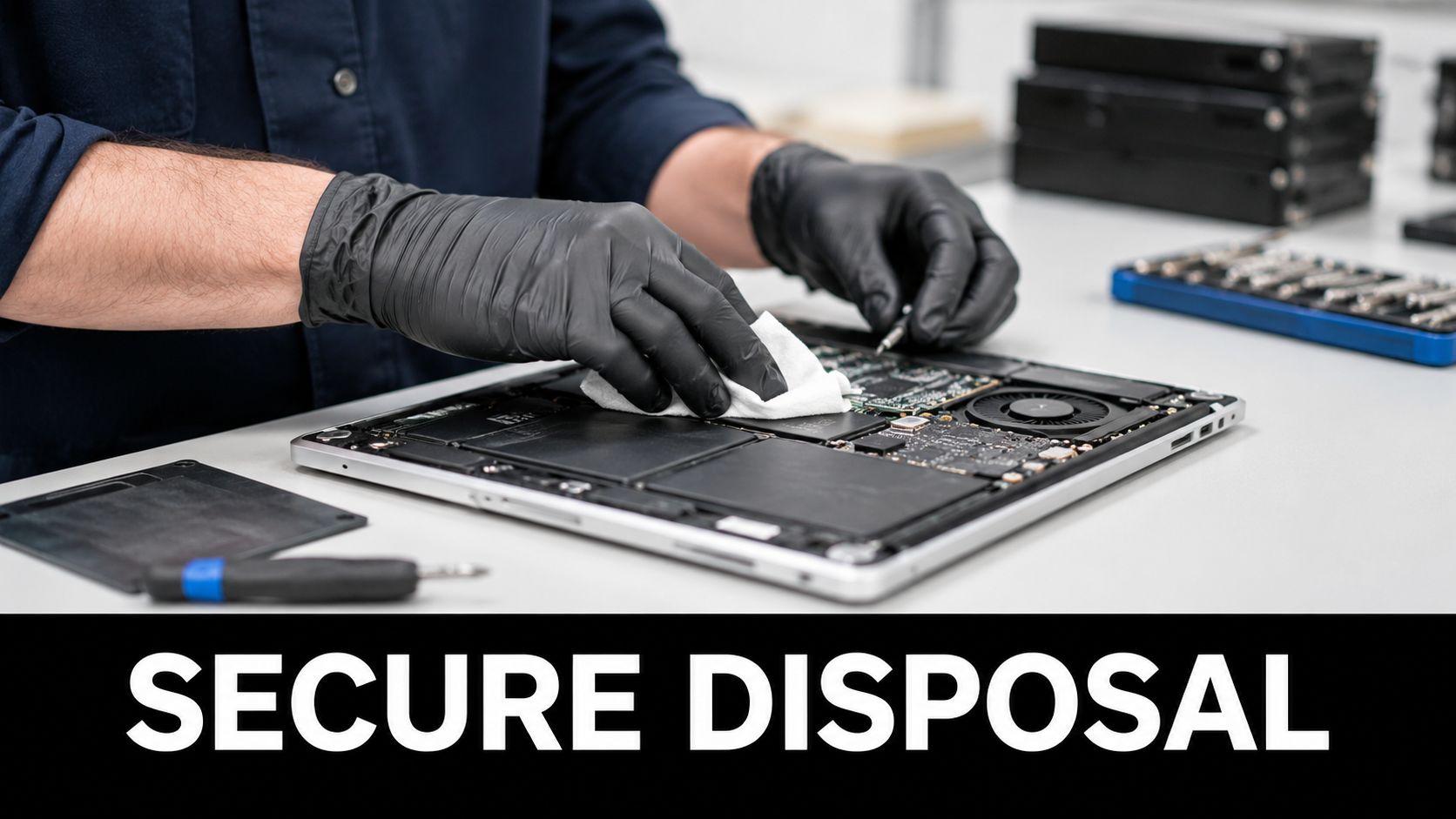
Preparation is where good e-waste projects are won or lost. If devices are poorly sorted, still logged into business systems, or packed with loose batteries and fragile screens, the collection day will expose every shortcut. Good preparation protects your data, reduces safety issues, and makes recycling downstream far more effective.
The processing benchmark is consistent. The e-waste recycling process typically involves collection, sorting, dismantling, shredding, and mechanical separation, and poor preparation such as leaving batteries inside devices or mixing leaded CRT glass with other materials can contaminate batches and create safety risks for recycling workers, as described in this e-waste recycling process guide.
Start with data, not hardware
Before anyone touches a trolley or carton, decide how data will be handled.
Use this sequence:
Identify data-bearing devices
Laptops, desktops, servers, phones, tablets, external drives, USB media, photocopiers, and some network gear may all store information.Choose sanitisation method by risk level
Software wiping may suit lower-risk redeployment or recycling streams. Physical destruction is the safer choice where policy, client obligations, or internal risk appetite demand certainty.Record the action taken
Tie the device serial number or asset tag to the disposal decision. That record matters later if anyone asks what happened to a particular machine.
For businesses with regulated or commercially sensitive information, specialist support is often worth it. Reworx Recycling outlines the operational side of secure data destruction services, including when shredding is more appropriate than relying on software-only workflows.
A device isn't “ready for recycling” just because it won't power on. Dead hardware can still contain live data.
Build a usable asset list
An inventory doesn't need to be fancy, but it does need to exist. A simple spreadsheet is enough if it captures what matters.
Include:
- Asset tag or serial number
- Device type
- Department or location
- Data status such as wiped, pending, or destroy
- Final disposition path such as donate, recycle, or shred
This step does two jobs at once. It gives your provider a clearer scope, and it gives your business an internal control point. Without a list, devices tend to “walk” during cleanouts.
Pack for safety and processing
Don't mix everything into one giant bin unless your recycler specifically tells you to. Segregation saves time and avoids damage.
A workable packing standard looks like this:
- Keep batteries separate where possible, especially swollen or damaged units
- Box small devices by category such as phones, cables, and peripherals
- Protect screens and glass to reduce breakage during handling
- Flag older CRT equipment clearly if any remains in storage
- Don't overfill containers that staff or drivers will have to lift
What not to do
These are the mistakes that repeatedly cause trouble:
- Leaving equipment assigned to staff with no retrieval process
- Sending mixed electronics with general rubbish
- Assuming your recycler will sort unsafe loads at no consequence
- Forgetting printers and copiers hold data too
- Booking collection before internal approvals are finished
Preparation isn't glamorous, but it's what makes disposal secure, compliant, and efficient.
Understanding E-Waste Collection Costs
The biggest pricing mistake businesses make is comparing quotes without matching the scope. One provider may be pricing simple collection only. Another may be including onsite labour, packing, transport, downstream processing, and data destruction. Those aren't equivalent offers, even if both are described as e-waste recycling.
What usually changes the price
Commercial e-waste pricing tends to move based on project complexity rather than a single flat rule. Ask yourself:
Volume and mix
A pallet of laptops is easier to handle than a mixed load of monitors, printers, batteries, and loose accessories.Pickup conditions
Ground-floor dock access is simpler than a CBD office with lift bookings, parking restrictions, and staged removal windows.Data requirements
If you need serial-number tracking, custody records, or physical drive destruction, expect the service scope to expand.Labour on site
Some providers collect from a loading area only. Others will clear desks, storage rooms, comms rooms, or multiple departments.
Cheap quotes often become expensive jobs once access, lifting, waiting time, or destruction paperwork gets added back in.
Questions to ask before approving a vendor
Use these questions to keep quotes comparable:
| Question | Why ask it |
|---|---|
| Is pickup included, or priced separately? | Avoid transport surprises |
| Are there extra charges for monitors, batteries, or bulky items? | Mixed loads often change scope |
| Is onsite labour included? | Important for office cleanouts |
| What data destruction options are available? | Not every collection includes it |
| Will we receive documentation? | Critical for audit and internal controls |
| What preparation do you require from us? | Prevents failed collections or added fees |
Budget for the whole job, not just the truck
Internal time is a real cost. If your IT manager spends half a day coordinating access, your facilities team boxes devices, and someone has to supervise collection, that labour belongs in the decision. A no-fee drop-off path can still cost more overall than a straightforward paid pickup once disruption is factored in.
For first-time business cleanouts, the most efficient budgeting approach is simple. Define the asset list, define the data requirement, define the access conditions, then seek quotes against that exact scope.
Auckland E-Waste Disposal Checklist and FAQs
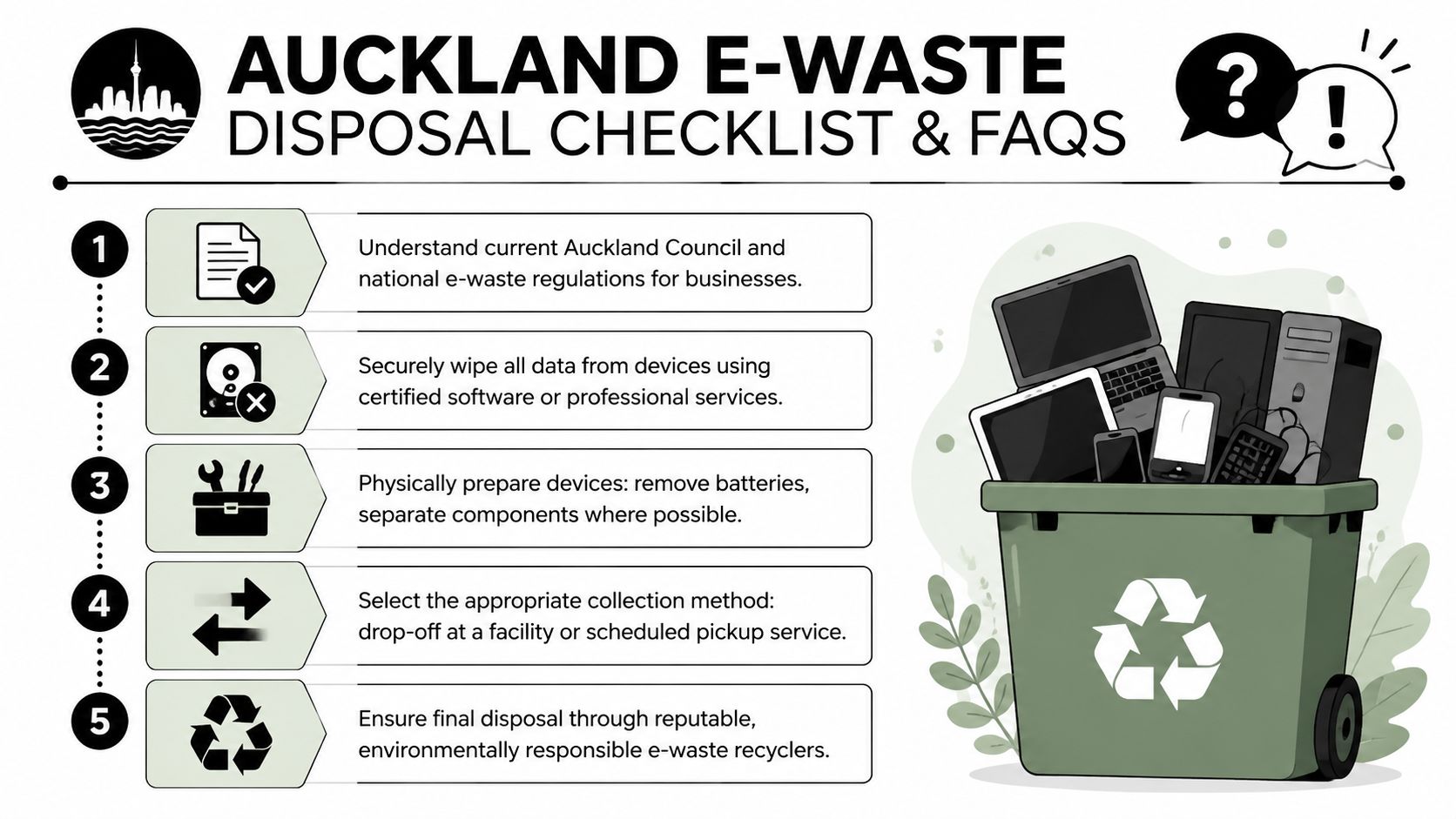
Auckland businesses usually don't need a complicated e-waste policy. They need a repeatable one. If your team can follow the same disposal checklist every time equipment is retired, office cleanouts stop feeling like one-off emergencies.
The practical checklist
Confirm internal ownership
Make sure IT, facilities, and any department heads agree that the listed equipment is approved for retirement.Separate reusable gear from scrap
Functional laptops, screens, or peripherals may suit donation or refurbishment pathways. Broken, obsolete, or incomplete gear usually goes straight to recycling.Lock down data handling
Decide what gets wiped, what gets destroyed, and who signs that off.Prepare the load safely
Remove problem batteries where practical, group devices by type, and label anything fragile or unusual.Choose the collection route
Use drop-off for simple, low-volume jobs. Use pickup where scale, access, or sensitivity makes internal handling inefficient.Close the file
Keep the asset list, collection record, and any destruction paperwork in the same internal folder.
For teams formalising the process, Reworx Recycling's article on how to dispose of electronic waste is a useful reference point for building a simple repeatable workflow.
Frequently asked questions
What should we do with old server racks and network equipment
Treat racks, switches, patch panels, and related hardware as a separate stream from desktop IT. They often need different labour, transport, and site-access planning. If the project involves a comms room or data centre shutdown, book a provider that can handle decommissioning logistics rather than a basic small-load collection.
Can we get a certificate of destruction
Many business-grade providers can supply destruction records or similar documentation, but you need to ask for it upfront. Don't assume every pickup includes the same level of evidence. If records matter for your policies or clients, put that requirement in writing before collection day.
Is donation a realistic option for business equipment
Sometimes, yes. Donation works best when devices are still functional, commercially usable, and properly sanitised. It's less effective when businesses leave equipment in storage until it has no practical reuse value left. Donation-based recycling models can make sense when your asset retirement process happens early enough.
Can staff take old devices home
That's an internal policy decision, but it needs controls. Businesses should avoid informal handoffs of retired equipment unless data has been handled properly and the transfer is documented. Casual giveaways create asset, security, and support issues very quickly.
What if we have only a small amount of equipment
Small loads can still justify a proper process. If the devices hold data, the sensitivity matters more than the volume. A few laptops with confidential information need more care than a larger pile of low-risk peripherals.
Keep your disposal standard consistent. Businesses get into trouble when they use one process for large cleanouts and a completely casual one for “just a few old devices.”
If your organisation is reviewing disposal options beyond Auckland or building a broader end-of-life device policy, Reworx Recycling is one example of a provider focused on donation-based electronics recycling, IT asset disposition, secure data destruction, and business pickup workflows. Businesses can use its resources to plan old equipment donations, compare service models, and organise responsible collection programs that support both environmental outcomes and community impact.