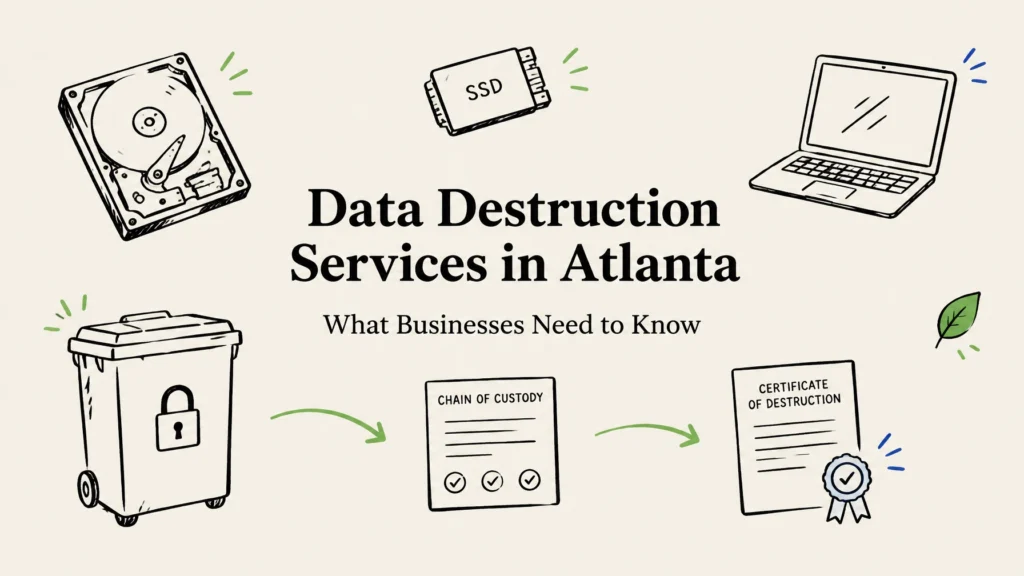
Atlanta businesses can protect sensitive information by matching each device to an appropriate sanitization or destruction method, controlling every handoff, and keeping asset-level records. Working devices may be suitable for a verified wipe and reuse, while failed or high-risk drives may need physical destruction. A clear process and a detailed certificate of destruction help you show what happened to each asset.
Office moves, laptop refreshes, server decommissions, and storage-room cleanouts all bring the same question: what should happen to the data on retired equipment? Old laptops, servers, SSDs, phones, and backup media can hold customer records, employee details, financial files, contracts, or saved credentials. Until you can account for how that data was handled, the equipment remains a potential risk.
Choosing data destruction services in Atlanta
The right method depends on three things: the type and condition of the storage media, the sensitivity of the information, and whether you want the equipment to be reused. There is no single method that fits every asset.
NIST SP 800-88 Rev. 2 provides guidance for planning media sanitization. It distinguishes between clearing or purging information while potentially preserving the media, and destroying media so it cannot be used for storage again. Use it as a planning reference, then confirm your own legal, contractual, and internal requirements.
Compare data destruction methods
| Method | Best fit | Trade-off |
|---|---|---|
| Software sanitization | Functional devices that may be reused, resold, or donated | Requires a suitable, verifiable process for the specific media |
| Physical destruction | Failed, obsolete, inaccessible, or high-risk media | Prevents storage reuse and removes resale potential |
| Degaussing | Suitable magnetic media, such as some tapes or older drives | Not a universal method; it does not erase SSD flash memory |
A verified software process can help preserve equipment value. But a routine file deletion or factory reset is not the same as a documented sanitization process. For SSDs, ask whether the proposed method is designed for that device and can be verified. Traditional degaussing is not appropriate for SSDs because they store data on flash memory, not magnetic media.
Physical destruction, including hard drive shredding, makes sense when a device is damaged, cannot be reliably sanitized, or carries a level of risk your organization is unwilling to accept. The trade-off is that the storage media cannot be reused. If you’re considering this option, review our hard drive shredding services.

Build an auditable process before pickup
A destruction event is only one part of a secure process. Your team also needs to know what is leaving, who is responsible for it, and how the final result will be recorded. This is especially important for Atlanta organizations with several offices, clinics, campuses, or remote locations.
Use this checklist to create a repeatable process:
- Inventory the assets. List devices and media by location, and record serial numbers or asset tags where available. Include laptops, desktops, servers, storage devices, phones, backup media, and any other equipment that may hold data.
- Confirm ownership and retention needs. Identify the business owner and check that records are not subject to a retention requirement or legal hold before authorizing destruction.
- Assign a method. Decide which equipment is a candidate for verified sanitization and reuse, and which media should be physically destroyed. Quarantine unidentified or unexpected media until someone can assess it.
- Plan custody and collection. Stage assets in a controlled area, separate reusable equipment from destruction-only media, and record the handoff. For multiple locations, coordinate pickup windows and use the same inventory process at each site.
- Reconcile the results. Compare the provider’s received inventory and completion records against your original list. Resolve missing, mismatched, or changed dispositions before closing the project.
- Store the evidence. Keep the inventory, transfer records, sanitization or destruction results, and final certificate together where IT, security, and compliance teams can find them.

For healthcare organizations, HHS guidance on disposing of electronic protected health information addresses final disposition and protecting data when media are reused. Other businesses may also need to consider PCI DSS obligations, state data breach laws, contracts, or DoD requirements that apply to their work. These rules can depend on your organization and the information involved, so check your own obligations rather than assuming that one vendor process covers every requirement.
What should a certificate of destruction include?
A certificate of destruction is most useful when you can connect it to the specific equipment your organization released. A general receipt or a total item count may not give you enough detail to reconcile the work against your inventory.
Ask whether the certificate, or an attached report, records:
- Serial numbers, asset tags, or other identifiers
- Media type and the method used
- The date and location of processing
- The reported outcome and any verification details
- Chain-of-custody references that connect collection to final processing
The certificate is part of your audit trail, not a substitute for checking the provider’s process. Ask how the provider protects equipment in transit, handles discrepancies, separates reuse from destruction, and manages downstream recycling.
How to choose a data destruction partner in Atlanta
When comparing providers, look beyond the equipment they use. Ask for a clear explanation of how they handle HDDs, SSDs, failed drives, phones, and other media, and how they document each outcome. Also ask whether they can keep potentially reusable equipment separate from media designated for destruction.
On-site versus off-site service is a risk and logistics decision. On-site processing may suit projects where your team wants to witness destruction. Off-site processing may be practical when the provider can explain its secure collection, transport, receipt, and reconciliation procedures. In either case, the inventory and custody records should follow the assets.
For Atlanta organizations, Reworx Recycling is headquartered at 1835 S Cobb Industrial Blvd SE #103, Smyrna, GA 30082. Local businesses can discuss pickup, drop-off, and after-hours scheduling options. Reworx also offers free nationwide pickups across all 50 states, free data destruction, hard drive shredding, and certificates of destruction. Tamper-proof drop-off boxes and flexible scheduling can help teams plan a controlled handoff; you can text us for a fast response.
After data handling is complete, equipment may still have a useful next step. Reworx offers equipment buyback and IT asset disposition services that help organizations consider reuse, value recovery, and responsible recycling. Our certified eco-friendly recycling programs use responsible downstream processing, so data security and end-of-life handling can be considered together.
Reworx is also a social enterprise. Refurbished technology helps bridge the digital divide by supporting marginalized and vulnerable communities with resources for education and career readiness.

Frequently asked questions
Do we need to shred every device?
No. Functional equipment may be suitable for verified sanitization and reuse. Failed, inaccessible, or higher-risk media may be better candidates for physical destruction. Choose by media type, condition, data sensitivity, and reuse plan.
Is on-site hard drive destruction worth it?
It can be useful when your team wants to witness the work or prefers not to transport selected media before destruction. Off-site service can also be appropriate when collection, transport, and processing are controlled and documented. Base the choice on your risk and operating needs.
What should a certificate of destruction include?
Look for asset identifiers, media type, method, date, reported outcome, and custody references. Those details help you reconcile the record with your internal inventory.
Can a provider degauss an SSD?
Degaussing is designed for magnetic media and is not a suitable method for erasing SSD flash memory. Ask the provider to explain the SSD-specific sanitization or destruction option and how it is verified.
If your Atlanta business is planning an office move, technology refresh, or equipment cleanout, start with an asset inventory and decide which devices may be reused before pickup is scheduled. Contact Reworx to discuss secure data destruction, local service options, or a nationwide pickup.