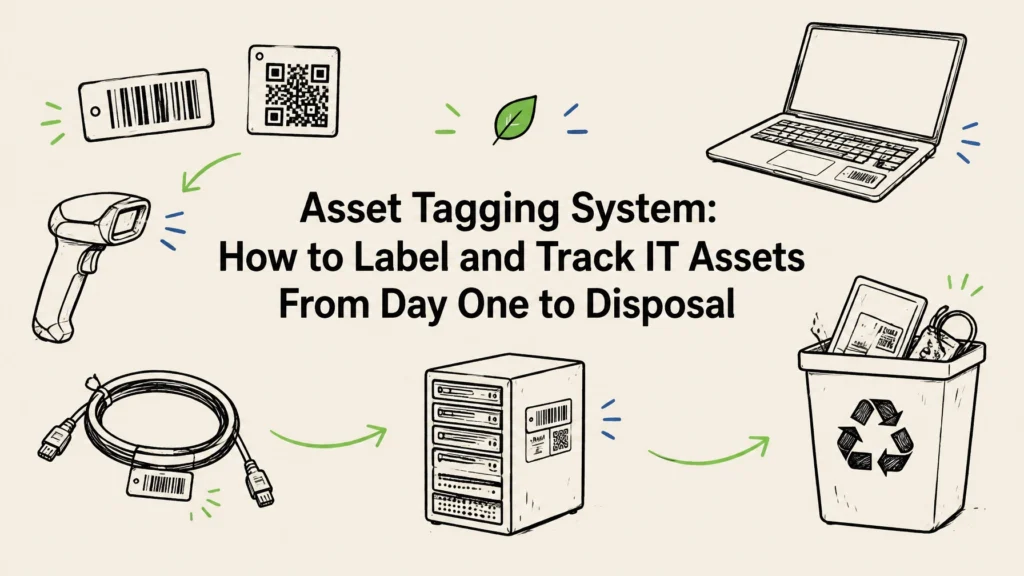
An asset tagging system gives each IT asset a unique identifier and links that identifier to a record of the device’s owner, location, condition, and lifecycle status. It helps you track hardware from receiving and deployment through repair, reassignment, and final retirement. The tag is only the starting point: the system works when people update the record whenever an asset changes hands or status.
For IT, facilities, and sustainability teams, good tracking can make an equipment refresh easier to plan and help prevent retired devices from slipping out of view. It also gives you a clearer way to connect a physical laptop, server, or storage device to its data-security and disposal records.
What should an asset tagging system track?
The physical label should carry a unique internal ID that points to an accurate record in your asset-management system. Use a stable ID that doesn’t encode information likely to change, such as a person’s name, department, or room number. Keep those details in the record instead.
Depending on your organization’s needs, a record may include:
- Asset ID, device type, manufacturer, model, and serial number
- Purchase or lease information, warranty, and cost center
- Assigned user or custodian, department, and location
- Current status, such as in stock, deployed, in repair, or retired
- Data-bearing status and relevant security notes
- Reassignment, repair, and incident history
- Retirement approval, data-destruction result, certificate, and final disposition
Keep the information on the physical tag limited. A scannable ID is useful; sensitive details, user information, and network configuration don’t belong on a label that anyone might see.

Barcode, QR, RFID, or NFC: which tag should you use?
The right choice depends on how your team works and where equipment is stored. For many organizations, a printed barcode or QR label is an uncomplicated place to start. More specialized options may help when you need to scan many assets quickly or confirm them at close range.
| Tag type | How it works | A practical fit |
|---|---|---|
| Barcode | A scanner reads printed bars, usually one item at a time | Offices, storerooms, and teams already using barcode scanners |
| QR code | A phone or scanner reads a printed square code | General IT inventory, especially when staff can scan with a phone |
| RFID | A compatible reader detects radio-frequency tags | High-volume audits where reading multiple tagged items could help |
| NFC | A compatible device reads a tag at close range | Workflows where a deliberate tap on an asset is useful |
Whichever technology you choose, print the asset ID in readable text as a backup. Test labels on the equipment you actually use, including metal surfaces and devices that are frequently handled. Place each label where staff can scan it without covering vents, ports, or manufacturer serial numbers.
How to set up an asset tagging system: a rollout checklist
You don’t need to tag every device in one rushed project. Start with a defined group of assets, settle the basic rules, and build tagging into receiving and retirement workflows so the inventory stays useful.
- Decide what’s in scope. Start with equipment that is valuable, mobile, shared, security-sensitive, or operationally important. This may include laptops, desktops, servers, network devices, phones, and storage media. Decide how you’ll handle leased equipment and devices that don’t belong to the organization.
- Set your ID and record rules. Use a unique internal ID for every asset and don’t reuse retired numbers. Choose the minimum information your team needs to make reliable decisions, including owner, location, status, serial number, and data-bearing status.
- Choose a tag technology and placement. Select a barcode, QR code, RFID, or NFC based on your work environment. Test readability and durability before applying labels at scale.
- Tag equipment when it arrives. Match the shipment to its paperwork, record the serial number, create the asset entry, apply the label, and scan-test it. Add the device’s custodian and location before it goes into service.
- Make scans part of handoffs. When a device is reassigned, moved, repaired, or returned to storage, update its record. Keep the history rather than simply replacing the previous user or location.
- Audit and resolve exceptions. Compare physical equipment with your records on a schedule that suits the risk and mobility of your assets. Investigate missing, duplicate, untagged, or incorrectly listed items instead of treating every mismatch as a simple data-entry error.
- Make retirement a tracked step. Record the approval, collection, data-handling method, outcome, and final route for each retired device. Close the asset record only when the equipment’s disposition is documented.
A short pilot can reveal practical problems before a full rollout. For example, a label may be hard to scan on a particular laptop model, or a receiving team may need a simpler way to enter serial numbers. Adjust the process, then apply the same rules across teams and locations.
Keep the inventory accurate after rollout
An asset register can become outdated when devices move without a scan or when people use different names for the same location or status. Keep the process straightforward: define who can issue IDs, who updates records, and which changes require a scan.
Use a consistent set of lifecycle statuses. “In repair” and “retired” should mean the same thing to IT, facilities, and finance. When a device changes hands, record the new custodian and location, along with the date. When an asset is missing or its label is damaged, flag the exception and preserve its history rather than quietly creating a new record.
Regular checks can also identify devices that appear in one system but not another. Compare your inventory with available procurement, finance, service desk, or device-management records, and follow up on items that don’t match. The goal isn’t simply to produce a list; it’s to know what you have, where it is, who is responsible for it, and what needs to happen next.

Make disposal part of the asset lifecycle
A tag is especially useful at retirement, when devices are collected, checked, and routed for reuse, data destruction, or recycling. The asset ID helps connect the equipment leaving your site with the right record and any required evidence.
Before scheduling a pickup, reconcile the physical items against your inventory. Confirm which devices contain data, remove equipment from active assignments, and follow your organization’s process for account access, backups, and other security steps. For compliance needs involving HIPAA, PCI DSS, state data-breach laws, or internal policies, check your requirements with the people responsible for security and compliance.
For data-bearing devices, plan a suitable method before equipment leaves your control. Reusable media may be wiped using a NIST 800-88-style process; hard drives that need physical destruction can be shredded. Ask for a certificate of destruction and records that connect the result to the asset ID, along with a clear chain of custody. A general pickup list is not a substitute for knowing what happened to each data-bearing device.
Reworx Recycling provides IT asset disposition and electronics recycling nationwide across all 50 states, with free nationwide pickup and free data destruction. We can securely wipe or shred hard drives and provide a certificate of destruction. Our eco-friendly certified recycling uses R2-style responsible downstream processing for equipment that is not being reused.
For a larger refresh, teams can review our IT asset disposition services, learn about data destruction services, or explore hard drive shredding. Tamper-proof drop-off boxes and flexible, including after-hours, scheduling can help with different site needs. You can call or text 678-449-0003 to discuss service.
Reworx is headquartered in Smyrna, in metro Atlanta, and serves organizations across the country. Near the end of the lifecycle, suitable technology may also support our mission: refurbished tech is given to marginalized and vulnerable communities for education and career readiness.

FAQs about asset tagging systems
What is the purpose of an asset tag?
An asset tag gives equipment a unique identifier that links to its inventory record. That makes it easier to identify the device, check its assigned owner or location, and follow its lifecycle.
What information should go on an IT asset tag?
Usually, the tag needs a unique asset ID in readable and scannable form. Keep details such as the assigned user, location, purchase information, and security status in the access-controlled asset record.
Should we use QR codes or RFID for asset tracking?
QR codes are a practical option when staff can scan devices individually with a phone or scanner. RFID may suit locations where teams need to audit many tagged items, but it requires compatible readers and testing. Choose based on your actual workflow.
How do asset tags help with IT asset disposal?
Tags help you match equipment going out for retirement with inventory records, custody information, and data-destruction documentation. Keep the asset ID connected to the wipe or shredding result and the final disposition.
What should we do with old tagged computers?
Confirm the asset’s identity and data-bearing status, follow your organization’s security process, then document the selected route. If the device is leaving your organization, use a responsible ITAD and recycling process that includes appropriate data destruction and records.
Next step: Choose one equipment group to pilot, define who updates its records, and make scanning part of receiving, reassignment, and retirement. When your devices are ready to leave the site, contact Reworx Recycling by call or text at 678-449-0003 to plan a free nationwide pickup.