Secure hard drive recycling isn't just another item on your IT department's to-do list; it’s a critical business function that protects your company from devastating data breaches and ensures compliance with privacy laws. At its core, it's the process of permanently destroying data on retired hard drives before the device itself is responsibly recycled. Think of it as the final, essential step in the lifecycle of your data-bearing assets. For businesses across the state, from bustling tech hubs to established financial centers, this process is a cornerstone of modern IT asset disposition (ITAD).
Why Secure Recycling Is A Core Business Strategy
In an era where a single data breach can cost a company millions, viewing secure hard drive recycling as just an expense is a shortsighted mistake. It's a vital investment in your company's risk management framework and a powerful demonstration of corporate responsibility. For every server, laptop, or desktop your organization retires, the hard drive inside is a dormant container of sensitive information.

Simply hitting 'delete' or formatting a drive gives a false sense of security. These actions often just remove the digital pointers to the data, leaving the information itself easily recoverable with off-the-shelf software. It's a common oversight that can lead to disastrous consequences for any business undertaking an office cleanout or data center decommissioning.
The Real Risks of Improper Disposal
When old hard drives aren't disposed of securely, you're leaving the back door wide open for serious threats. The potential fallout extends far beyond a simple data leak; it can cripple an organization's finances, reputation, and daily operations.
Here are a few of the key vulnerabilities you're exposed to:
- Customer Data Exposure: Personal information, financial records, and contact details are prime targets. A breach can lead directly to identity theft, triggering lawsuits and causing irreparable damage to customer trust.
- Intellectual Property Theft: Your trade secrets, proprietary research, and strategic plans are invaluable. If a competitor or malicious actor gets their hands on that data, your competitive advantage could disappear.
- Steep Regulatory Fines: Data privacy laws like HIPAA (for medical equipment disposal), GDPR, and FACTA impose severe penalties for failing to protect sensitive data, with fines that can climb into the millions of dollars.
"A proactive approach to IT asset disposition isn't just about compliance; it's about building a resilient security posture. Every retired hard drive represents a potential endpoint vulnerability that must be managed with the same seriousness as your live network."
From Security Task to Strategic Advantage
This is where a strategic approach turns a potential liability into an asset. By implementing a formal secure hard drive recycling program, you are actively shielding your company from these crippling risks. The goal is methodical, verifiable data destruction, ensuring every byte of information is rendered completely unrecoverable.
There are three primary methods to achieve this level of security:
- Secure Wiping: Using specialized software to overwrite the entire drive with random data, making the original information impossible to reconstruct.
- Degaussing: For magnetic media, this method uses a powerful magnetic field to instantly and permanently erase all data.
- Physical Shredding: The most foolproof method. The hard drive is physically ground into tiny, unreconstructible metal fragments.
Choosing to work with a social enterprise like Reworx Recycling elevates this process. It allows you to align a critical security function with a powerful social and environmental mission. Your retired assets aren't just securely processed; they also contribute to valuable community programs and sustainable recycling practices. The importance of e-waste recycling in businesses today creates a direct link between data security and corporate citizenship. By partnering with a responsible organization, you protect your data, support your community, and strengthen your brand's commitment to sustainability.
Choosing the Right Data Destruction Method
When it's time to retire old hard drives from a facility cleanout, choosing the right data destruction method is not a one-size-fits-all decision. The best approach balances your security needs, compliance requirements, and whether you'd like the hardware to be reused. It’s about matching the solution to your company's specific risk profile.
For example, a healthcare provider managing patient records has different disposal needs than a creative agency upgrading employee laptops. The provider requires ironclad, auditable destruction, while the agency might prioritize reuse and social impact through corporate donation programs.
Software Wiping for Reuse and Donation
Software wiping, or data sanitization, is the only method that leaves the hard drive functional. It uses specialized programs to overwrite every sector of the drive with random data, often multiple times. A simple format or file deletion is insufficient, as that data can often be recovered. Professional wiping makes recovery with standard tools virtually impossible.
This is the ideal route if you plan to redeploy drives internally, resell them, or donate them. For companies working with a social enterprise like Reworx Recycling, secure wiping is fundamental. It allows us to safely refurbish retired computers and give them a second life with community groups, bridging the digital divide without compromising your data security.
However, wiping might not satisfy strict compliance standards like HIPAA or FACTA for highly sensitive information. When you need auditable, absolute proof of destruction, other options are necessary. You can explore this topic in our guide on strategies for hard drive destruction.
Degaussing for Magnetic Media
For traditional magnetic hard drives (HDDs) and backup tapes, degaussing is a rapid and powerful data destruction method. A degausser exposes the drive to an incredibly strong magnetic field, scrambling the magnetic bits on the platters where data is stored.
The result is a completely blank—and permanently inoperable—device. The process is much quicker than software wiping, making it ideal for large batches of older drives from a computer recycling initiative.
Degaussing is particularly effective for:
- Older HDDs: It quickly sanitizes large volumes of traditional hard drives.
- Magnetic Tapes: It's the standard for securely disposing of backup tapes.
- High-Volume Disposals: The process is much faster than multi-pass software wiping.
Remember two key points: degaussing does not work on Solid-State Drives (SSDs), which use non-magnetic flash memory. And once a drive is degaussed, it’s unusable.
Physical Shredding for Ultimate Security
When there can be zero doubt that data is gone forever, nothing beats physical destruction. Hard drive shredding is as straightforward as it sounds: the entire drive is fed into an industrial-grade shredder that grinds it into small, twisted pieces of metal.
This is the gold standard for secure data destruction. Once a drive is turned into a pile of metal fragments, data recovery isn't just difficult; it's physically impossible. Shredding provides the ultimate peace of mind.
This is the only acceptable method for organizations handling the most sensitive information, such as:
- Protected Health Information (PHI)
- Financial records and Personally Identifiable Information (PII)
- Government classified data
- Proprietary research and intellectual property
After destruction, a reputable vendor like Reworx Recycling provides a Certificate of Destruction. This document is your official proof of compliance with data protection laws. As the need for definitive destruction grows, the global hard disk destruction equipment market, valued at USD 1.76 billion, is projected to hit USD 2.56 billion by 2032.
When deciding, it's wise to understand the capabilities of professional data recovery services. This context helps ensure the method you choose is truly irreversible.
Comparison of Hard Drive Data Destruction Methods
To simplify your decision, here’s a side-by-side comparison of the three main methods. This table outlines how each works, its security level, and its potential for reuse.
| Method | Process | Security Level | Best For | Allows Reuse? |
|---|---|---|---|---|
| Software Wipe | Overwrites all data on the drive with random characters in multiple passes. | High | Redeploying, reselling, or donating hardware; data is non-regulated. | Yes |
| Degaussing | Exposes magnetic media (HDDs, tapes) to a powerful magnetic field, erasing data. | Very High | Rapidly destroying data on large volumes of magnetic drives; renders drive inoperable. | No |
| Physical Shredding | Grinds the entire hard drive into small metal fragments, making data recovery impossible. | Maximum | Highly sensitive or regulated data (PHI, PII, government); provides ultimate security. | No |
Ultimately, this comparison should help you align your organization's specific needs—from asset value recovery to absolute data security—with the most appropriate and effective destruction technique.
Navigating Data Privacy Regulations and Certifications
When handling sensitive data, compliance isn't optional—it's the law. The landscape of data privacy regulations can feel complex, but understanding them is critical for secure hard drive recycling. These rules dictate how you must protect data from its creation to its final disposition.
Failure to comply can lead to staggering fines and lasting reputational damage. For instance, the Health Insurance Portability and Accountability Act (HIPAA) has strict rules for patient health information, particularly relevant for laboratory equipment disposal. The Gramm-Leach-Bliley Act (GLBA) governs the financial sector, and state laws like the California Consumer Privacy Act (CCPA) empower consumers with rights over their personal data. Each regulation has specific demands for data destruction that cannot be overlooked.
This decision tree helps visualize how to pick a data destruction method based on asset reuse potential and data sensitivity.
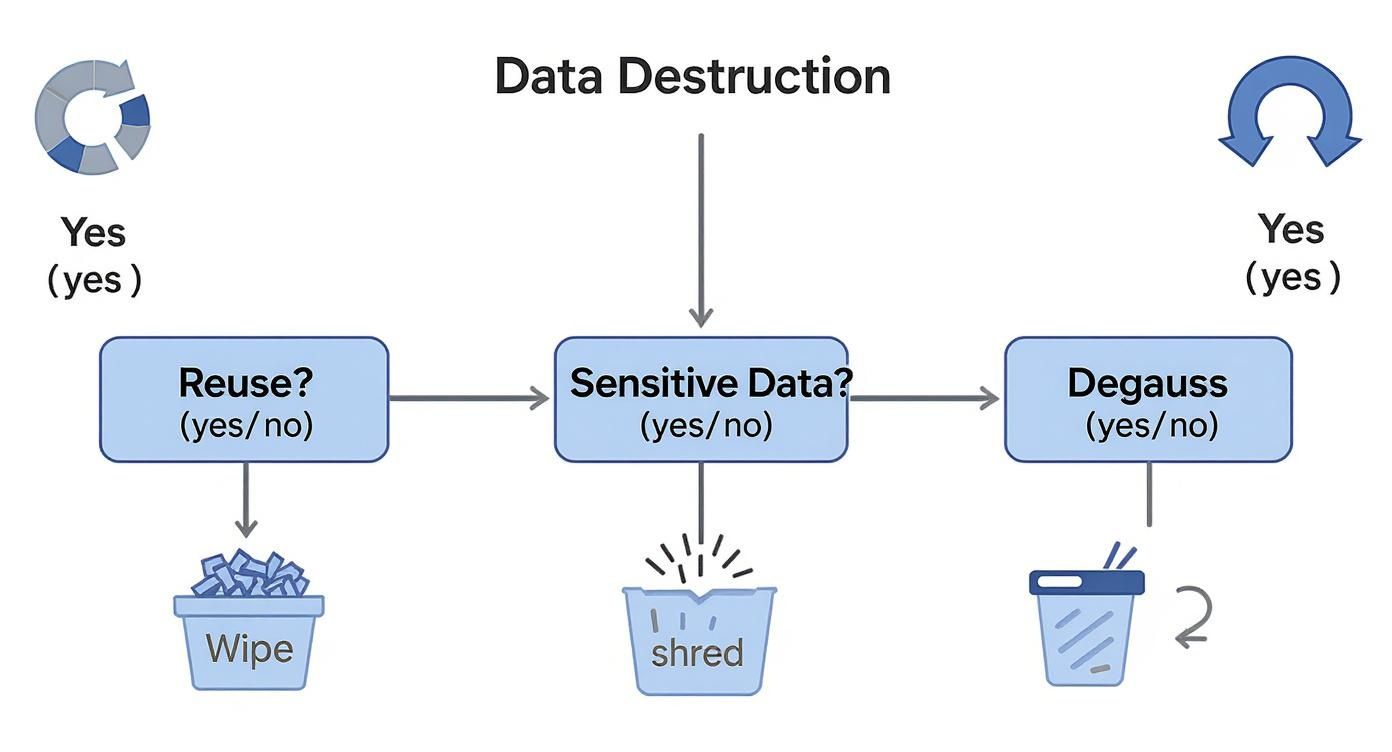
As shown, wiping a drive allows for reuse. But when sensitive data is involved, the finality of physical shredding is often the only way to eliminate risk and ensure compliance.
Key Certifications That Signal a Trusted Partner
How can you be sure a recycling vendor meets these strict legal standards? This is where third-party certifications are essential. They aren't just logos for a website; they are proof that a vendor has committed to audited, verified processes for both data security and environmental responsibility.
When seeking a partner for your IT equipment disposal needs, two certifications stand out:
-
NAID AAA Certification: This is the top-tier seal of approval for secure data destruction, issued by the International Secure Information Governance & Management Association (i-SIGMA). It confirms a vendor adheres to the highest security protocols, including background-checked employees, access-controlled facilities, video surveillance, and a documented chain of custody. Choosing a NAID AAA certified partner like Reworx Recycling means your data is in the safest possible hands.
-
R2 (Responsible Recycling) Standard: The R2 certification focuses on environmental protection, worker safety, and data security. An R2 certified facility has proven it uses best practices for electronics recycling, keeping hazardous e-waste out of landfills and guaranteeing data is properly sanitized or destroyed.
A vendor holding both NAID AAA and R2 certifications demonstrates a dual commitment: bulletproof data security and responsible environmental practices. This combination separates a good IT Asset Disposition (ITAD) partner from a great one.
Actionable Questions for Vetting Vendors
To choose a partner with confidence, ask the right questions. This goes beyond comparing prices; it's about verifying their processes and ensuring they provide the documentation needed for due diligence.
Use this checklist to guide your conversations:
- Certification Verification: Can you provide current copies of your NAID AAA and R2 certifications?
- Chain of Custody: Describe your chain of custody process, from asset pickup to final destruction. How is everything tracked?
- Employee Screening: Are all employees who handle our equipment background-checked and trained on data security protocols?
- Facility Security: What security measures are in place at your facility, such as access controls and 24/7 video monitoring?
- Destruction Documentation: What proof will I receive? The only correct answer is a detailed Certificate of Destruction.
That certificate is your ultimate proof of compliance. To see what it should include, review our guide on the Certificate of Destruction for hard drives. It's the legal record that transfers liability from you to the vendor, closing the loop on your responsibilities.
How to Build an Unbreakable Chain of Custody
From the moment a hard drive is decommissioned to the second it's destroyed, it is vulnerable. Every step in its journey—from a storage closet to a transport vehicle to the recycling facility—presents a potential security gap.
An unbreakable chain of custody is the documented, verifiable process that closes these gaps, creating a seamless and auditable trail of accountability for your laptop disposal or server decommissioning project.
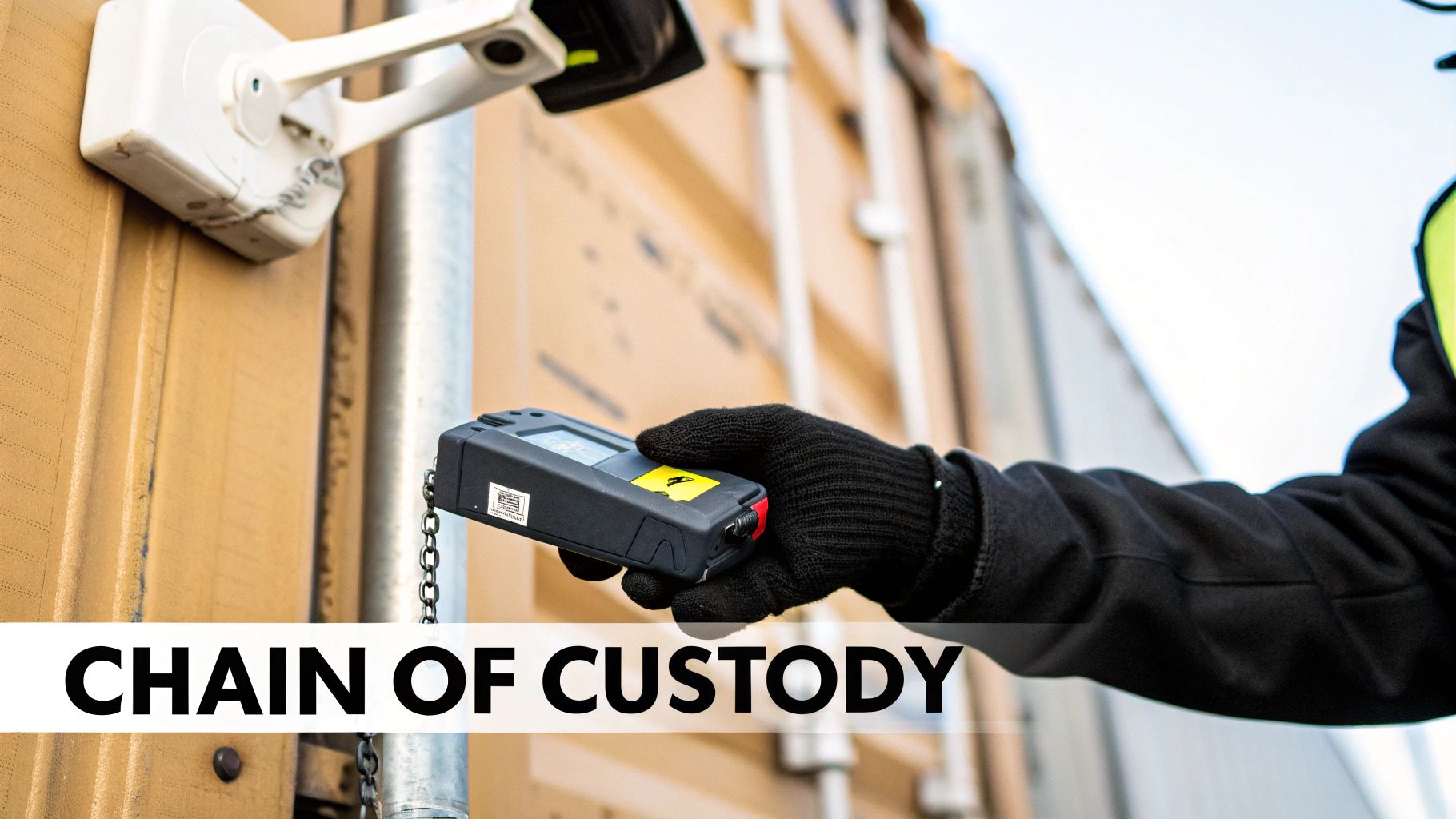
This process isn't just about trust; it's about proof. It provides hard evidence that your organization took every necessary precaution to protect sensitive information during disposal. For partners like Reworx Recycling, a meticulous chain of custody is a core security promise.
Starting at the Source: Serialized Asset Tagging
The chain of custody begins long before a recycling truck arrives. It starts inside your facility with detailed inventory management. Every data-bearing device must be uniquely identified.
Best practice involves capturing the serial number of each hard drive, not just the computer it came from. This creates a manifest that serves as the foundation for the entire process.
- Document Everything: Record the make, model, and serial number of every drive.
- Create a Master List: This inventory becomes the single source of truth, cross-referenced at every stage.
- Assign Responsibility: Designate a specific person or team to oversee internal collection and documentation before pickup.
This initial step ensures no "mystery" drives exist and that every asset is accounted for from day one.
Securing Assets for Transport
Once documented, the drives must be moved securely. This is a critical handoff point where many security failures occur. Tossing drives into a cardboard box is an unacceptable risk.
Any certified vendor will use specific equipment and strict protocols to protect your assets during transit.
A truly secure transport process involves far more than a locked truck. It requires sealed, tamper-evident containers that make unauthorized access impossible between your facility and the destruction site. This physical security is a non-negotiable part of the chain.
Look for vendors that provide locked, GPS-tracked vehicles and require dual-employee verification during pickup and delivery. This level of diligence is essential for secure hard drive recycling. To dive deeper, check out our guide on securing sensitive data during the e-waste recycling process.
Verification at the Destruction Facility
When the shipment arrives, the verification process begins immediately. Container seals are inspected for tampering before being opened. Then, each drive's serial number is scanned and checked against the original manifest.
This step confirms that every asset that left your building has arrived safely for destruction. The demand for such rigorous processes is growing; the global hard drive destruction service market, valued at USD 1.65 billion, is projected to surge to USD 5.05 billion by 2035. This is a clear business priority across all sectors. You can find more insights about this explosive market growth on Spherical Insights.
The Final Step: The Certificate of Destruction
After the drives are shredded or degaussed, the final and most critical piece of documentation is generated: a Certificate of Destruction (CoD). This is not just a receipt; it's a legally binding document that officially transfers liability from your organization to the vendor.
A compliant CoD must include:
- A unique serial number for the certificate.
- The date and method of destruction.
- An itemized list of the destroyed hard drives, referencing their original serial numbers.
- A statement of indemnification from the vendor.
This document closes the loop on the chain of custody. It is your definitive proof for any audit, demonstrating that your organization met its legal and ethical obligations through a secure, documented, and verifiable process.
Your Vendor Selection Checklist for Secure ITAD
Choosing the right IT Asset Disposition (ITAD) partner is one of the most critical security decisions your organization will make. The right vendor acts as a fortress for your data; the wrong one is a gaping vulnerability.
To make an informed choice, you need a solid checklist that cuts through marketing claims and focuses on what truly matters: verifiable security, transparent processes, and genuine corporate responsibility.
This isn’t just about comparing quotes. It's about finding a partner who can shield you from regulatory fines, data breaches, and reputational damage from the moment your retired assets leave your building.
Verifying Certifications and Security Protocols
First, confirm a vendor's credentials. Industry certifications are not optional; they are proof that a company adheres to audited, rigorous standards. Without them, you're operating on trust alone—a significant risk when sensitive data is involved.
Your focus should be on two key certifications:
- NAID AAA: This is the gold standard for secure data destruction. A NAID AAA certified vendor has passed surprise audits covering everything from employee background checks and facility security to the operational integrity of their shredding equipment. Ask for a current copy of their certificate.
- R2 (Responsible Recycling): This certification ensures that beyond data destruction, the vendor meets the highest standards for environmental protection and worker safety. It guarantees that toxic e-waste is managed properly and not illegally shipped overseas.
A vendor holding both NAID AAA and R2 certifications demonstrates a complete commitment to both data security and environmental stewardship. This dual qualification should be a non-negotiable baseline in your selection process.
Assessing Destruction Capabilities and Reporting
Next, dig into the practical aspects of their service. Does the vendor offer both on-site and off-site destruction? On-site mobile shredding provides ultimate peace of mind, allowing you to witness the destruction. Off-site services are equally secure with a certified partner but demand a bulletproof chain of custody.
Their reporting process is just as critical. A simple invoice won't suffice. You must receive a serialized Certificate of Destruction detailing every asset destroyed, the method used, and the date of service. This document is your legal proof of compliance and the final link in your chain of custody.
The Overlooked Factor: Social Impact
In today's business climate, a vendor's values are as important as their services. A forward-thinking ITAD partnership should align with your company's Corporate Social Responsibility (CSR) goals. This is where a social enterprise like Reworx Recycling offers a unique advantage.
Beyond providing top-tier, certified data destruction, partnering with a social enterprise turns a standard operational task into an act of community support. When you work with Reworx Recycling, your retired IT assets don’t just get securely destroyed; they fuel programs that support digital inclusion and workforce development. This adds a powerful layer of social return on your investment, turning your secure hard drive recycling program into a positive story.
Environmental responsibility is another key area. Hard disk drives are highly recyclable, containing core metals without the complex toxic compounds found in other electronics. Partnering with a responsible recycler ensures these materials re-enter the supply chain.
By asking these targeted questions, you move beyond surface-level evaluations to find a true partner. For a deeper dive, check out our guide on selecting a reliable e-waste recycling partner. This ensures your choice is a reflection of your company's commitment to security, sustainability, and community.
Common Questions About Hard Drive Recycling
Even with a solid strategy, practical questions often arise when implementing a hard drive disposal program. Let's address some of the most common ones we hear from IT managers and business owners to help you move forward with confidence.
Is It Safe to Just Wipe a Hard Drive Before Recycling?
While a secure wipe is a good first step for drives intended for reuse, it's often not enough to meet strict compliance standards like HIPAA or GDPR. Advanced forensic tools can sometimes recover data fragments from a wiped drive, leaving your organization exposed.
For complete peace of mind and bulletproof compliance, physical destruction is the gold standard. When a certified vendor like Reworx Recycling shreds your drives, you receive a Certificate of Destruction. This document provides auditable proof that the data is gone forever, ending your liability.
What Is the Difference Between On-Site and Off-Site Destruction?
The main difference comes down to transparency versus logistics.
- On-site destruction means a mobile shredding truck comes to your facility to destroy your hard drives while you watch. This offers the highest level of transparency and eliminates transport-related chain-of-custody risks.
- Off-site destruction involves having your drives picked up in locked, tamper-evident containers and securely transported to a certified facility for destruction.
With a NAID AAA certified partner like Reworx Recycling, both methods are incredibly secure. Organizations with highly sensitive data often prefer on-site destruction for witnessed verification. We can help determine the best approach for your security needs and budget.
How Much Does Secure Hard Drive Destruction Cost?
Costs vary based on factors like the destruction method, the number of drives, and whether you choose on-site or off-site service. Typically, prices might range from $15 to $35 per drive.
However, it's crucial to view this as an investment in risk prevention. The potential costs of a data breach—regulatory fines, legal fees, customer notifications, and reputational damage—far exceed the expense of professional destruction. As a donation-based social enterprise, Reworx Recycling can often provide these vital services competitively, turning a necessary expense into a contribution to our community programs.
The question isn't "What does destruction cost?" It's "What could a data breach cost us?" Certified destruction is one of the most cost-effective insurance policies against a catastrophic security failure.
What Kind of Proof Do I Get After Destruction?
You should always receive a formal Certificate of Destruction (CoD). This is your official, legally defensible record of due diligence.
A compliant CoD must include:
- The date and location of destruction.
- The exact destruction method used (e.g., shredding).
- A unique serial number for the certificate.
- An itemized list of destroyed assets, referenced by serial number.
- A statement formally transferring liability from your company to the destruction vendor.
This document proves your company took every required step to protect its sensitive data, officially closes the chain of custody, and shields your business from future claims.
Can All Types of Hard Drives Be Recycled the Same Way?
No, and this is a critical distinction. Traditional Hard Disk Drives (HDDs) and Solid-State Drives (SSDs) use different technologies. HDDs store data on magnetic platters and can be sanitized through wiping, degaussing, or shredding.
SSDs, however, use non-magnetic flash memory. This means degaussing has no effect on an SSD. While special software can wipe SSDs, the only 100% foolproof method to guarantee data is unrecoverable is through physical shredding. Ensure any ITAD partner you choose understands this difference—it's a key sign of their expertise.
Ready to build a secure, compliant, and socially responsible ITAD program? Partner with Reworx Recycling to turn your retired electronics into a force for good. Our certified data destruction and electronics recycling services ensure your sensitive information is protected while supporting our mission of digital inclusion and workforce development. Schedule a pickup today, donate your old equipment, or explore a partnership to see how your business can make a difference. Join the movement toward sustainable technology recycling by visiting our Recycling Blog.