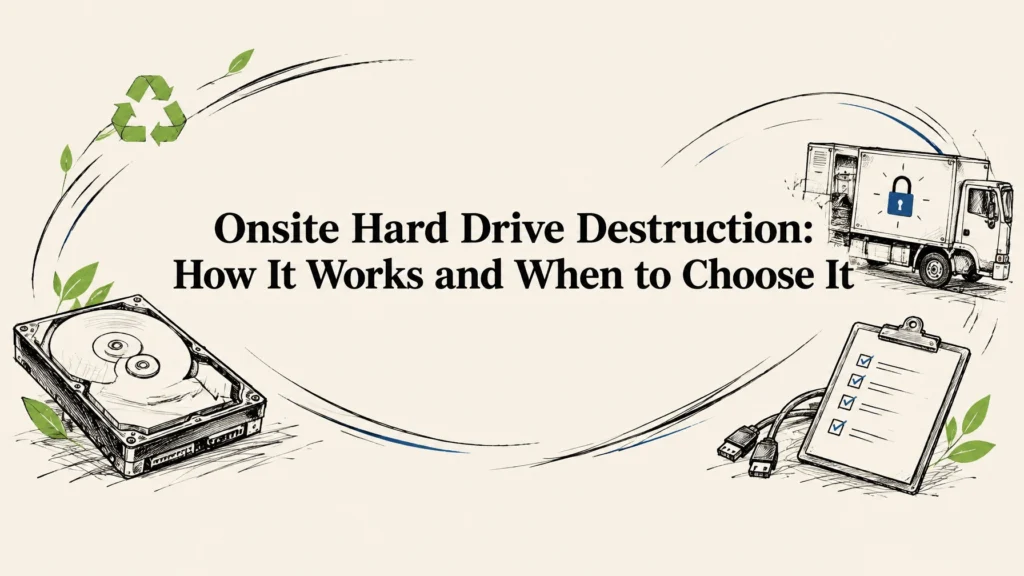
Onsite hard drive destruction means a service provider physically destroys your data-bearing drives at your location, often with a mobile shredding unit. It can suit businesses and organizations that want to witness destruction or avoid sending intact drives off-site before they are destroyed. The right choice depends on your data, your policies, the media involved, and how well the provider documents each step.
Onsite vs. offsite destruction
Neither option is automatically secure. Onsite service offers visibility at your facility, while offsite service can simplify logistics when you have many devices or multiple locations. In either case, ask how the provider will track each drive and document its final outcome.
| Consideration | Onsite destruction | Offsite destruction |
|---|---|---|
| Witnessing | You can arrange to watch destruction at your location. | You generally rely on the provider’s custody controls and reporting. |
| Logistics | Requires coordinating access, a service window, and space for the mobile unit. | Requires a documented pickup, secure transfer, and receipt at the processing site. |
| Cost drivers | May depend on travel, scheduling, site access, and the scope of work. | May depend on pickup, transport, processing, and the scope of work. |
| Documentation | Ask for asset-level records and a certificate identifying what was destroyed. | Ask for pickup and transfer records, asset-level results, and a certificate. |
Onsite destruction may be a good fit when your policy requires drives to remain at your facility until they are destroyed, or when staff want to see the process. Offsite service may be more practical when coordinating a mobile visit is difficult. Some organizations use onsite destruction for selected drives and offsite processing for other equipment.
Before making a decision, consider whether the media must be physically destroyed or whether a secure wipe could allow a functional device to be reused. NIST 800-88 is a recognized media-sanitization guideline that buyers may ask about. It does not replace your organization’s own requirements or prove that a specific provider’s process is suitable.

What a mobile shredding visit actually looks like
The exact arrangements depend on the site and project, but a well-scoped service visit should make it clear what is being destroyed, who is responsible at each handoff, and what records you’ll receive.
-
Schedule and scope the work. Share the expected number and types of devices, your location, access requirements, and any timing needs. Identify whether you have standalone hard drives, SSDs, or drives still inside laptops, servers, or other equipment. Ask whether you can witness the destruction and how the provider handles any items that can’t be matched to the inventory.
-
Prepare and inventory the drives. Gather the devices in a controlled area and create a list that your team can reconcile with the provider. Use serial numbers or other identifiers where practical. Keep HDDs and SSDs distinguishable, and flag damaged or inaccessible devices so the provider can explain how they will be handled.
-
Check in the team and document custody. Confirm who is authorized to release the assets and who will act as your witness. Compare the items being handed over with the inventory, then record the transfer. If sealed containers are used, agree on how seals and container identifiers will be noted.
-
Witness destruction. If you have arranged to watch, follow the provider’s instructions for where to stand and how the work will proceed. Keep the witness role clear: watching a process is useful, but it doesn’t replace an asset list or a record that shows which drives went through it.
-
Receive the certificate and reporting. Ask for a certificate of destruction and supporting records that connect the service to the assets in your inventory. Review any missing items, exceptions, or mismatches before closing the project. Keep the records with your organization’s asset and data-disposition documentation.
Chain of custody: what good looks like
Chain of custody is the record of who handled your drives and when, from the initial handoff through destruction and final disposition. It matters because a secure shredding event can’t account for a drive that went missing before it reached the shredder.
Look for a process that identifies the assets, documents each transfer, and explains how discrepancies are handled. If the drives leave your site intact, ask how they are secured during transport, how the provider confirms receipt, and how the received items are reconciled against your list. For onsite service, ask how the provider tracks drives from check-in through destruction and what happens if an item cannot be identified or processed as planned.
Useful questions include:
- Will the records identify each drive, or only the total number collected?
- Who signs for the transfer at your site and at each later handoff?
- How are sealed containers or other custody controls recorded?
- What happens if an inventory count or serial number does not match?
A clear chain of custody gives your team a way to follow the equipment through its handling, not just a general assurance that the service took place.
What should a certificate of destruction contain?
A certificate is most useful when it helps you verify what happened to your assets. Ask for a document that identifies the provider, service date, destruction method, and the drives or devices covered. Supporting records should make it possible to reconcile the certificate with your inventory and any handoff documentation.
A date-only certificate is weak evidence because it doesn’t show which drives were destroyed, what method was used, or whether the reported work matches your asset list. If the provider cannot include every serial number directly on the certificate, ask how it links the certificate to a detailed asset report.
Reworx provides a certificate of destruction for its documented data destruction process. We wipe or physically shred data-bearing devices, and customers can watch destruction. Ask us about the method and records that fit your project before scheduling.

How to vet a destruction vendor
Use a short checklist before you book:
- Can you explain how you handle HDDs and SSDs? Ask how the method is matched to the storage media and your requirements.
- Can we witness the destruction? Confirm when and where witnessing is available and what the witness will be able to see.
- How do you maintain chain of custody? Ask how assets are identified, recorded at handoff, and reconciled.
- What will the certificate and report include? Request a sample with sensitive customer information removed, if available.
- How do you handle exceptions? Find out what happens when a device is missing from the list, damaged, or not processed as expected.
- What happens to the remaining equipment? Ask how devices and shredded material are routed after data handling, and what recycling documentation you can expect.
Reworx provides secure data destruction through wiping or physical shredding, with a certificate of destruction. We use certified eco-friendly recycling programs and documented responsible downstream processing. We offer free nationwide pickups and free data destruction; ask us what options fit your project and location.
Why SSDs need their own approach
They can. SSDs store data differently from traditional hard drives, so don’t assume that a process intended for HDDs is automatically suitable for SSDs. Tell the provider what media you have and ask how its process addresses SSDs. For devices that may be reused, ask whether a wipe is appropriate; if physical destruction is required, ask how the method is selected for the media.
Reusing a functional device may be preferable when its data can be securely wiped and the outcome documented. Destruction makes the storage media unusable, so it may not be the best fit for equipment with reuse potential. Consider the data requirements and the device’s condition before deciding.

FAQs
Is onsite hard drive destruction more secure than offsite?
It can reduce the need to transport intact drives and allows you to witness the work, but onsite service is not automatically more secure. Check the full process, including inventory, custody records, destruction, and reporting.
Can I witness hard drive destruction?
Often, yes, if witnessing is arranged with the provider in advance. Confirm what you’ll be able to observe and how each drive will be identified and recorded.
What happens to the shredded material?
Ask your provider how shredded material is handled after destruction and what downstream documentation is available. Reworx uses certified eco-friendly recycling programs and documented responsible downstream processing.
Do SSDs need a different process?
They may. Tell your provider whether your drives are HDDs or SSDs and ask how the method is suited to each media type.
Choose the process that fits your project
Reworx Recycling is headquartered in Smyrna, in metro Atlanta, and provides nationwide coverage across all 50 states. Our work also supports a digital-divide mission: refurbished technology goes to marginalized and vulnerable communities for education and career readiness.
For a secure, documented path forward, make an inventory, identify your media types, and ask about witnessing, chain of custody, and certificates before scheduling. We offer flexible scheduling, including after-hours options, tamper-proof drop-off boxes, and easy text-for-service. You can learn more about hard drive shredding, data destruction services, and IT asset disposition.