When it's time to retire old IT equipment, hard drive disposal is more than just a final task on a checklist—it's one of the most critical security measures your business will undertake. For any modern organization, this process must go far beyond dragging files to the trash. It demands certified, professional methods like physical shredding or meticulous data erasure that meet strict compliance standards and, most importantly, prevent a data breach that could cost your company dearly.
This is where a strategic partnership with a certified IT Asset Disposition (ITAD) provider becomes essential. A social enterprise like Reworx Recycling not only ensures your data is destroyed securely but also transforms retired assets into a positive force for environmental sustainability and community empowerment.
Why Your Business Needs a Hard Drive Disposal Strategy
Clearing out old servers, laptops, and workstations might feel like a simple office cleanout, but it's a high-stakes security checkpoint. A single improperly handled hard drive can unlock a treasure trove of your most sensitive information. This could include customer data, confidential employee files, proprietary trade secrets, and critical financial records.
The fallout from a breach traced back to a discarded hard drive can be devastating for a business, leading to massive financial penalties under laws like GDPR and HIPAA, irreparable damage to your brand's reputation, and a complete loss of client trust that can take years to rebuild.
This is why following robust data security best practices is non-negotiable. Simply deleting files or formatting a drive leaves your business wide open. Commercially available data recovery software can easily pull that "deleted" information right back, leaving your organization dangerously exposed.
The Real Risks of Neglect for Businesses
Ignoring the need for a secure disposal plan isn't just careless—it introduces tangible risks that every IT manager, business owner, and sustainability leader needs to have on their radar.
- Data Breaches: A discarded hard drive is a physical liability. If it falls into the wrong hands, it becomes a direct gateway into your organization's private data, leading to significant financial and reputational damage.
- Compliance Violations: Regulations like HIPAA, GDPR, and FACTA have crystal-clear rules for data handling and destruction. Non-compliance can result in fines reaching millions of dollars, making professional IT equipment disposal a critical business function.
- Environmental Fines: You can't just toss old electronics in the dumpster. E-waste contains hazardous materials, and improper dumping is illegal in many states, leading to its own set of regulatory penalties. Sustainable recycling is now a corporate responsibility.
To help you understand your options, here’s a quick breakdown of common hard drive disposal methods for B2B needs.
Hard Drive Disposal Methods At a Glance
| Disposal Method | Security Level | Best For | Compliance Alignment |
|---|---|---|---|
| Data Wiping (Erasure) | High | Reusing or reselling drives; corporate donation programs | Meets NIST 800-88, DoD 5220.22-M, and others |
| Degaussing | Very High | Magnetic media (HDDs, tapes); quick on-site destruction | Aligns with high-security government and military standards |
| Shredding/Crushing | Highest | All drive types (including SSDs); end-of-life assets | Exceeds most compliance requirements; auditable proof |
| Incineration | Highest | Extreme security needs; product destruction services | Ultimate destruction, often used for classified materials |
Each method has its place, and the right choice depends on your specific security needs, budget, and compliance landscape.
From Liability to Sustainability with a Social Enterprise
A well-defined hard drive disposal strategy does more than just sidestep risks; it reinforces your commitment to corporate social responsibility and sustainability. Partnering with a certified ITAD provider like Reworx Recycling is a game-changer. As a donation-based social enterprise, we guarantee every single drive is handled according to industry best practices, giving you an auditable paper trail and peace of mind with a certificate of destruction.
You can learn more about how data security is a vital aspect of the recycling industry and why it's so important to choose the right partner. Working with Reworx Recycling transforms a potential liability into a positive force, ensuring your retired assets are managed securely, compliantly, and with a focus on community impact and workforce development.
Creating Your Asset Inventory and Disposal Plan
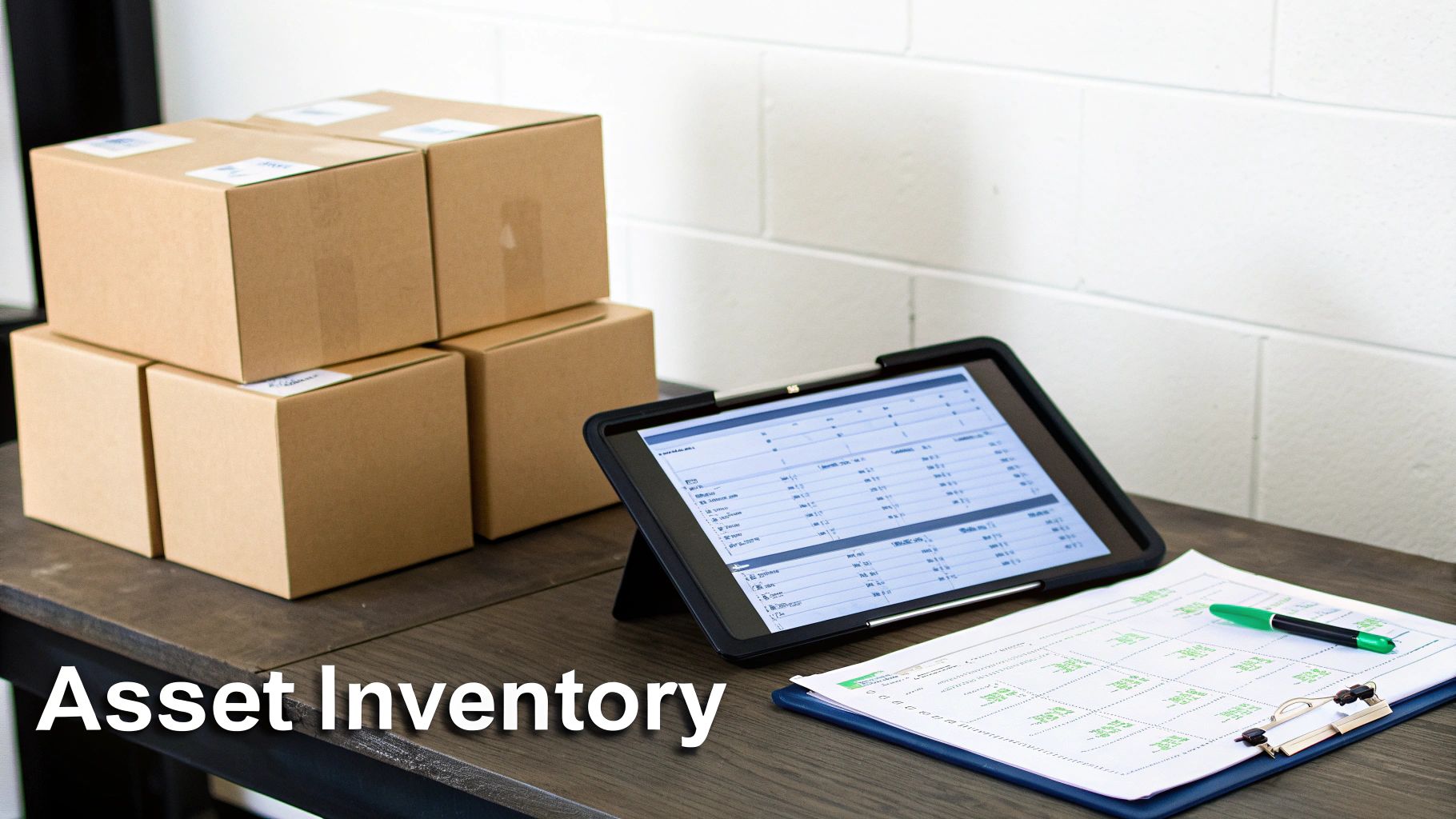
Before a single hard drive is wiped or shredded, your business needs a solid, defensible plan. The first line of defense in any secure hard drive disposal process is a meticulous asset inventory. This is the step that establishes an unbroken chain of custody, making sure no device slips through the cracks during an office cleanout or data center decommissioning.
A proper inventory is a detailed log that tracks every data-bearing asset from the moment it's taken offline to its final, documented destruction. This is the foundation for both security and compliance.
Building Your Asset Catalog
The goal is to capture specific, identifiable information for every single device. Ambiguity is the enemy of good security, so your log must be precise.
Make sure you're recording these key data points:
- Asset Type: Is it a laptop, desktop, server, or external HDD? Be specific.
- Manufacturer and Model: Note the make and model number (e.g., Dell Latitude 7420).
- Serial Number: This is the unique identifier, essential for tracking individual units and non-negotiable for compliance.
- Internal Asset Tag: If your company uses internal tracking numbers, log them here.
- Data Sensitivity Level: Classify the data on the drive. Is it public, internal, confidential, or subject to regulations like HIPAA or PCI?
Tools like Freshservice Inventory Management can help centralize your IT asset data, simplifying tracking and ensuring everyone is working from the same playbook before disposal begins.
Evaluating and Classifying Assets for Disposal
With your inventory complete, the evaluation phase begins. Not every hard drive needs the same treatment. Your decision should balance data risk, the asset's remaining value, and compliance obligations. This is where an IT manager determines the fate of each drive based on clear, established criteria.
For example, a newer laptop from the marketing team with non-sensitive files could be a great candidate for secure data erasure and donation through a program like Reworx Recycling. However, a server hard drive from the finance department holding customer financial records requires immediate and irreversible physical destruction.
A risk-based approach is paramount. Classifying assets allows you to allocate resources effectively, applying the highest level of security to the devices that pose the greatest threat if compromised. This isn't about cutting corners; it's about being strategic.
Defining the Disposal Path
Based on that evaluation, assign a clear disposal path to each asset in your inventory. This turns your list into an actionable plan for your team or your ITAD partner.
Here’s a simple framework for classification:
- Remarket/Donate: Newer, functional devices are earmarked for certified data erasure that meets NIST 800-88 standards. After sanitization, they can be resold or donated, supporting digital inclusion.
- Recycle: Older or non-functional assets that don't contain highly sensitive data will undergo data erasure or degaussing before being responsibly recycled to recover raw materials through sustainable recycling practices.
- Destroy: This is the designation for any drive with regulated, proprietary, or highly confidential information, including medical equipment disposal or laboratory equipment disposal. These assets are slated for physical destruction via shredding, guaranteeing the data is 100% irrecoverable.
By documenting every decision, you create an auditable record that stands up to scrutiny. For a deeper dive, check out our guide on why IT inventory audits matter before recycling. This systematic approach ensures every device is accounted for and every action is documented—the backbone of a secure and compliant ITAD strategy.
Choosing the Right Data Destruction Method
Once you have a detailed asset inventory, you've hit a critical fork in the road for hard drive disposal: deciding exactly how to destroy the data. This isn't a one-size-fits-all situation. The path you take must align with your organization's risk tolerance, compliance requirements, and budget.
Let's break down the three main methods of secure data destruction. Understanding the pros and cons will help you make a smart, defensible choice for every asset.
Software-Based Data Erasure
Software-based data erasure, or "wiping," uses specialized software to overwrite every sector of a hard drive with random data, often in multiple passes. Think of it as painting over a canvas so completely that the original image is impossible to recover.
This approach is perfect for drives you plan to reuse through corporate donation programs. The key benefit is that it keeps the hardware physically intact and functional.
However, not all wiping software is created equal. To be secure and compliant, it must follow recognized standards.
- NIST 800-88 Guidelines: The National Institute of Standards and Technology provides the gold standard for media sanitization, ensuring a methodical and verifiable erasure process.
- DoD 5220.22-M: This older Department of Defense protocol is still widely recognized and involves overwriting data in multiple passes.
A reputable ITAD provider like Reworx Recycling will provide a verification report and a Certificate of Data Erasure. This is your auditable proof that a drive was successfully sanitized, complete with its serial number and the standard used.
Degaussing: The Magnetic Reset
Degaussing is a powerful but more niche method that exposes magnetic storage media like traditional Hard Disk Drives (HDDs) to an incredibly strong magnetic field. This field instantly neutralizes the magnetic platter, permanently scrambling the data.
The process is fast, but it has two significant limitations. First, it renders the hard drive useless, so it's only an option for end-of-life assets. Second, degaussing does not work on Solid-State Drives (SSDs), as they use flash memory, which is unaffected by magnetic fields.
Degaussing is a high-security option for magnetic media, but its inability to sanitize SSDs makes it a less versatile solution for modern IT environments that use a mix of drive types.
Physical Destruction: The Ultimate Guarantee
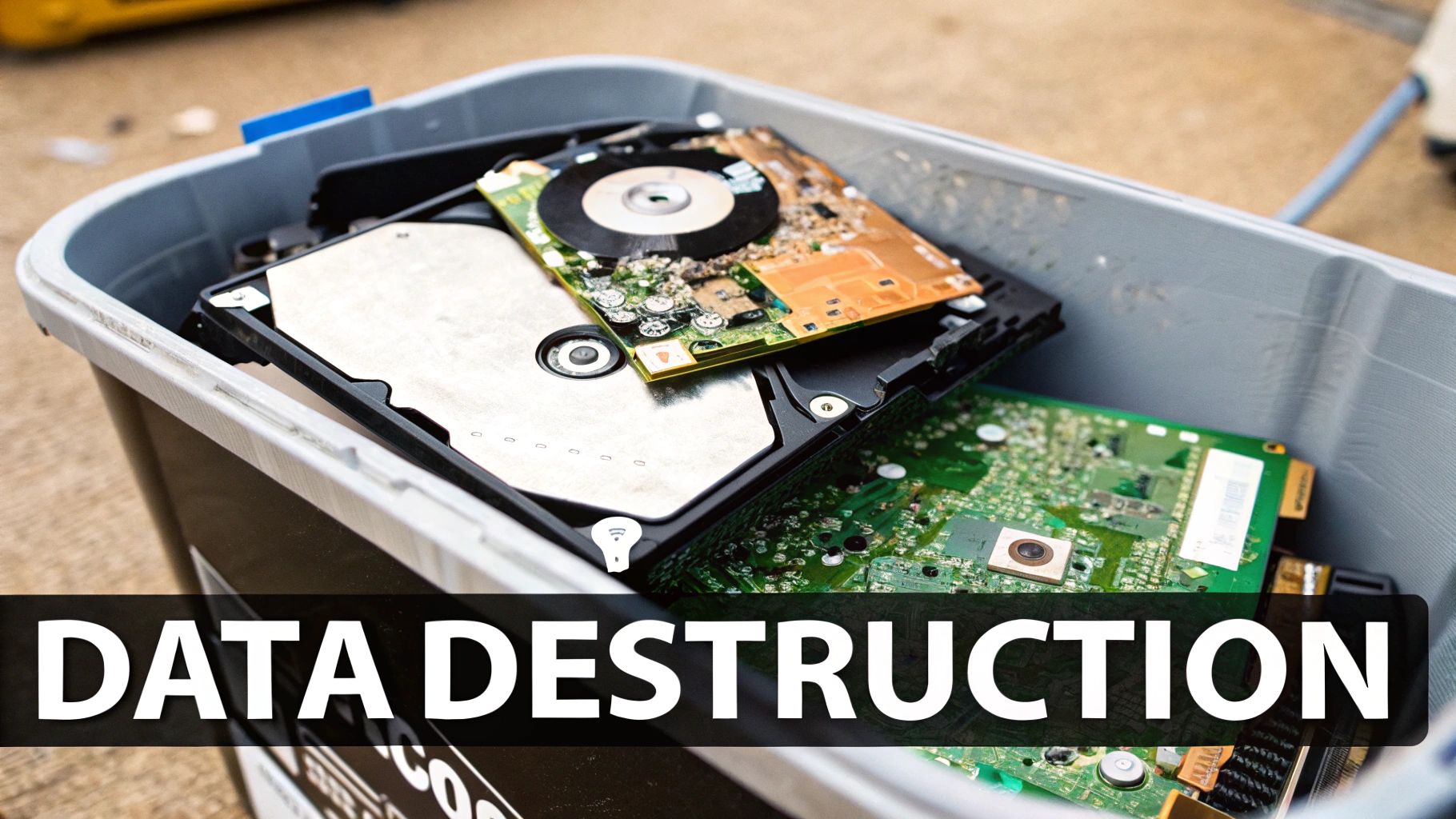
Finally, physical destruction is the undisputed champion for ensuring data is 100% irrecoverable. Industrial machinery is used to shred, crush, or pulverize hard drives into tiny, mangled pieces. No software can recover data from a pile of metal and plastic confetti.
This is the only method that works on all media types: HDDs, SSDs, flash drives, and mobile devices. For businesses handling sensitive PII, financial records, or data regulated by laws like HIPAA or FACTA, physical destruction is often the mandated standard.
The market reflects this reality. The hard disk destruction equipment market is valued at over $450 million, a clear sign that businesses are investing heavily in certified solutions to meet compliance demands and avoid the massive costs of a data breach.
At Reworx Recycling, we make physical shredding the priority for loose hard drives and any device containing sensitive data. It gives our B2B clients absolute certainty and the peace of mind that their information is truly gone for good. You can see how we put these solutions into practice by reviewing our detailed breakdown of the different methods for destroying old equipment. Choosing physical destruction isn't just a secure option; it's the ultimate safeguard for your organization's reputation and data integrity.
Navigating Data Privacy and E-Waste Regulations
Proper hard drive disposal is more than an internal security protocol—it's a non-negotiable legal obligation. Today's businesses are caught between two critical mandates: protecting sensitive data and protecting the environment. Failing on either front can lead to crippling financial penalties, a damaged reputation, and legal headaches.
This complex web of rules demands a clear understanding of your responsibilities. You must actively ensure your computer recycling and disposal process meets the strict requirements set by federal, state, and even international laws.
The High Stakes of Data Privacy Compliance
Several key pieces of legislation dictate how organizations must handle and destroy sensitive information. These aren't suggestions; they carry the full force of regulatory power.
Here’s a quick rundown of the major players that impact data on your retired hard drives:
- HIPAA (Health Insurance Portability and Accountability Act): For any business in the healthcare space, HIPAA's privacy rule is paramount. It requires covered entities to safeguard patient health information (PHI), extending to the final disposal of drives from medical equipment or office computers.
- GDPR (General Data Protection Regulation): If your business processes the data of any EU citizen, GDPR applies to you, regardless of your location. It champions the "right to be forgotten," meaning data must be completely and verifiably erased.
- FACTA (Fair and Accurate Credit Transactions Act): This federal law was built to fight identity theft. Its Disposal Rule explicitly requires any business that uses consumer reports to take "reasonable measures" to destroy that information, making secure hard drive destruction a must.
Failing to comply can trigger staggering fines, sometimes calculated per individual violation, which can quickly spiral into millions of dollars.
Environmental Regulations and E-Waste Laws
Beyond the data, there is the physical device itself. Hard drives and other electronics are considered e-waste, packed with hazardous materials like lead, mercury, and cadmium. Tossing them into a dumpster is not only irresponsible—it's often illegal.
The U.S. Environmental Protection Agency (EPA) provides federal guidelines under the Resource Conservation and Recovery Act (RCRA). On top of that, many states have their own specific e-waste laws, mandating that all electronics be handled by certified electronics recycling providers.
This dual compliance challenge—protecting data while managing e-waste—is why partnering with a certified IT Asset Disposition (ITAD) provider is a necessity for modern businesses.
The Role of Certifications in Ensuring Compliance
So, how can you be sure your disposal partner meets these high standards? The answer is third-party certifications. These credentials signal that a vendor adheres to the industry’s most rigorous best practices for security and environmental stewardship.
- R2 (Responsible Recycling): This is a leading standard for electronics recyclers, focusing on environmental protection, worker health and safety, and data security.
- e-Stewards: Another top-tier certification, e-Stewards is known for its strict requirements, including a commitment to never export hazardous e-waste to developing countries.
Choosing a partner with these certifications is your best assurance that your hard drives will be handled ethically and legally. The global hard drive destruction service market, valued at USD 1.65 billion, is projected to rocket to USD 5.05 billion by 2035, driven by businesses seeking compliance with rules like GDPR and HIPAA. You can discover more insights about this growing market to see why certified solutions are the standard.
Working with a certified expert like Reworx Recycling makes this process seamless. We provide all necessary documentation, including a Certificate of Destruction for your hard drives, which serves as your official proof of compliance. This paperwork is key to demonstrating due diligence and strengthening your corporate sustainability reports.
How to Select the Right ITAD Partner
Choosing your IT Asset Disposition (ITAD) partner is the most critical decision in your hard drive disposal strategy. You're not just finding someone to haul away old gear; you're entrusting them with your company's sensitive data, legal standing, and public reputation.
Get it right, and you have a secure, transparent, and auditable process. Get it wrong, and you invite unnecessary risk. The goal is to find a partner who feels like a true extension of your IT and compliance teams.
Verifying Security Protocols and Certifications
Start with certifications. These are hard-earned proof of rigorous, third-party audits, confirming a vendor meets the industry's highest standards.
When vetting a potential partner, these are the credentials that matter most:
- R2v3 (Responsible Recycling): This ensures the vendor handles electronics recycling with a focus on environmental safety, data security, and worker protection.
- e-Stewards: This certification guarantees that no hazardous e-waste is exported and that their data destruction methods are ironclad.
- NAID AAA: This is the gold standard for secure data destruction. A NAID AAA certified vendor has passed unannounced audits of their hiring practices, training, and the entire destruction process.
Don't just take their word for it. Always ask for their certification number and verify it on the governing body's website. A legitimate partner like Reworx Recycling will provide this readily.
Demanding a Clear Chain of Custody
A seamless, documented chain of custody is non-negotiable. From the moment your hard drives leave your building, you need an unbroken paper trail that tracks them to final destruction. This documentation is your defense in an audit.
Ask potential vendors to walk you through their process. How are assets scanned and inventoried? Are their trucks GPS-tracked and locked? Who has access to the drives at their facility? You’re looking for a lock-tight process with zero ambiguity.
This scrutiny is vital. The global market for hard drive shredding services is expected to hit USD 631.8 million by 2025. With data breaches from improperly disposed drives costing businesses an average of $4.45 million, vetting your partner is a critical financial decision. You can read the full research on hard drive shredding trends to understand the escalating risks.
Key Questions for Vetting an ITAD Partner
Finding the right partner requires asking the right questions. Use these to guide your conversations and evaluate their capabilities.
| Category | Question to Ask | What a Good Answer Looks Like |
|---|---|---|
| Security & Certifications | "Can you provide your certification numbers for R2v3, e-Stewards, or NAID AAA so we can verify them?" | "Absolutely. Here are our numbers. We encourage all our clients to verify them directly. Transparency is key to our process." |
| Chain of Custody | "Walk me through your chain-of-custody process from the moment your truck arrives at our facility." | A detailed, step-by-step explanation covering secure transport, locked containers, GPS tracking, and limited-access facilities. |
| On-Site Services | "Do you offer on-site shredding, and can my team witness the entire process?" | "Yes, our mobile shred trucks can come to your location. You can watch every drive be destroyed before it leaves your property." |
| Reporting & Documentation | "What does your Certificate of Destruction include? Can you provide a sample?" | "It includes the make, model, and serial number of every individual asset destroyed. It's a legally defensible document for your records." |
| Employee Vetting | "What kind of background checks and training do your employees undergo?" | "All employees with access to client assets pass extensive criminal background checks and receive ongoing data security training." |
A trustworthy partner will have clear, confident answers. Vague responses are a major red flag.
The Value of On-Site Services and Reporting
For organizations with zero tolerance for risk, on-site hard drive shredding is the ultimate solution. This service brings a mobile destruction vehicle to your location, allowing you to witness the physical shredding of your drives before they leave your control. It eliminates any risk of data loss during transit.
Finally, insist on detailed reporting. A professional ITAD partner will provide a Certificate of Destruction that itemizes the unique serial number of every hard drive they destroyed. This document is your legal proof of due diligence, confirming your compliance with regulations like HIPAA, SOX, and GDPR.
When you partner with Reworx Recycling, you not only meet these stringent security standards but also support a social enterprise mission. Your secure disposal process makes a positive impact on the community through digital inclusion and workforce development.
Putting Your Secure Disposal Plan into Action
You've done the work: you understand the regulations, you've outlined your needs, and you've chosen a trusted ITAD partner. Now it's time to put that plan into motion, turning your strategy into a repeatable, auditable process that becomes a natural part of your IT operations.
This is about creating a bulletproof security protocol and demonstrating corporate responsibility. The goal is a seamless workflow where every retired asset is handled with precision, from inventory log to final Certificate of Destruction.
Executing the Disposal Workflow
The first step is scheduling the service with your chosen vendor. Whether they're coming for on-site shredding or picking up drives for off-site destruction, clear communication is key. Have your inventoried assets staged and ready to go. This ensures the chain of custody starts strong the moment your partner arrives.
If you’ve opted for on-site services, designate a staff member to witness the destruction. This act of direct verification adds a powerful layer of internal control and gives you absolute certainty that your data is gone before the shredded metal leaves your facility.
A solid vetting process is the foundation of a secure partnership, boiling down to three key stages: inquiry, verification, and certification.
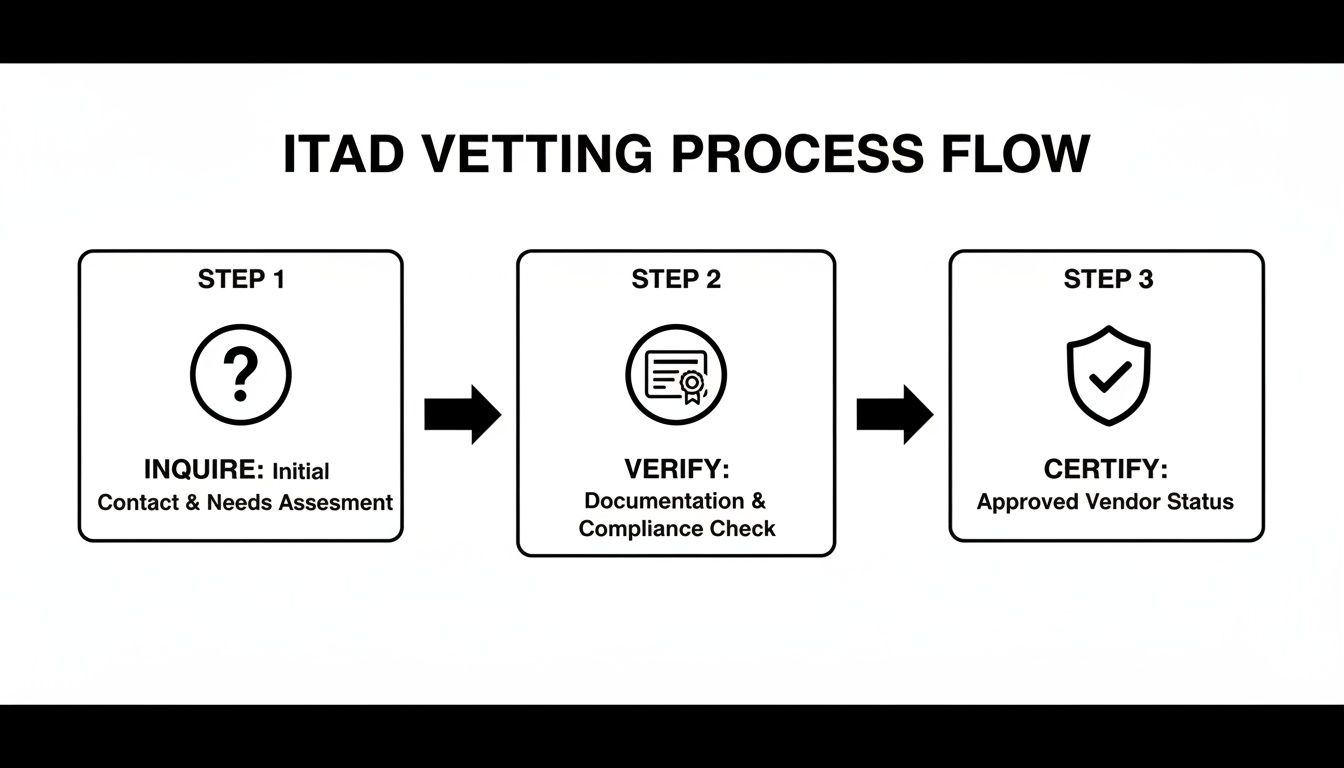
This structured approach takes you from asking the right questions to getting concrete, documented proof of secure and compliant disposal.
Final Documentation and Continuous Improvement
The final piece of the puzzle is the Certificate of Destruction. This is a legally defensible record of your due diligence, listing the serial number of every drive destroyed. File this certificate with your original inventory log to officially close the loop on each asset's lifecycle.
By partnering with a social enterprise like Reworx Recycling, your business moves beyond simple compliance. Your secure hard drive disposal program actively contributes to community-focused goals like digital inclusion and environmental sustainability, turning an operational cost into a meaningful corporate investment.
Remember, this process shouldn't be a one-time event. Treat your disposal policy as a living document. As technology evolves and regulations shift, your plan needs to adapt. To help refine your process, learn more about how to implement an IT asset disposition strategy that scales with your business.
Take the first step today. Contact Reworx Recycling to schedule a pickup or discuss a partnership. Let us help you build a secure, compliant, and impactful ITAD program that protects your data and supports your community.
Still Have Questions About Hard Drive Disposal?
When it comes to disposing of old hard drives, business owners and IT managers have a lot on their minds. It’s a process filled with critical details, and getting it right is non-negotiable. Let’s tackle some of the most common questions we hear from organizations planning their IT equipment disposal.
Is Just Wiping a Hard Drive Good Enough for Compliance?
While wiping a drive with software that meets NIST 800-88 standards is a solid step, it often isn't the final answer, especially for businesses in regulated industries like healthcare or finance. The biggest issue is verification. Software can fail, processes can be inconsistent, and an auditor may demand more concrete proof that the data is truly gone.
This is why physical destruction—industrial-grade shredding—is the gold standard for secure data destruction. It's the only method that leaves zero doubt, guaranteeing data is 100% irrecoverable. When facing a potential audit, a shredded drive provides the strongest, most defensible proof of compliance.
What Exactly Is a Certificate of Destruction, and Why Do I Need One?
A Certificate of Destruction (CoD) is the official, legal record that your data-bearing assets have been permanently destroyed. Your ITAD partner issues this formal document after the process is complete.
A CoD is far more than just a receipt—it's a cornerstone of your compliance and risk management strategy. It provides auditable proof of your due diligence, documenting what was destroyed, when, and how, often right down to the serial numbers of the drives.
Trying to prove you followed data privacy laws like HIPAA or FACTA without a CoD is an uphill battle you don't want to fight.
How Does Reworx Handle Donation vs. Secure Data Destruction?
Our philosophy is simple: security always comes first. For computers and other devices that are still functional and can be refurbished for our donation-based recycling programs, we use certified data erasure software that meets or exceeds NIST 800-88 standards. Every single drive is wiped clean and then meticulously verified before it is considered for a second life.
However, for loose hard drives, damaged equipment, or any device that once held highly sensitive information, we take no chances. These assets go straight to our secure physical shredders. This dual-track approach ensures your data is completely protected while allowing us to fulfill our social enterprise mission of promoting digital inclusion and keeping e-waste out of landfills.
Ready to build a disposal plan that’s both secure and impactful? Partner with Reworx Recycling to ensure your retired IT assets are handled responsibly, compliantly, and with a genuine commitment to the community. Schedule a pickup, donate your old equipment, and explore our services on our recycling blog.