Donating an old computer transforms idle equipment into a catalyst for change for business owners, IT managers, and corporate sustainability leaders in Atlanta. It slashes electronic waste, enhances IT equipment disposal practices, and shines a light on communities craving access to technology. Whether you’re planning an office cleanout, data center decommissioning, or laboratory equipment disposal, Reworx Recycling’s donation-based recycling and IT asset disposition (ITAD) services ensure sustainable recycling and social enterprise recycling outcomes.
Overview Of Computer Donation Process
Kicking off a donation starts with a quick health check on your device. Are there any glaring hardware issues? If it passes inspection, you move on to data security.
Next up is wiping or certifying destruction with secure data destruction processes. Paperwork matters here—think certificates that prove drives are irreversibly clean. From there, you’ll find a recipient whose mission aligns with yours: schools, nonprofits, or skill-building programs across the metro, from Buckhead’s tech hubs to westside community centers.
Logistics come into play once you’ve sealed the data deal. Will you drop off at a local center or arrange a convenient schedule a pickup? Finally, document the gift—capture receipts for tax deductions and bolster your sustainability report.
In one Atlanta case, a youth organization received 150 desktops, turning them into a hands-on digital lab at Mercedes-Benz Stadium’s community outreach site. Elsewhere, a medical clinic met HIPAA standards, securely destroyed patient data, and kept dozens of computers out of landfills through Reworx’s certified destruction and product destruction workflows.

Partnering with Reworx Recycling means a zero-landfill commitment alongside community workforce training. Their team handles pickups, data sanitization, and donation tracking—so you focus on impact, not logistics. Learn more about our donation-based recycling services.
Key Environmental And Social Impacts
When computers find a second life, e-waste shrinks and underserved learners gain vital tools. Since 2007, Compudopt has handed out over 147,700 devices and diverted 711 tons of hardware from landfills. Explore Compudopt’s full report to see the data behind the difference.
“Small contributions like one computer donation can power entire classrooms and reduce landfill burdens.”
Thanks to donated systems, Atlanta educators saw a 40% increase in student engagement—proof that even a single machine can spark curiosity and learning.
Donation Pathway Comparison
Below is a quick reference for major donation pathways, their purposes, and what you need to get started.
Summary of Donation Options
| Option | Purpose | Typical Requirements |
|---|---|---|
| Charitable Outreach Programs | Provide tech to nonprofits and schools | Tested hardware and basic specs list |
| Trade-in Networks | Upgrade discounts or credit toward new equipment | Working condition and registration online |
| Reworx Recycling Pickup | Donation-based recycling with social impact | Scheduled pickup and equipment inventory |
Whether you opt for a nonprofit drop-off, trade-in credit, or a pickup with Reworx Recycling, each path delivers value. For a deeper dive into the environmental perks, check out our guide on the benefits of recycling computers.
Assess Device Condition And Functionality
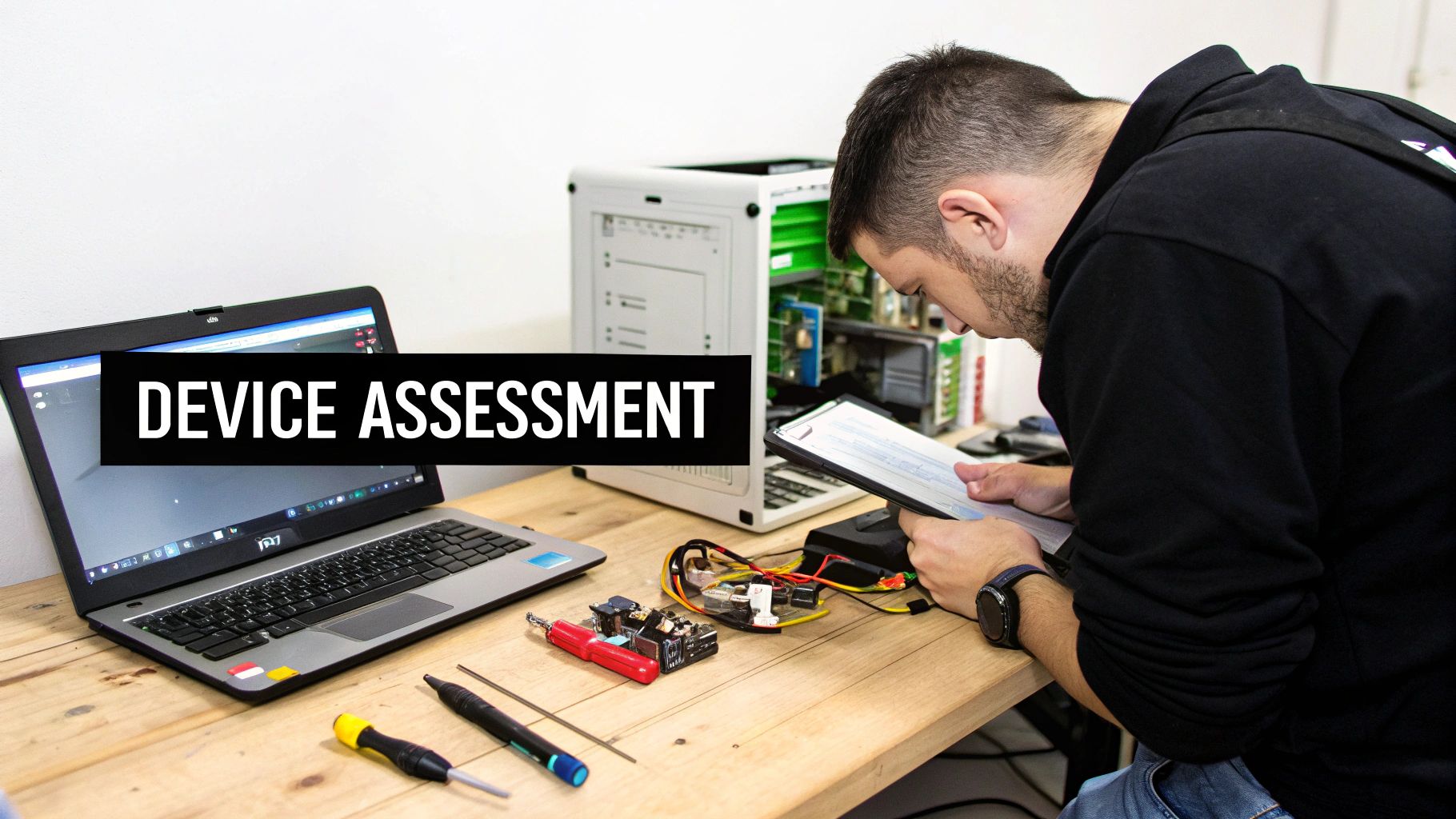
Before sending machines off to a new home or secure recycling, take each one for a quick hands-on test. This upfront check helps you sidestep surprises down the line and unlocks the full reuse potential of your hardware for corporate donation programs.
Start by giving the exterior a thorough once-over. Scuffed bezels, loose hinges or missing screws can all point to deeper issues. In fact, one Chicago law firm discovered 30 office PCs that needed nothing more than a simple RAM upgrade—and they got two extra years out of those systems.
On a broader scale, Q1 2025 saw global PC shipments jump 4.9% year-over-year to 63.2 million units, reflecting a massive influx of machines retiring at Windows 10 end-of-support. Read research about PC market growth
Physical Inspection Practices
- Inspect the display for dead pixels, cracks or backlight issues—nothing spoils a user experience faster than a spotty screen.
- Press every key and glide your finger over the trackpad to catch unresponsive spots early.
- Plug in USB drives and power adapters to confirm all ports still grip securely.
- Run your hand along the chassis to feel for dents or rust that hint at rough handling.
Next, boot up and run a couple of quick diagnostics to measure CPU and memory performance. On laptops, keep an eye on battery health by tracking charge cycles and discharge rates.
Categorize Reuse Potential
- Ready-to-Go: These systems pass both physical and performance checks and can head straight into donation bins without extra labor.
- Light Refurb: Devices needing dust removal, small component swaps or a fresh thermal paste fit mid-tier refurbishment tracks.
- Recycle Only: Machines with shattered motherboards or irreparable parts move directly to secure recycling and material recovery.
Decide early whether certain models belong in Reworx Recycling’s refurbishment stream or if they’re better off headed for teardown.
Check out our guide to managing end of life computer equipment for deeper insight on asset evaluation and lifecycle planning: Learn more about managing end of life computer equipment
Consistent evaluation ensures devices match the right pathway and avoid costly surprises.
Identify Repair Opportunities
Small fixes can transform potential e-waste into reliable donations:
- Swap out aging HDDs for SSDs and watch boot times drop by half.
- Fit new cooling fans to stop those midday shutdowns.
- Reseat RAM sticks to end random crashes.
- Clear dust from vents so temperatures stay stable under load.
Decide Final Disposition
After you’ve poked, prodded and benchmarked, make the call:
- Systems that boot cleanly and run without quirks are perfect to donate to schools or nonprofits.
- Units asking only for fresh parts or software patches slot into refurbishment initiatives.
- Computers with irreparable motherboards or severe damage go straight to secure recycling for maximum material recovery.
Keep a simple spreadsheet or tag each asset so your team knows exactly where it’s headed. Then book a pickup or drop off at a local electronics collection event with Reworx Recycling.
Secure Data Erasure And Certificate Of Destruction
Donating an old computer means more than handing off hardware. If you skip proper data sanitization, sensitive files can linger—and that’s a risk no one wants. From my years in IT asset management, I can’t stress enough how critical a solid wipe process is for secure data destruction and IT asset disposition (ITAD).
Industry standards like DoD 5220.22-M lay out multi-pass wiping methods that withstand forensic scrutiny. Sure, a single-pass overwrite might handle low-risk data, but anything confidential deserves multiple passes to make recovery impossible.
Industry Standard Drive Wiping
Start with a tool designed for whole-disk overwrites—HDDs and SSDs alike. Open-source options like DBAN or Linux live distributions get the job done, while Reworx Recycling’s enterprise platforms add audit trails when you need them.
- GDAT utilities: Multi-pass zeroing and random writes
- Parted Magic: SSD firmware secure-erase module
- Vendor solutions like Blancco that generate verification certificates
“Certified erasure builds trust and meets strict IT asset disposition obligations.”
Keeping detailed logs is non-negotiable. In one engagement, a healthcare client wiped 250 drives and proved zero recoverable sectors afterward. Those records sailed through compliance reviews without a hitch.
- Match pre- and post-wipe hash values for a clear audit trail
- Archive log files with timestamps and operator IDs
- Attach digital signatures and operator sign-offs
Before rolling out across dozens of drives, run a pilot test on one unit. Tweak settings if you spot anything unusual.
Handling Encrypted Volumes
Encrypted disks demand extra care. You’ll need to remove the pre-boot passphrase and strip metadata before your wipe begins. BitLocker, FileVault, LUKS—each requires the right recovery key.
- Decrypt partitions with recovery keys
- Verify container integrity to spot corrupt sectors
- Perform a multi-pass wipe and save the audit log
Certificate Of Destruction Process
When shredding is part of the plan, you must document every handoff. Reworx Recycling issues a signed certificate listing serial numbers, dates, and operator credentials. Chain-of-custody logs capture who handled the drives, when, and where.
- Degauss unreadable drives to ensure full bit destruction
- Record physical damage and weight before recycling media
- Store shredded fragments in sealed, tagged containers
- Include witness signatures and QR codes for traceability
You can learn more about creating official certificates by visiting Reworx Recycling’s detailed guide on certificate of destruction for hard drives.
Select The Right Donation Partner
Finding the perfect organization to receive your gently used computer isn’t just about handing over hardware. It’s about matching your goals for sustainability, community uplift, and secure data destruction. From local nonprofits to national reuse networks, each partner brings its own mix of logistics, certifications and impact.
Take a moment to weigh these four key factors before you commit:
- Mission Alignment: How deeply does the partner serve underserved neighborhoods?
- Environmental Credentials: Do they hold R2 or e-Stewards certifications?
- Logistical Reach: Can they handle curbside drop-offs, on-site pickup or cross-country shipping?
- Social Metrics: Will you see clear reports on devices distributed, training hours delivered or job placements?
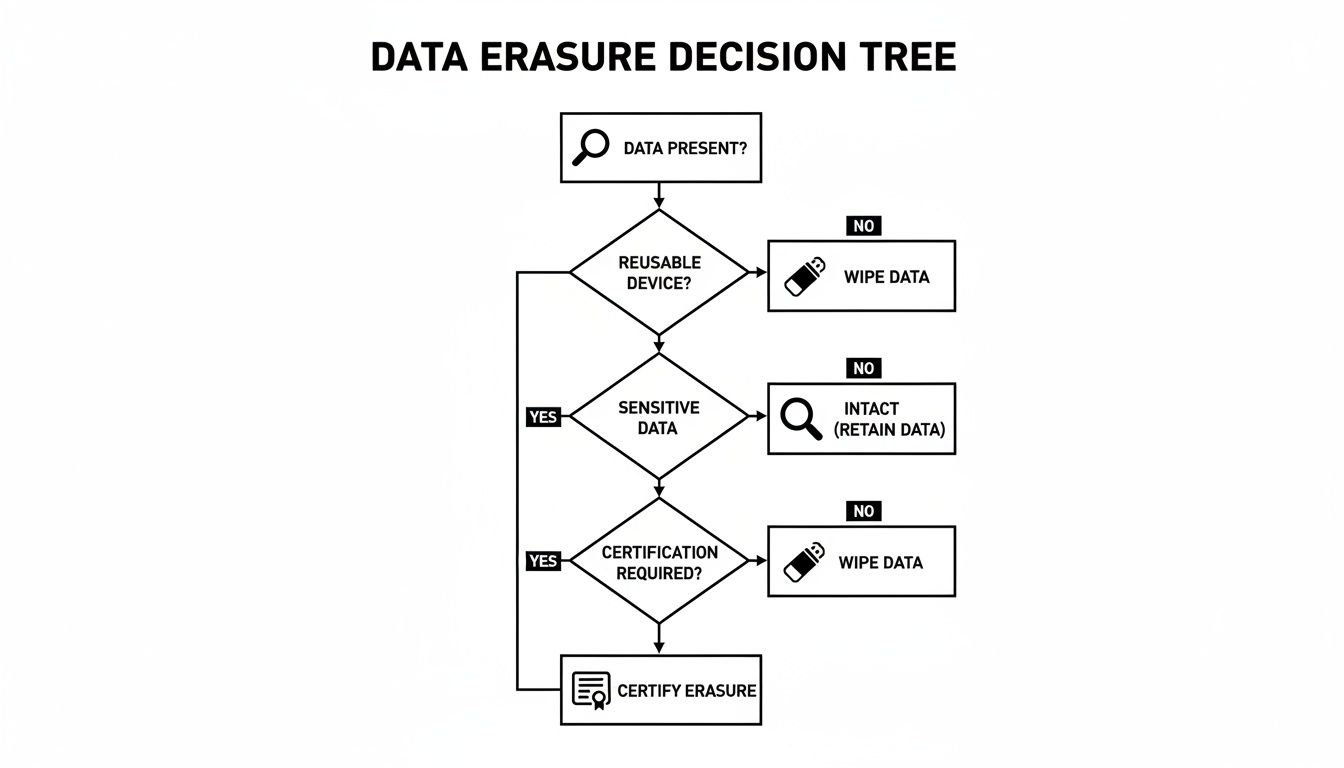
Below is an infographic visualizing a data erasure decision tree for donated hardware.
Evaluate Mission Alignment
Unexpected twists can emerge if you skip this step. For example, a small tech startup donated twenty laptops only to find they were sitting in storage at a local shelter—unused because no training was planned. Aligning missions up front avoids that disappointment.
Ask yourself:
- Does the partner explicitly mention digital inclusion in its mission?
- How many devices reached underserved groups in the last year?
- Are there published case studies or impact reports?
Check Environmental Credentials
When a partner carries R2 or e-Stewards certification, you know they’ve passed annual audits and maintain a strict chain of custody. Look for transparent policies around hazardous waste and energy usage in their facilities.
- Review any published e-waste diversion or recycling metrics.
- Confirm they follow local and federal disposal regulations without shortcuts.
To help you visualize the strengths and trade-offs, here’s a quick overview:
Comparison Of Donation Partner Options
| Partner Type | Best For | Key Benefits |
|---|---|---|
| Nonprofit Programs | Community outreach | Low fees and mission-driven focus |
| Educational Initiatives | Structured skill-building | Hands-on training and support |
| Trade-In Networks | Credit toward new gear | Fast turnarounds and cash value |
| Reworx Recycling | Zero-landfill commitment | Local pickup, certified destruction, ITAD |
Use this table to match your donation goals with the partner type that checks the right boxes.
Assess Logistical Reach
Cutting down transport time and costs keeps more of your donation dollars working locally. Take, for instance, a community health center that saved 30% on logistics simply by coordinating palletized pickups with Reworx Recycling.
Check out our guide on selecting a reliable e-waste recycling partner for deeper tips and partner evaluation.
Evaluate Community Impact
Donating hardware is meaningful, but adding training or certification programs elevates the results. Reworx Recycling pairs computer donations with job-readiness workshops so recipients step confidently into tech roles.
Key Takeaways
Nonprofits often shine in mission focus, while social enterprises like Reworx Recycling add zero-landfill guarantees and workforce development.
Coordinate Logistics For Pickup And Drop Off
Good logistics planning slashes carbon miles and keeps your donated devices in prime condition. It’s about syncing calendars, clarifying who does what, and lining up with Reworx Recycling’s pickup windows for office cleanout or facility cleanout projects.

Scheduling Pickup Times With Reworx Recycling
When you partner with Reworx Recycling, you unlock their online scheduling portal and a variety of pickup slots.
- Pick dates that match your office clean-out pace—whether you have 20 devices or hundreds.
- Loop in IT and facilities early to reserve loading bays and map out transport routes.
- Lock in your slot at least one week before pickup to guarantee availability.
“Batching assets into palletized loads reduced our transport costs by 30% and saved precious staff hours,” reports a sustainability manager at a regional healthcare provider.
Coordinating Internal Teams
- Facilities managers secure dock schedules and arrange forklift support.
- IT teams verify counts, strip peripherals, and tag each device.
- Admin staff handle scheduling confirmations and prep donation receipts.
Order packing materials—foam, dividers, pallets—once your device tally is set. Coordinating supply shipments with Reworx prevents frantic last-minute runs.
Preparing Equipment For Transport
Proper packing protects hardware and expedites drop-off handling.
- Label boxes with device count, type, and condition so handlers know exactly what’s inside.
- Stack gadgets on sturdy pallets or rolling carts; cushion movement with foam or corrugated dividers.
- Seal and shrink-wrap pallets to guard against moisture and shifting.
| Transport Option | Best Use Case | Lead Time Required |
|---|---|---|
| Business Pickup | Large office cleanouts | 7 days |
| Drop-Off Center | Small batch donations | 2 days |
| Hybrid Shipping | Remote site or warehouse moves | 10 days |
Interested in fast, hassle-free pickup? Learn how to schedule a pickup with Reworx Recycling to streamline your next donation-based recycling event.
Document Donations For Tax And Compliance
Donating an old computer can do more than clear up space—it can slash your tax liability and keep you audit-ready. To make it stick, each item must be valued at its fair market value or original cost basis in line with IRS rules. Stick to those guidelines, and you’ll avoid red flags.
In one real-world example, a manufacturing firm donated dozens of desktops and laptops and claimed $120,000 in deductions—no audit issues, no headaches.
Key Documentation Elements
- Donation Receipts that detail dates, serial numbers, and fair market value statements from Reworx Recycling
- Completed Form 8283 entries (Sections A and B) listing donor and donee information
- An Asset Log—a spreadsheet or dashboard capturing serials, conditions, and final disposition
- Data Destruction Certificates, securely stored for at least five years, proving all drives were wiped or shredded
Understanding Form 8283
Form 8283 kicks in when your non-cash gifts exceed $500.
- For items under $5,000 each, fill out Section A.
- Gifts above $5,000 require Section B, complete with appraisals and signatures.
Asset Logs For Audit Trails
An up-to-date asset log means you’ll never hunt through piles of paper when an audit looms. One firm tracked 150 device donations and cleared an audit query in under 48 hours.
Key Insight Clear records reduce audit time by up to 50% and strengthen your sustainability narrative.
Common Compliance Pitfalls
It’s surprisingly easy to trip up the IRS:
- Guessing fair market value instead of using formal appraisals
- Missing signed donation acknowledgments from your donee
- Overlooking data-destruction logs when they matter most
Templates And Tools
| Template Type | Purpose |
|---|---|
| Asset Log Spreadsheet | Track serials, conditions, and valuations |
| Form 8283 Worksheet | Simplify IRS form completion |
| Dashboard Template | Visualize donation metrics over time |
Access these resources in Reworx Recycling’s online portal to streamline your compliance workflow. Secure your tax benefits and amplify your sustainability impact with clear, organized documentation.
FAQ And Next Steps
When you’re ready to pass on your old computers, a few questions often come up. Below you’ll find practical answers to help your team arrange a seamless pickup, protect sensitive data, and make a real environmental impact with Reworx Recycling.
Which Computers Qualify For Donation?
It’s surprising how many devices can enjoy a second life. As long as a desktop, laptop or all-in-one powers on, boots into an operating system and has an intact case or screen, we can usually refurbish it. Even machines beyond repair get responsibly recycled for materials recovery.
Hybrid Device Handling
Some gadgets need extra attention before data wiping. Detachables often require you to separate the keyboard and tablet. All-in-ones may hide the motherboard behind a back panel.
Pickup Timelines
Most businesses see a pickup slot within 5–7 business days. If you’re moving over 100 units, we recommend 10–14 days to coordinate palletized shipments efficiently.
Solving Data Erasure Issues
Sometimes drives resist wipes because of encryption or bad sectors. Start by decrypting any volumes with recovery keys or disabling firmware locks. Then run multi-pass overwrite tools with write-verification logs. If a sector stays unreadable, flag it for certified physical destruction.
Additional Resources
- EPA electronics recycling guidelines: https://www.epa.gov/recycle/electronics-donation-and-recycling
- Reworx Recycling data destruction services: data destruction
- Schedule a pickup: schedule a pickup
Partner with Reworx Recycling to donate an old computer, schedule a free pickup, or launch a corporate donation program that drives environmental responsibility and community impact across Atlanta.